


If you’re in the market for dump truck software, you’ll need a platform that helps you do the following:
- Dispatch a high number of loads per truck per day. Most trucking management software (TMS) is not built for dump truck operations. For instance, it typically can’t handle the high volume of loads you’ll be managing each day. That’s why you should choose a trucking software designed specifically for dump trucks and bulk hauling more generally. It should save dispatchers time by reducing load-related admin and letting you edit job details in real time.
- Cut the amount of data entry you do. Repetitive data entry is a common issue in dump truck operations, as teams often have to reenter the same information into their software five to six times for each load — from dispatching and driver communication to invoicing and payroll. For it to actually be useful, dump truck dispatch software should reduce the amount of data entry you do. Customizable load templates help here, as well as automations that prepopulate all the repeated instances of the same information. This not only saves time but also reduces the likelihood of errors.
- Manage paper tickets effortlessly, or replace paper with e-ticketing. A good dump truck software helps you easily manage scale tickets, bills of lading (BOLs), and proofs of delivery by enabling you to handle them digitally, cutting the need to manage physical documents. For instance, the tool should let drivers capture ticket information from the field and automatically update all your records. This minimizes errors and the time spent on manual ticket entry.
- Manage subhaulers alongside your own trucks. Most dump truck operations bring in subhaulers or lease haulers when work picks up. Your software should let you dispatch, track, and pay them without a separate system of calls, texts, and paper tickets.
- Get set up and use the software easily. One of the key challenges for bulk haulers when buying software is getting their teams to adopt the tool. If a TMS is too complex, we’ve found that dispatchers and drivers are unlikely to use it — meaning you won’t get any value from it. So, find a TMS designed with simplicity in mind, with an intuitive interface and simple drag-and-drop functionality. This way, users will actually want to use the tool and can quickly get up to speed without extensive training.
- Handle the complexities of driver pay for bulk hauling. When drivers are paid in different ways — and often have individual deductibles — managing driver pay can be complex. But with the right software, you don’t need to calculate what they’re owed manually. Instead, the dump truck software should simplify payroll by tracking each driver's activities in real-time, automatically calculating pay based on drivers’ preferences while ensuring accuracy and ease in payroll processing.
In this article, we share eight software options that are a great fit for dump truck operations. We’ll start with Toro TMS, our software built for bulk haulers, including dump trucks.
Want an easier way to manage dump truck loads and schedules? Book a demo with us to see how Toro TMS can make a real difference for your business.
Dump truck software at a glance
The best dump truck software depends on who you are in the hauling chain. Fleets that run their own trucks need fast multi-load dispatch, ticket capture, and driver pay. Brokers need subhauler networks and fast payouts. Meanwhile, contractors and material producers need visibility into the trucking they buy.
Here's how the 8 options compare:
How to choose dump truck software
Start with your role in the hauling chain, then check the details that decide whether your team will actually use the tool:
- You run your own dump trucks. Prioritize dispatch that can handle many loads per truck per day, ticket capture that feeds invoicing automatically, and driver pay by the load, ton, or hour. Toro TMS, Dump Truck Dispatcher, and Axon are built around exactly these capabilities, but some tools are easier to use than others.
- You're a dump truck broker. Look for subhauler onboarding, ticket collection from outside carriers, and fast subhauler payment. Iron Sheepdog is built for brokers, and Toro TMS and Dump Truck Dispatcher both include subhauler portals.
- You're a contractor or material producer buying trucking. You need visibility into trucks you don't own, plus ticketing that ties to your projects. Tread, Trux, and TruckIT focus on this side.
Then check three things:
- First, find out whether drivers need to download an app, since app adoption is the most common reason dump truck software fails.
- Second, check how tickets get into the system: true e-tickets from the scale house, driver photo uploads, or manual entry.
- Third, understand whether subhauler loads flow into the same billing and settlement process as your own trucks.
Read more: How to choose the best TMS for construction: 6 top choices
1. Toro TMS: Easy-to-use trucking software for dump truck operators and bulk haulers

We built Toro TMS to help dry and liquid bulk haulers, including dump truck operators, spend less time on data entry. We designed it to make it as easy as possible for dispatchers and back office teams to manage the high volumes of daily loads that bulk haulers handle, even when dispatchers don’t know how many loads their drivers will carry each day.
Unlike most other TMSs, which force you to reenter the same load details at every step from dispatch all the way to payroll, you only need to enter load information once with Toro TMS.
All that load information is then at the heart of the system, so once the load is created, the relevant data is automatically available to everyone who needs it. Having this unified, load-centered structure eliminates repetitive data entry, reduces the risk of errors, and saves your team hours of work each week.
In this section, we’ll show you how Toro TMS works for dump truck operations — from dispatch to documentation, reporting, and payment. With Toro, you can:
- Dispatch multiple loads in moments using templates designed for repeat trips
- Capture scale tickets digitally from the field — no driver app required
- Dispatch and pay subhaulers alongside your own trucks
- Calculate pay automatically to save time for your back office team
- Generate invoices without having to reenter load data
- Receive personalized, in-person training and quick customer support
Dispatch multiple loads in moments using templates designed for repeat trips
As a dump truck operator, each of your trucks will be handling multiple loads each day. But you may not know in advance the precise number they’ll be carrying.
This is one of the reasons why most legacy or generic TMSs are not usually a good fit for bulk haulers. They don’t offer the tools or flexibility at dispatch that you need to manage a high volume of jobs or to add loads throughout the day. Plus, they don’t have templates that capture the specific information you need as a dump truck hauler.
While other specialized dump truck software may offer these features, they often fail because they’re just too complicated to use. This really matters because if dispatchers don’t actively love the software, they’re unlikely to use it. This causes problems for your entire business, because it’s the dispatchers who create loads and add the load data used for payroll and other processes. If they don’t want to use the software, it holds your other teams back.
Our dispatch software for trucking is built specifically for these challenges, with a user-friendly interface that's easy to learn and use even for non-tech specialists:
- Drag-and-drop load assignments: Assign loads using an intuitive interface that shows you everything you need for dispatch — your pending loads, driver schedules and availability, and equipment statuses — all on one screen. Your active orders appear on the left, while the right side displays each driver’s availability in a simple calendar view. Just drag a load to an open slot to assign it, so you don’t need to toggle between screens or chase down drivers to confirm their schedules.

- Load templates: Use reusable templates for repeat customers and common routes. For example, if you're regularly doing a repeat job for the same customer, you can create a template with the pickup and dropoff, commodity, weight, and more. Then next time, all you need to do is click on the load and assign it to a driver — no data entry necessary.
- Flexible dispatch: The exact number of loads drivers will run isn’t always clear at the start of a job. With Toro, you can dispatch a driver to a job site even if you don’t know how many loads they’ll complete. For example, if you're hauling 50k tons of aggregate from a quarry to a construction site, you can send drivers out to haul as many loads as they can in a day. The driver receives a link on their phone, where they can add each load as they go and upload the paperwork directly from the field.
Read more: Aggregate dispatch software: 5 top options for bulk haulers
Capture scale tickets digitally from the field — no driver app required
In dump truck operations, managing paperwork and driver communications can eat up hours of your day. Traditionally, you're waiting until drivers return to the office with stacks of scale tickets and BOLs before you can use them to create invoices and track payroll.
Most dump truck software solves this with a dedicated driver app that every driver, including subhaulers, has to download, log into, and learn. Toro takes a simpler approach. You communicate with drivers and have them submit tickets via text message. Drivers receive load details directly on their phones and can upload scale tickets and BOLs just by snapping a photo and tapping a link — using the same texting tools they already use every day.

When drivers submit scale tickets and other documentation, Toro’s optical character recognition (OCR) technology automatically reads and extracts the important details, such as scale ticket reference numbers and weights. Then, Toro attaches them directly to the load and updates all relevant fields throughout the TMS.
This automated data capture feeds directly into your invoices and driver settlements, so your back office team can quickly generate invoices — individually or in bulk — for all loads from a given day or week. For example, if you're hauling aggregate from a quarry, the system automatically captures each load's weight from the scale ticket, matches it with the correct rate structure, and applies any relevant fees or fuel surcharges.
With no need to wait for physical paperwork to arrive or process it manually, you can process invoices and driver pay much faster — dramatically speeding up your billing cycle.
Read more: Trucking ticket management software: How to better manage your paper tickets
Dispatch and pay subhaulers alongside your own trucks
Most dump truck operations rely on subhaulers or lease haulers when work picks up. But subhauler work usually runs outside the main system, through phone calls, texts, and paper tickets that someone has to chase and reconcile at the end of the week. That's where loads go unbilled and subhauler pay disputes start.
Toro's Carrier Portal brings subhaulers into the same workflow as your own trucks. Dispatchers assign work to subhaulers from the same dispatch board, subhaulers send tickets the same way your drivers do, and their loads flow into customer invoicing and subhauler settlements automatically.
That means you can take on bigger jobs without adding dispatch staff, and without asking every subhauler to install yet another app.

Read more: Driver subcontractor management software: 6 tools for trucking & construction hauling
Calculate earnings automatically with every pay structure and compensation scenario covered
Whether you pay your drivers by the load, ton, or hour, calculating driver pay can eat up hours of office time. To solve this problem, Toro TMS handles these calculations automatically, cutting your administrative work by 70%.
Each driver's profile stores specific pay rates, bonuses, deductions, preferred payment methods, tax information, licenses, certifications, insurance documents, and more in one central location. Toro uses this information alongside real-time load data to automatically calculate what’s owed to each driver, without you needing to manage multiple spreadsheets or go back through load details. The system handles everything from basic hourly rates to complex combinations of mileage, tonnage, performance bonuses, and more.
Not only does this eliminate time-consuming reconciliation for your back office, but it also gives drivers a clear and detailed breakdown of their earnings.

For Acme Resources — a Youngstown, OH-based fleet specializing in hauling concrete, sand, gravel, and limestone — Toro’s automated pay calculation has been a game-changer.
Acme relied on spreadsheets and manual processes for years. But as they added more trucks to their fleet, managing their dispatch, driver pay, and invoicing became a challenge.
After trying a number of different TMS tools, they turned to Toro. Now, their back office can process driver payroll with greater speed and accuracy.
As Cindy from Acme’s team shares, “Drivers see exactly what they ran each week. Payroll processing for our W-2 drivers through ADP is faster with Toro’s clean reporting.”
Read more: Trucking payroll software: 5 options for effortless driver pay
Generate invoices without reentering load data
Invoicing is another moment when, with a conventional TMS, your back office team would need to reenter load data from scratch. But with Toro’s load-centered system, this is just not necessary. Instead, all the data you need to create customer invoices is already there waiting for you.
This means you can create accurate customer bills without any data entry at all. Once loads are delivered and drivers submit documentation, your back office has instant access to everything needed for billing — from BOL numbers and PO references to accurate tonnage and mileage data.
In order to create an invoice, all you have to do is click “create invoice" — with the option to do this in bulk.

The system also automatically populates each invoice with the correct customer details, delivery information, and pricing, eliminating the need to cross-reference multiple systems or reenter data. This means what used to take hours of manual work — gathering tickets, entering weights, checking rates, and creating invoices — can now be done in just a few clicks.
Plus, Toro syncs invoices with QuickBooks in a single click, so your accounting stays accurate and up-to-date without additional data entry.
Many bulk haulers are seeing results already. Crapo LTD cut unbilled loads by 80% after moving dispatch and billing into Toro, and Mike's Trucking saves hours of office work every day.
Read more: QuickBooks trucking software: How to save 70% of time on back-office tasks
Get personalized, in-person training, plus hands-on customer support
To onboard new customers, most TMS tools simply send a training video and let you figure out how to use the software for yourself.
At Toro, we understand that that’s often not enough for you to get the most out of the product. That’s why we come directly to your office to train your team in person, because we know this is the fastest way to get everyone up and running with the software.
We work with each department, from dispatch to accounting, and train your drivers too. Our system is easy to learn, and we ensure everyone knows exactly how to use the features they need for their role no matter their tech experience.
On top of that, our customer support team responds to requests within 30 minutes between 9 am and 9 pm ET, so you'll never have to wait long for assistance if you need it.
Ready to see how Toro TMS can help your dump truck business run more smoothly? Book a demo to see it in action.
2. Dump Truck Dispatcher: Cloud-based dispatch and digital ticketing software for dump truck fleets

Dump Truck Dispatcher offers cloud-based dispatch software for dump truck companies. Through its web browser interface and mobile app, dispatchers can schedule jobs and track their fleet's locations in real-time.
The platform includes:
- A dispatch board with bulk assignment tools and order duplication for recurring jobs
- A driver app for clock in/out, route maps, status updates, eTicket uploads, and signature capture
- A lease hauler portal where subcontractors respond to job requests and manage their own trucks and drivers
- Batch invoicing with QuickBooks export
- A customer portal where clients can view their invoices and tickets
- DOT compliance tracking for driver licenses, physicals, MVRs, and vehicle inspections
Dump Truck Dispatcher covers most of the core dump truck workflow, and its lease hauler portal and DOT compliance dashboard are useful for fleets that rely on subcontractors. The trade-off is that drivers, including lease haulers, need to use the dedicated app for dispatches and tickets, which can slow adoption with drivers who prefer not to install new software.
3. Tread: Dispatch, tracking, and e-ticketing for construction materials

Tread is a construction fleet management platform for moving construction materials. It's aimed mainly at contractors and material producers that coordinate short-haul trucking, including trucks they don't own.
The platform includes:
- Dump truck dispatch and scheduling, with standardized requests from drivers to dispatchers
- Real-time GPS tracking of trucks and heavy equipment
- Paperless e-ticketing, with drivers signing tickets in Tread's mobile app on site
- Duplicate ticket detection to reduce billing errors and fraud
- Subcontractor management
- Integrations with Command Alkon's CONNEX ticketing system, Sage Intacct, and QuickBooks
Tread works for contractors and producers that need e-tickets and visibility across many haulers, especially where the scale house already uses Command Alkon. It's less focused on the internal back office of a hauling company, such as per-ton driver pay, and it requires drivers to use Tread's app.
4. Trux: Digital platform for dump truck dispatch and fleet management

Trux provides a digital platform specifically designed for material producers, contractors, and fleet owners. The system operates through their Trux Drive app, which allows companies to manage dispatch operations and connect with third-party haulers.
The platform includes:
- Digital dispatch tools for scheduling and load planning calculations
- Real-time GPS tracking and delivery confirmation through the Trux Drive app
- E-ticketing and documentation management
- Customer portal for order tracking and delivery updates
- Access to a marketplace of third-party haulers
- Automated hauler payment processing and earnings tracking
Trux's hauler marketplace is its main differentiator: it's useful if you need to find extra trucks, not just manage the ones you already work with. All functions run through the Trux Drive app, and the system involves multiple steps for processing tickets and payments. Companies looking for faster document processing, easier driver communication, or a system that requires less training might need a different solution.
5. TruckIT: Online dispatch and tracking system for construction hauling

TruckIT is a digital management system that manages the movement and documentation of construction materials for trucking companies, including capabilities for handling contaminated site cleanup projects and hazardous materials. The system transforms traditionally manual processes through AI, cloud computing, and IoT connectivity.
The platform includes:
- AI-powered Smart Dispatch and real-time tracking
- E-ticketing solutions and documentation tools to replace paper-based processes
- Material chain of custody tracking with automated delivery confirmation
- Mobile apps and system integration for stakeholder collaboration
- Business intelligence tools for compliance monitoring and performance reporting
TruckIT can handle various levels of complexity, from standard hauling operations to more demanding projects involving contaminated materials and strict chain of custody requirements. However, the platform's advanced technological features may require more extensive training and IT support compared to simpler alternatives.
Read more: How to better manage dump truck load tickets (+ a template for bulk haulers)
6. Iron Sheepdog: Dispatch and subhauler payment for dump truck brokers

Iron Sheepdog is dump truck software built for brokers. Brokers are the paying customers, their subhaulers use Iron Sheepdog's app to accept work and submit tickets, and contractors can be given access to the data.
The platform includes:
- Dispatch for fleets of owned and independent haulers
- GPS tracking and load counts
- Digital ticketing
- Automated invoicing and reporting
- Subhauler payment within 24 hours
- Access to Iron Sheepdog's broker network
Iron Sheepdog is the most broker-focused option on this list, and its fast subhauler pay helps brokers attract and keep haulers. Fleets that mainly run their own trucks may find it less suited to internal workflows like per-ton driver payroll, and subhaulers need to use the app.
7. Axon Software: Dispatch and accounting for high-volume aggregate fleets
Axon Software is an integrated trucking management and accounting platform that has been around since 1982. It serves many types of trucking, including a dedicated offering for dump and aggregate haulers.
The platform includes:
- Dispatch with satellite tracking and driver call-ins
- Fast ticket entry, including copying tickets when only the truck number or quantity changes
- Ticket upload from the field through the Axon Truck Link mobile app
- Reports that show tickets ready to invoice
- Full integrated accounting, driver pay, fuel tax, and fleet maintenance
Axon suits larger fleets that want dispatch and full accounting in one system. Because it's built for many types of trucking, smaller dump truck operations may find it heavier to set up and learn than purpose-built tools.
Read more: Axon trucking software: Reviews, pricing & alternatives
8. HaulWare: Trucking software designed for construction operations
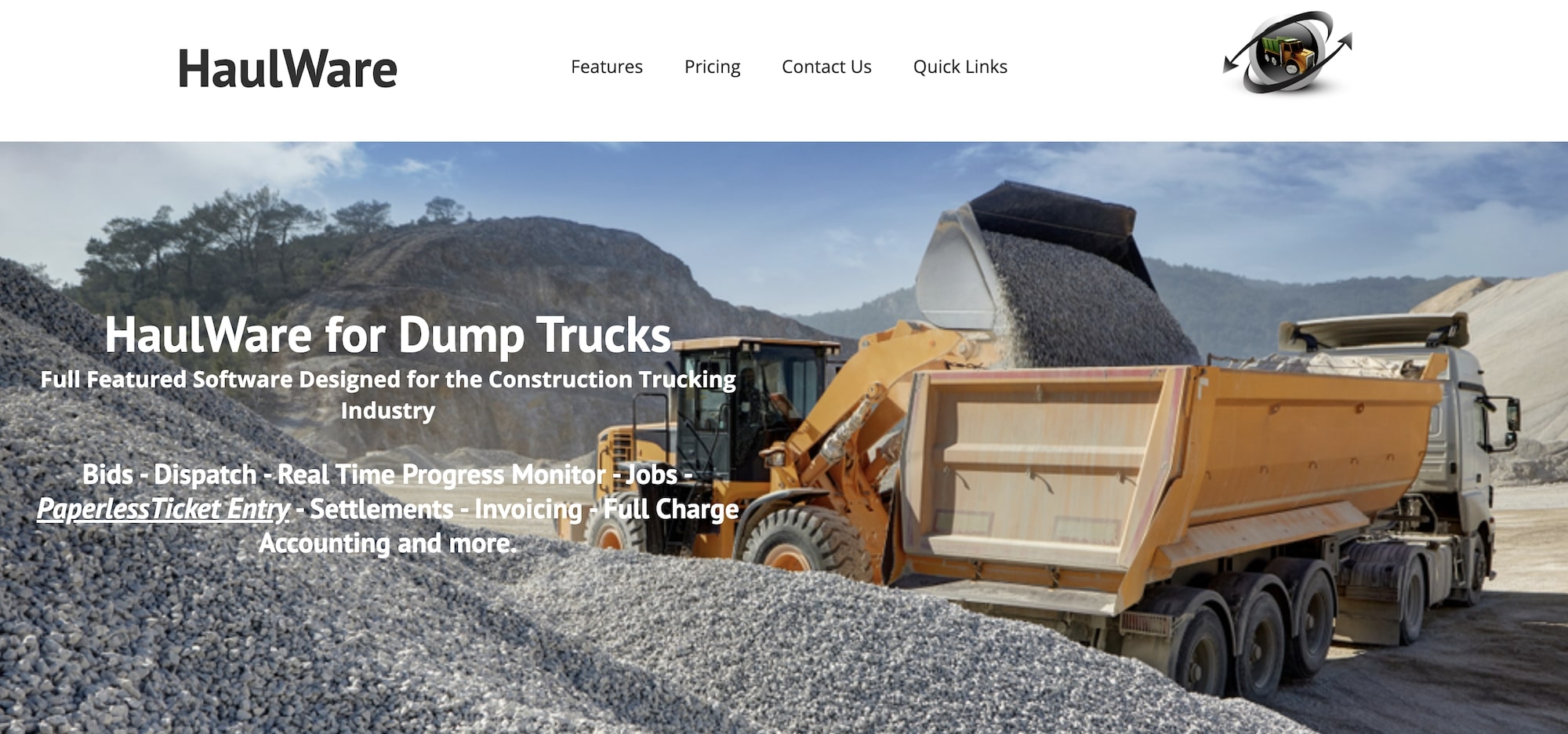
HaulWare is a software designed especially for the construction trucking industry. The system combines dispatch, documentation, and financial management tools in one place.
The platform includes:
- Basic dispatch tools with text message communication options and real-time progress monitoring
- Digital ticket processing with paperless entry and documentation management
- Driver settlement processing for employees and subcontractors
- Invoicing features with multiple format options
- Financial management tools for accounting functions
HaulWare suits construction trucking companies that want bidding, operations, and accounting in a single system. Its website lists these features but shows little of how they work day to day, so plan on a detailed demo to see how it handles your specific ticket and pay workflows.
Read more: How to choose the best TMS for construction: 6 top choices
Choose Toro TMS for easy-to-use dump truck management
After reviewing these options, one thing is clear: you need software that actually works for the specific condition of dump truck operations.
Toro TMS delivers exactly what dump truck fleets need:
- Simple dispatch for multiple loads, where you can schedule and change dozens of loads per truck with a few clicks.
- Ticket capture without a driver app. Drivers snap photos of scale tickets and BOLs from a text message link, and OCR pulls ticket numbers and weights straight into the load.
- Subhaulers in the same workflow. Dispatch subhaulers from the same board and pay them from the same load data, through the Carrier Portal.
- Smart templates for common routes and customers, so dispatchers don't waste time reentering the same information day after day.
- Automated pay calculations, whether you're paying by load, weight, or hour, everything's calculated accurately without extra work.
- Easy trucking software tools, so everyone can get the most out of the system.
Want to see first-hand how Toro TMS handles dump truck operations? Book a demo to experience how it can work for you.
What is the best app for dump truck dispatch?
It depends on your role. Fleets running their own trucks are best served by Toro TMS or Dump Truck Dispatcher, which handle many loads per truck per day, ticket capture, and driver pay. Brokers managing subhaulers often choose Iron Sheepdog. Contractors and material producers coordinating hired trucks tend to look at Tread, Trux, or TruckIT.
Do dump truck drivers need to download an app?
With most dump truck software, yes: drivers receive dispatches and submit tickets through a dedicated mobile app. Toro TMS is an exception. Drivers get load details by text message and upload scale tickets by photo through a link, with no download or login. That matters most for subhaulers, who often won't install an app for each company they haul for.
What is e-ticketing in dump truck hauling?
E-ticketing replaces paper scale tickets with digital records of each load's material, weight, and delivery. Some systems receive tickets electronically from the scale house; others have drivers photograph or enter tickets in the field. Either way, ticket data flows straight into invoicing and driver pay instead of being keyed in from paper.
How much does dump truck software cost?
Most dump truck software is priced by custom quote, based on the number of trucks, users, and modules you need. When comparing quotes, ask whether pricing is per truck, per user, or per load, whether subhaulers cost extra, and whether onboarding and training are included.
Can dump truck software calculate pay by the load, ton, or hour?
The better options can. Look for software that stores each driver's pay rates and calculates pay automatically from completed loads, including per-ton, per-load, hourly, and mixed rates. Toro TMS, Axon, and Dump Truck Dispatcher all handle driver pay; some contractor-focused tools leave payroll to a separate system.
How do dump truck companies manage subhaulers?
The most efficient approach is to dispatch subhaulers from the same system as your own trucks, so their tickets flow into the same invoicing and settlement process. Toro TMS's Carrier Portal and Dump Truck Dispatcher's lease hauler portal both do this. Iron Sheepdog is built around subhauler networks for brokers.

