.png)



Most of the administrative work in trucking still happens manually. For instance, many trucking companies still have to enter the same load details multiple times into the system they use: once at dispatch, once in billing, once in payroll, and once for IFTA reporting.
If you’re a bulk hauler—or you’re carrying a high volume of loads a day—this problem of repeat data entry becomes much more acute. But it can be hard to find a tool that actually helps to make your life easier.
That’s because most software is built for generic freight carriers, the long-haul truckload operators who move just one or two loads per truck per day. These generic tools can't keep up with a higher volume of loads, which only creates additional challenges for dispatchers, drivers, and back-office teams.
To truly solve your problems, a trucking automation software should allow you to:
- Enter load details once at dispatch and have them flow downstream into driver assignments, invoices, settlements, IFTA, and QuickBooks automatically.
- Assign and reschedule loads from one central screen instantly, so dispatchers can update schedules and view driver availability at a glance.
- Centralize dispatch and driver communications, so assignments and instructions are sent through one channel, reducing the back-and-forth and check-in calls.
- Automatically track key details for invoicing and payroll, including driver hours, completed work, and pay rates, with records tied to each specific load through digitally captured BOLs and scale tickets.
- Monitor fleet and business performance with real-time reporting, so you can identify driver and customer patterns that impact profitability.
In this article, we'll explain how Toro TMS, our own trucking management software, automates the manual work that typically slows down bulk hauling operations. We'll also review 5 additional trucking automation software options worth considering.
Are you a bulk hauler that’s overwhelmed by manual data entry? Book a demo with us to see how Toro TMS can help.
Toro TMS: Trucking automation software designed for bulk haulers

Toro TMS is built for bulk haulers that run high volumes of short, repeat loads and feel the cost of manual admin more than anyone. When a single truck moves six, eight, or ten loads a day, every load multiplies the same data entry, the same paperwork, and the same round of check-in calls.
Our software lets you enter a load once at dispatch and have those details carry all the way through to driver assignments, invoicing and payroll, IFTA, and reporting. This way, there's no need to re-enter the same information over and over again.
Automating this manual work saves your back office a ton of time. Plus, all the key details (like load info, schedules, and documentation) are stored in one system, so your entire operation is in sync.
Take Peter Trucking, a family-owned bulk hauler running more than 90 trucks of grain and feed out of Athens, Wisconsin.
The team had been dispatching out of Google Sheets and entering every load into QuickBooks by hand, double-keying the same data and messaging drivers one load at a time. After moving to Toro's mass dispatching, that afternoon routine simplified into a single step.
“Dispatching all at once at the end of the day just pulled out 2 hours out of my afternoon work. I used to do each one by one and message each driver individually.”
The same changes that occurred at dispatch for Peter Trucking also impacted the back office. Loads that the team used to re-enter into QuickBooks by hand are now invoiced in one click because the data captured at dispatch flows straight into billing.
Below, we'll walk through how Toro TMS automates the manual work in a bulk hauling operation by letting teams:
- Eliminate repeat data entry by capturing load details once at dispatch
- Dispatch a full day of loads at once with reusable templates for repeat orders
- Centralize dispatch, driver communication, and load details in one system
- Collect and store load documentation digitally
- Automatically generate invoices, settlements, and IFTA reports
- Track profitability and business performance with real-time reporting
Eliminate manual load creation with reusable job templates
As bulk haulers tend to run the same loads repeatedly, it makes sense to implement trucking software that can automate the job creation process.
But many standard TMSs force dispatchers to rebuild those recurring loads from scratch every time, re-entering the same details by hand—which means wasted time and a greater chance of error.
Toro solves this with reusable load templates. With Toro, dispatchers can build a template once with all load details, then generate a fully populated load from it in a few clicks.
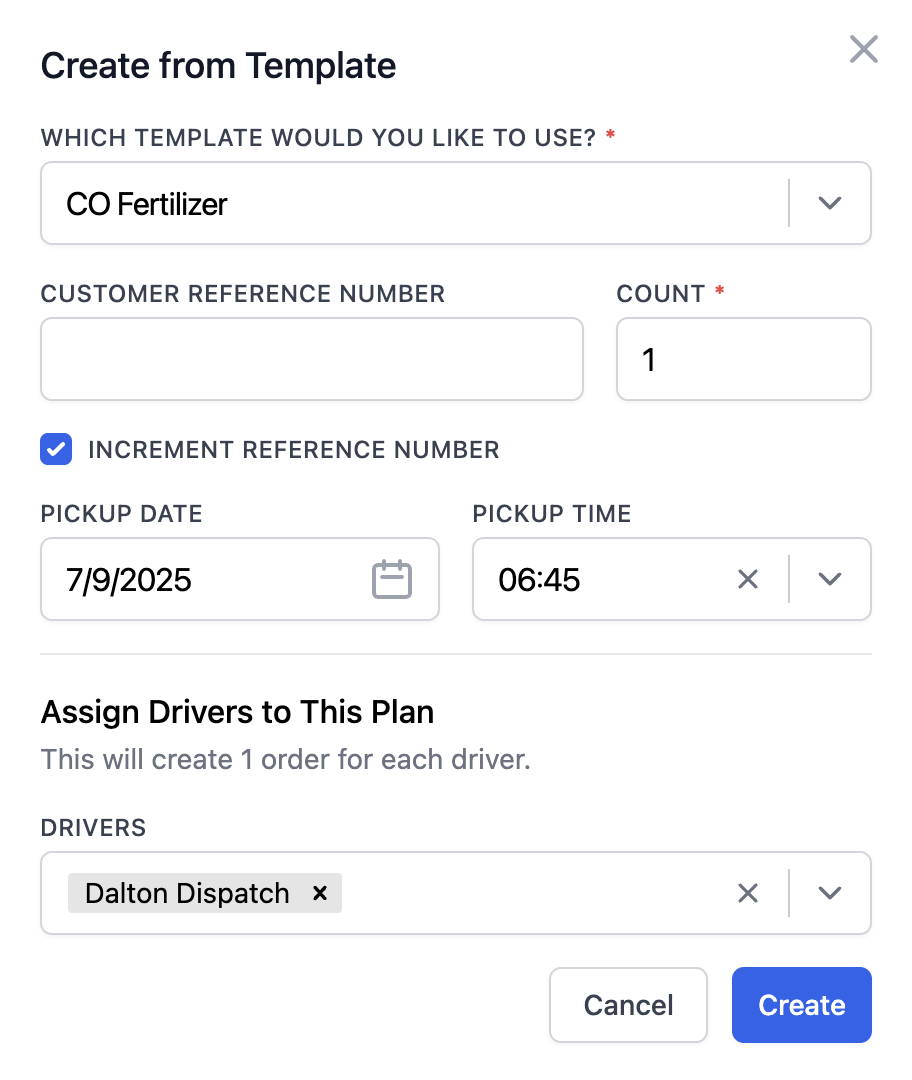
Each template can collect key details, including:
- Customer, contact, and billing details, with the right rate already attached
- Pickup and delivery locations, including site types such as a pit, elevator, plant, or yard
- Assigned truck and trailer setup, such as a hopper, end dump, or tanker
- Commodity and how it's measured (by tons, bushels, gallons, yards, etc.)
- Rate structure, including per mile, per ton, hourly, or flat
- Reference numbers, dispatch notes, and special instructions

After creating a new load using a pre-built template, those details are available downstream for back-office teams. That means billing has what it needs to invoice, driver settlements calculate against the right rate, and the load is logged for IFTA, all from that single entry at dispatch.
Centralize scheduling, loads, and driver assignments with a dispatch dashboard
Trucking automation starts with giving dispatchers a clear, up-to-date view of the day. As trucks move between sites, vehicles run multiple loads, or drivers become temporarily unavailable, you need a real-time view of what's currently happening. If you try to make scheduling decisions manually with spreadsheets, the schedule can become out of date the moment anything changes.
Toro TMS is designed to fit how dispatchers work daily by bringing everything into a single, live dispatch dashboard. This means you won't have to jump between a spreadsheet and a separate tracking tool just to see driver locations or load statuses.

From Toro's dispatch screen, you can:
- Assign loads to drivers with a drag-and-drop interface, with available drivers and unassigned work shown side by side
- Match the right truck and trailer to each job based on equipment type and site requirements
- Send load details and any mid-run changes straight to the driver, so a reroute doesn't require a phone call
- Track driver detention as it happens, so long waits at a site can be spotted immediately instead of showing up later on a submitted ticket
- See where every truck and load stands in real time to provide customers with accurate status updates

The Toro interface is meant to be easy to use, so both drivers and dispatchers have no problem using it throughout the day. It captures new load data once, and those details automatically flow downstream for back-office tasks without manual reentry.
Read more: Dispatch management software: 3 questions to ask to choose the right tool
Send load details to drivers and collect documents digitally via text message
Most TMS platforms force drivers to download a mobile app to communicate with dispatchers throughout the day. But this presents problems because drivers either forget to download it, get logged out, or just never open it.
This forces dispatchers to call and text drivers directly outside the system to send load information or get status updates.
Toro TMS simplifies dispatch and driver communication by allowing everything to be done via text message. Dispatch sends assignments and instructions straight from the dispatch screen, and the driver gets a text with a secure link.

When a load is assigned or changed, the driver's text includes:
- Pickup and delivery locations
- Load details like commodity, quantities, and tonnage
- Site notes covering access, check-in, and unloading
The same secure link is also used to submit documents to the office. Drivers photograph BOLs, scale tickets, and delivery confirmations from their phone as the job wraps, and Toro reads the key details off them and attaches everything to the right load automatically.
Toro also lets dispatchers automate these recurring communication tasks entirely. You can schedule text messages in advance, so if you decide to build the schedules the night before, the load confirmation goes out on time the following morning without anyone remembering to send it.

Plus, you can match specific messages to each driver. For example, if one driver prefers text and another prefers email, Toro stores that preference and automatically sends messages through the appropriate channel. This makes it so dispatchers don't need to remember these details each day when sending out new loads.
Read more: What's the best document management system for trucking? 5 options for carriers
Automatically calculate driver pay and generate invoices instantly using accurate load data
Not only does Toro streamline most of your trucking tasks, like dispatch and driver communication, but it can also automate all of your billing, payroll, and accounting tasks.
This ensures the back office runs off the same load data dispatch already entered, so there's no need to ever rebuild invoices and paychecks manually from submitted scale tickets and BOLs.

Toro allows you to:
- Generate invoices instantly from completed loads. Once a job closes, load details, quantities, rates, and documentation are attached. This allows billing to send an invoice with just a few clicks. They don't have to wait for paper ticket submissions from drivers or re-enter any details manually.
- Calculate driver pay automatically from each driver's profile. Every driver has a profile that stores their pay rules once, whether hourly, per load, per ton, per mile, or a mix, along with recurring deductions like loans, tolls, or repairs. When a job is completed, Toro applies the right rules automatically and accounts for wait time, mileage, and other expenses, so payroll can be processed right away.
- Track mileage and driver hours using ELD integrations. Toro captures every mile by integrating electronic logging devices (ELDs), giving you accurate job-level mileage for fuel tax reporting without separate logs or driver-reported figures.
- Sync invoices, driver settlements, and IFTA data to QuickBooks. Financial records can be exported to QuickBooks in one click without re-entering anything that's already in the system.
Read more: Trucking payroll software: 5 options for effortless driver pay
Uncover business performance insights with advanced reporting tools
If you manage trucking operations without automation software, your reporting probably gets done manually in spreadsheets or across separate systems. Most TMS platforms aren't much better, forcing you to pull and build reports manually after the work is already done.
With Toro's reporting tools, performance data is live. It updates as jobs are completed, so you can see what's happening in your operation on any given day, even with loads still in progress.
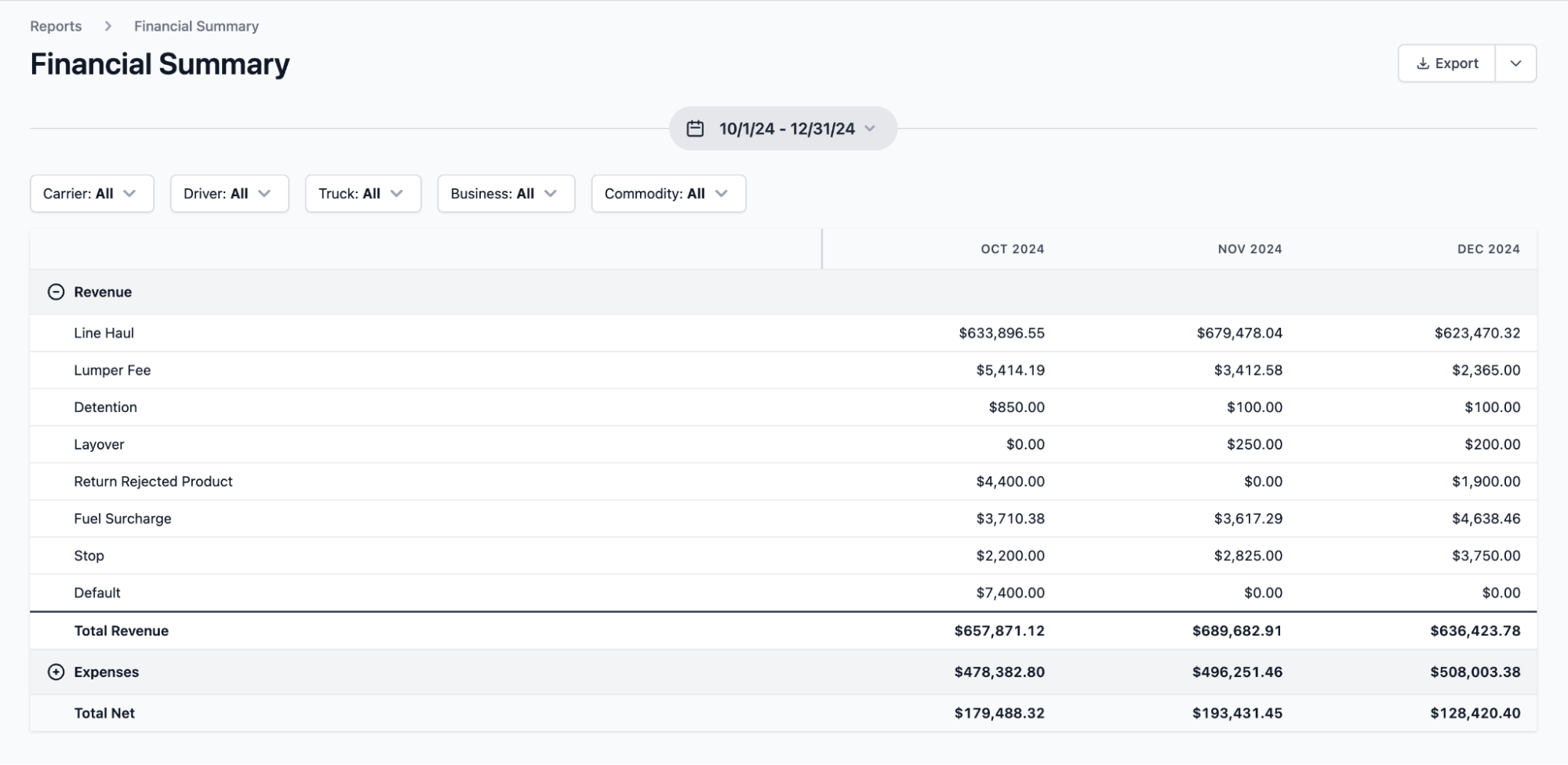
With Toro, you can:
- Track profitability by customers, routes, and job types. You can easily break performance down by customer, route, or commodity to identify the work driving the most profit.
- Identify true job costs while a load is still in progress. With driver hours, equipment use, and job duration tracked in real time, you can catch declining margins right away. If a truck is supposed to complete six loads in a day but one takes longer to unload, you can identify the cause and make adjustments to future schedules.
- Monitor detention accurately. Toro highlights where drivers routinely wait past schedule, how many runs those waits cost you per shift, and which sites and customers create the same slowdown over and over.
- Measure financial performance. Analyze revenue by job type or compare fleet performance during peak seasons to determine overall operational efficiency.
Simplify adoption with in-person onboarding and timely customer support

Adopting new software can feel like one more thing to manage when your operation is already running a high volume of loads every day. Most TMS platforms onboard you with a few tutorial videos and leave you to work out how their tools fit into your operation.
Toro takes a more hands-on approach with in-person onboarding and training built around each department, including dispatch, accounting, drivers, and managers. Our team can focus on training your employees on the features each team uses most.
For example, we'll show drivers how to receive dispatch instructions or upload documents from the field. This is usually where most organizations struggle, because drivers are not technical users, and they are the quickest to stop using the tool.
Our software is designed to be genuinely easy to use for non-technical teams. The Toro support team also responds to any questions or concerns within 30 minutes during business hours (9 a.m. to 9 p.m. ET).
Do you want to cut the time you spend on back-office tasks by 70%? Book a demo with us to find out how Toro TMS can help.
5 additional trucking automation providers
Depending on how your fleet runs, there might be another platform apart from Toro that suits you better. Below are five platforms built for different fleet types and operations, including AI-powered dispatching and all-in-one systems for general freight.
1. Alvys
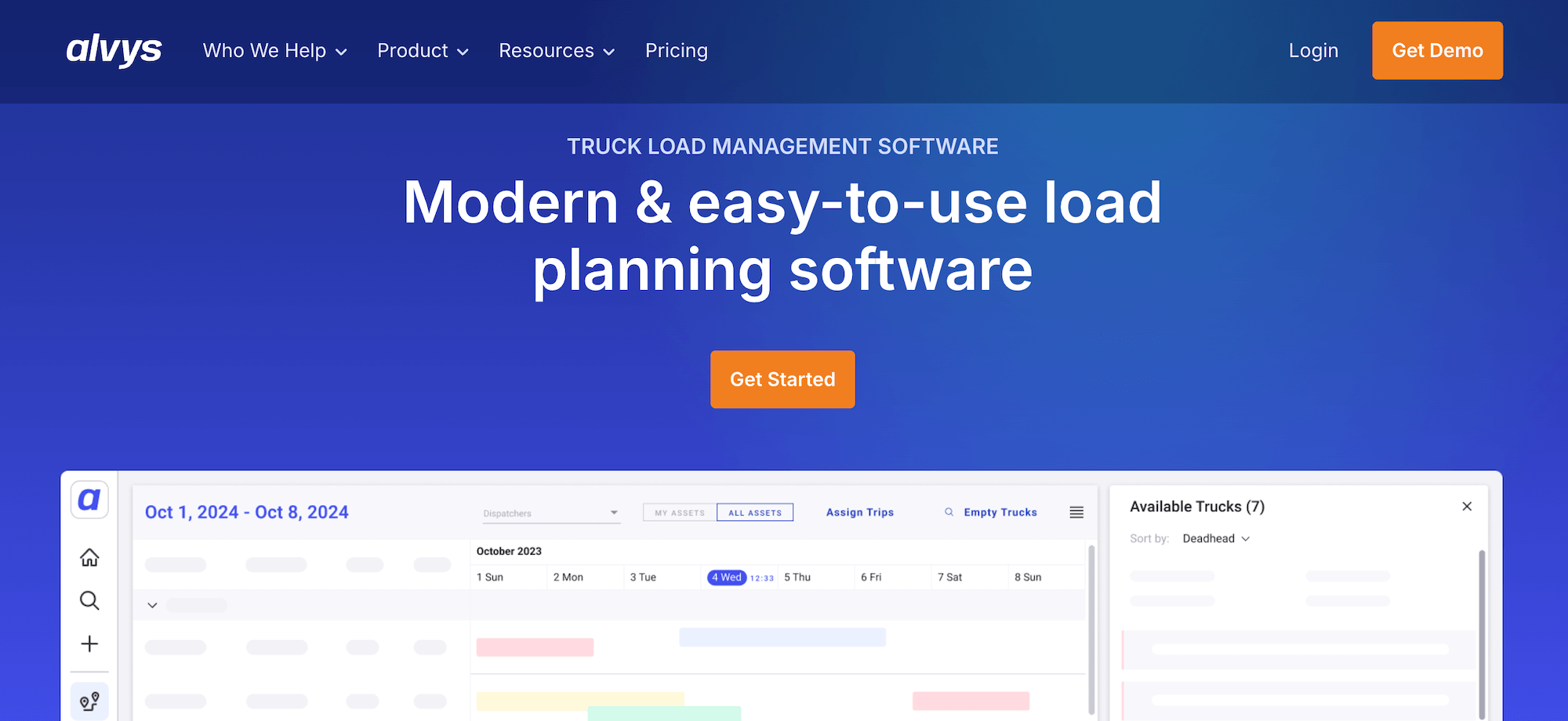
Alvys is a cloud-based transportation management system with trucking dispatch, load and driver management, billing, and compliance. It offers 120+ integrations and a native EDI engine that automatically moves load data, acceptances, and status updates between systems.
The user-friendly interface and load planning tools are also relatively easy to use for mid-size carriers and brokers running general or brokered freight.
Key trucking automation features include:
- Automatic load creation from rate confirmations
- Native EDI for automatic load acceptance and status updates
- Automated IFTA calculations and QuickBooks integration
- One-click invoicing and customized driver settlements
- Real-time tracking that pulls location data from ELDs and telematics
- A driver mobile app for document scanning, uploads, and status updates
2. TruckingHub

TruckingHub is an all-in-one TMS with dispatch, routing, load management, driver communication, invoicing, fleet maintenance, and DOT compliance capabilities.
The tool works best for new carriers, owner-operators, and small fleets that want a simple way to get off spreadsheets.
Key trucking automation features include:
- AI-powered load creation from rate confirmations
- Geofencing that automates arrival and departure times for accurate ETAs
- Real-time GPS and ELD tracking linked directly to dispatch
- Automated invoicing and billing
- Maintenance tracking and FMCSA/DOT compliance monitoring
3. Truckpedia

Truckpedia is an AI-first TMS that can automate day-to-day admin and help you find new freight. On the operations side, its driver app scans BOLs and PODs, extracts the data, and auto-generates invoices.
It also includes access to a lead finder database of 2M+ direct shippers, allowing carriers to book freight directly with shippers instead of relying on load boards and freight brokers.
Key trucking automation features include:
- AI-enabled data entry via drag-and-drop rate confirmations
- A POD/BOL scanner that captures documents, extracts the data, and auto-generates invoices
- Drag-and-drop dispatch with route optimization and tracking
- Automated IFTA and safety/maintenance reminders
- Hours of service (HOS) data pulled from ELD integrations
- A lead finder backed by a database of 2M+ direct shippers
4. PCS TMS

PCS TMS handles dispatch, accounting, and fleet management for carriers, brokers, and shippers in one place. The tool supports all types of fleets, including truckload, LTL, intermodal, and brokerage operations.
It also includes Cortex, an AI layer that automates routine tasks and surfaces profit-driving recommendations from your operational data.
Key trucking automation features include:
- A Cortex AI layer that automates routine tasks and recommends profit-driving actions
- A Backhaul Booster that automatically finds profitable return legs to reduce deadhead
- Built-in trucking accounting and payroll, including direct deposit
- Automated billing and invoicing at defined workflow points
- A mobile app that auto-notifies dispatch on pickups and deliveries
- 70+ integrations across ELD, ERP, and accounting systems
5. Spotter.ai
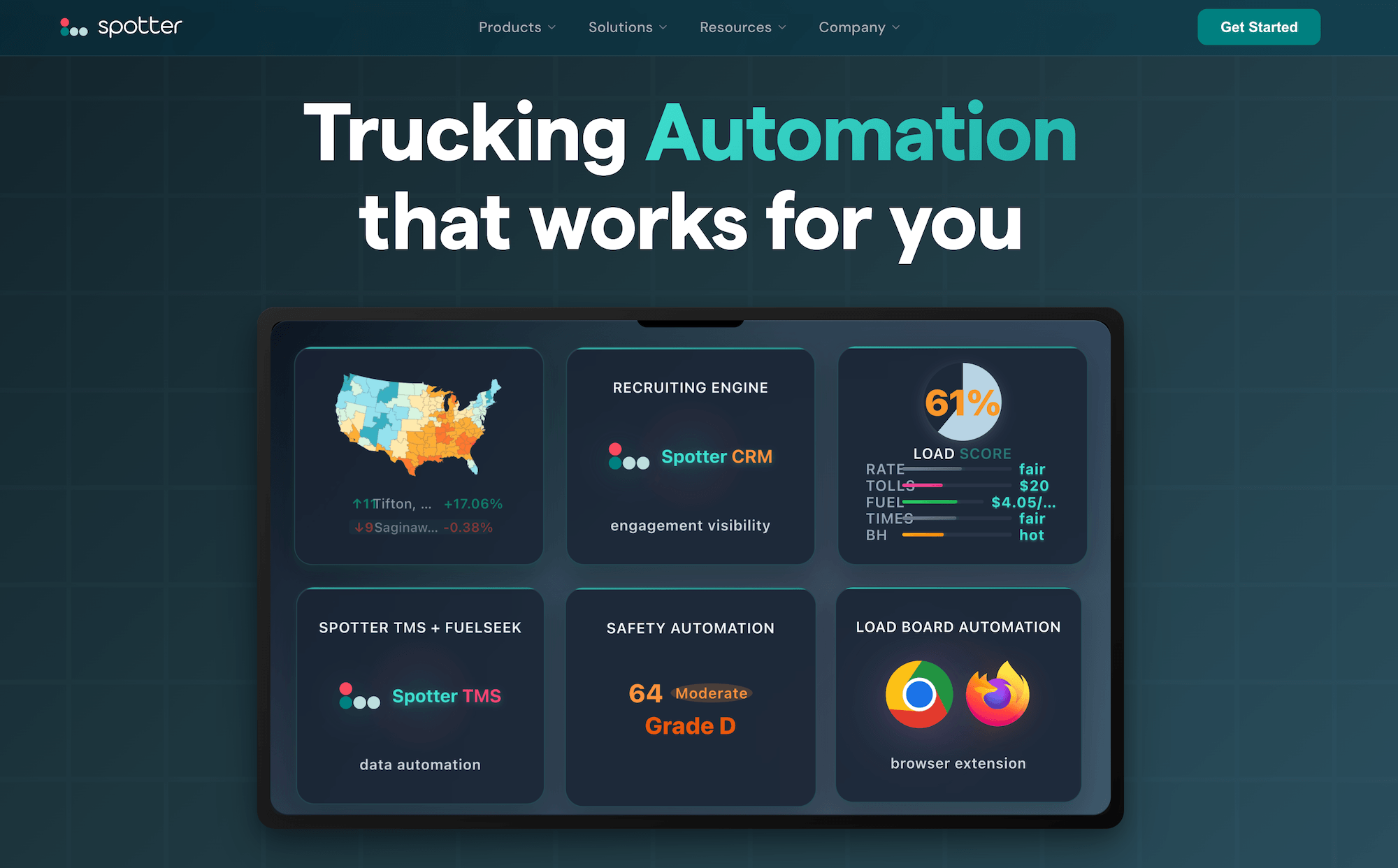
Spotter is an AI-driven dispatching platform for the long-haul trucking industry. Its primary function is to find and book freight for you rather than manage scheduled loads.
The platform is built for OTR owner-operators and small fleets that work off load boards. It also offers a built-in CRM for driver recruiting that gives carriers visibility into candidate engagement, so it's easier to track and manage hiring as they grow.
Key trucking automation features include:
- Autonomous truckload dispatching that scans load boards and books loads
- Automatic rate evaluation against your set criteria
- Driver pickup and drop-off instructions generated by the platform
- Fleet management, maintenance tracking, compliance, and analytics
- Sentinel, a built-in AI hiring and compliance tool that can cut driver screening costs
Toro TMS: The top-rated trucking automation software for bulk haulers
With the right trucking automation software, you can digitize admin tasks and eliminate the repetitive data entry that piles up across dispatch, billing, payroll, and IFTA. This is especially important for bulk haulers who run multiple loads per truck daily.
Toro TMS provides a centralized system where load details are entered once at dispatch and flow automatically through driver communication, documentation, invoicing, and reporting.
With Toro TMS, you can:
- Create and assign repeat loads in seconds using reusable job templates
- Manage scheduling, assignments, and driver availability from one live dispatch dashboard
- Send load details to drivers by text and collect scale tickets, BOLs, and delivery confirmations digitally
- Automatically calculate driver pay, generate customer invoices, and track mileage for IFTA reporting
- Generate real-time reports on fleet utilization, deadhead miles, driver productivity, and route profitability from actual load data
Curious to learn more about how Toro TMS automates your trucking business? Book a demo today.