.png)




Axon Software has been around for a while, so if you're evaluating trucking management software, you'll likely run into its name at some point.
But when you're assessing whether Axon is a good fit, it's helpful to see reviews from trucking companies similar to yours. So, how useful reviews are will depend on what you haul.
That’s because Axon is primarily a generalist platform that serves everyone from brokers to intermodal carriers. The reviews that exist evaluate Axon's general functions, like dispatch, IFTA reporting, accounting, and customer support. For a general freight operation, that’s potentially useful (even if the information is a little thin).
For bulk haulers, though, those functions are only part of the picture—and you’ll want to see that Axon works for you before you buy. Unfortunately, there are few legitimate reviews out there that describe how the software handles the daily work of a dump truck or bulk operation, such as getting multiple loads per truck out the door every day or keeping track of scale tickets.
We put this guide together to fill in those gaps. We cover:
- An overview of Axon's features, what real users say in reviews, and how its pricing works
- How Axon fits (or doesn't fit) a bulk hauling operation
- Three Axon alternatives, depending on what you haul and how big your fleet is
A quick note before we start. We're Toro TMS, a TMS built specifically for dry and liquid bulk haulers, and we're one of the three alternatives at the end of this guide.
Evaluating a TMS for your bulk operation? Book a demo to see how Toro handles multiple loads per truck, scale tickets, and per-ton pay.
Axon Trucking Software: Features, Reviews, and Pricing

Axon is an all-in-one TMS from a Saskatchewan-based company that has sold software to the transportation industry since 1982.
It serves a range of trucking businesses: freight haulers, oilfield trucking, freight brokers, dump truck operations, intermodal, and specialized trucking. It's built to work for all of them rather than purpose-built for any one type.
This is worth keeping in mind, as your operation’s workflows are likely specific to what you haul. For example, a bulk hauler running several loads per truck per day, each with its own scale ticket and other documentation, benefits from different tools than freight haulers that dispatch a truck once and track that load for days.
Axon trucking software features
- Dispatch built around orders and trips, with color-coded timelines for order and equipment status
- Field ticket software for creating, sending, and printing work tickets
- Document imaging that captures and stores photos of BOLs, PODs, and signatures against each order
- Full accounting suite, which replaces QuickBooks
- Payroll and settlements for drivers, owner-operators, and carriers, with multi-currency pay and ACH direct deposit
- Government tax forms for the US and Canada (W2, 1099, T4)
- IFTA and fuel tax reporting
- Fleet maintenance tracking, work orders, and satellite tracking for real-time monitoring
- PC*MILER routing and connections to ELD hardware for mileage tracking and trip logs
- ACE/ACI customs manifests for US–Canada border crossings
- A driver mobile app that drivers download to receive orders and submit documents
- EDI for invoices, payables, and order tenders
- Custom reports on revenue per truck, cost per mile, and fuel economy
A lot of these features are primarily built for long-haul freight work. Per-mile routing, customs manifests for border crossings, and EDI billing are exactly the tools a carrier hauling freight across state and provincial lines needs.
Axon trucking software reviews
Axon has fewer than 20 user reviews in total online, spanning 2017 to 2025. Capterra shows seven, G2 has six, and there are a few more scattered on software review blogs. Axon holds a 4.3 out of 5 on Capterra.
Positive reviews of Axon say:
- Support is responsive and well-trained. This comes up in many reviews. One reviewer wrote, "Super friendly techs that respond quickly to your needs."
- Having dispatch, accounting, and payroll in one system saves real admin time. A bookkeeper wrote, "It is an accounting program with payroll and trucking integrated all into one... Time saver, that's for sure."
- IFTA and tax reporting are a highlight. Several reviewers mention filing fuel tax reports directly from the system. One mentions "the ease of dispatching and uploading of IFTA info and Payroll."
Negative reviews of Axon say:
- The system is closed. Axon doesn't connect to outside software. A CIO at a mid-size carrier wrote, "No integration abilities. Siloed data, does not play well with others... Support is trained in their product well, but if you don't do it Axon's way, you're screwed."
In practice, that means committing to Axon's way of doing every part of the job, because anything it doesn't handle stays as a manual task by someone in your office. You can't bring in another tool to do it, at least not without having to reenter data into different systems.
- It's old-school software, and it takes a long time to learn. Reviewers describe "a huge learning curve" and an interface that feels dated. One wrote simply, "You must teach yourself how to use [it]."
Ease of use is worth weighing heavily when you're comparing systems. A clunky or outdated interface can slow your team down instead of speeding them up, and some people end up doing parts of the job on paper.
- Getting data out is difficult. One reviewer said, "Getting files off of Axon was a pain," and another noted that "reports are kinda hard to import to Excel."
If you plan to work entirely inside Axon and use the reports it gives you, this may never bother you. But many offices need their numbers outside the platform at some point, and getting them out can be a tedious job.
- Fit depends on what you haul. A drayage operator who switched away wrote that "Axon was more for refrigerators and vans" and wasn't designed for intermodal work. None of the reviews mention bulk hauling workflows either, such as scale ticket handling or per-ton driver pay.
You can find the full reviews here: Capterra, G2, Software Connect.
Axon trucking software pricing
Axon doesn't publish pricing. You book a demo, and the sales team builds a quote based on your fleet size, the number of office users, and which modules you need. Many TMS platforms price this way because the total depends on inputs that vary from company to company.
The ongoing cost typically scales with trucks or users, and there's usually a one-time charge for implementation, data migration, and training. A 20-truck fleet buying dispatch and accounting will get a very different quote than a 100-truck fleet buying everything.
Three Axon Software alternatives (based on what you haul)
Axon isn't the best software match for every fleet. If you’re evaluating different TMSs, the best choice will always be the one that fits your operation and the kind of work you do.
Below, we compare three options that suit different kinds of trucking companies: Toro TMS for bulk haulers, TruckLogics for owner-operators and small fleets, and McLeod for large enterprise freight carriers.
1. Toro TMS: The platform built for bulk haulers

Axon lists dump truck operations among the industries it serves. But because it's built to support so many different types of trucking businesses, it's designed around the functions most carriers share rather than the specialist features different kinds of fleets need to do their job.
No public review describes how Axon performs on the tasks that fill a bulk hauler's day, and Axon's own site says little about them: dispatching multiple loads per truck, capturing scale tickets, calculating driver pay on per-ton and mixed rates, and splitting loads across customers.
We built Toro TMS around exactly those tasks.
Toro is a TMS built specifically for mid-sized dry and liquid bulk haulers running grain, feed, aggregate, fuel, and other bulk commodities on short, repeat routes.
Dispatch is the center of the system, because that's where a bulk hauler's day is decided. You type in a load once, and those details flow downstream to the driver and back office, so no one has to enter the same load again.
What’s more, we designed the software to be simple to use, which means your team actually uses it instead of working around it.
Toro TMS reviews
Toro holds a 5 out of 5 on Capterra across 23 reviews, and a 4.9 out of 5 on G2 across 47 more, making it far more heavily reviewed than Axon despite being the younger platform.
Many reviews repeat similar points:
- The software is easy to learn. One reviewer said, "If you can change your wallpaper on your phone or computer, you can use Toro."
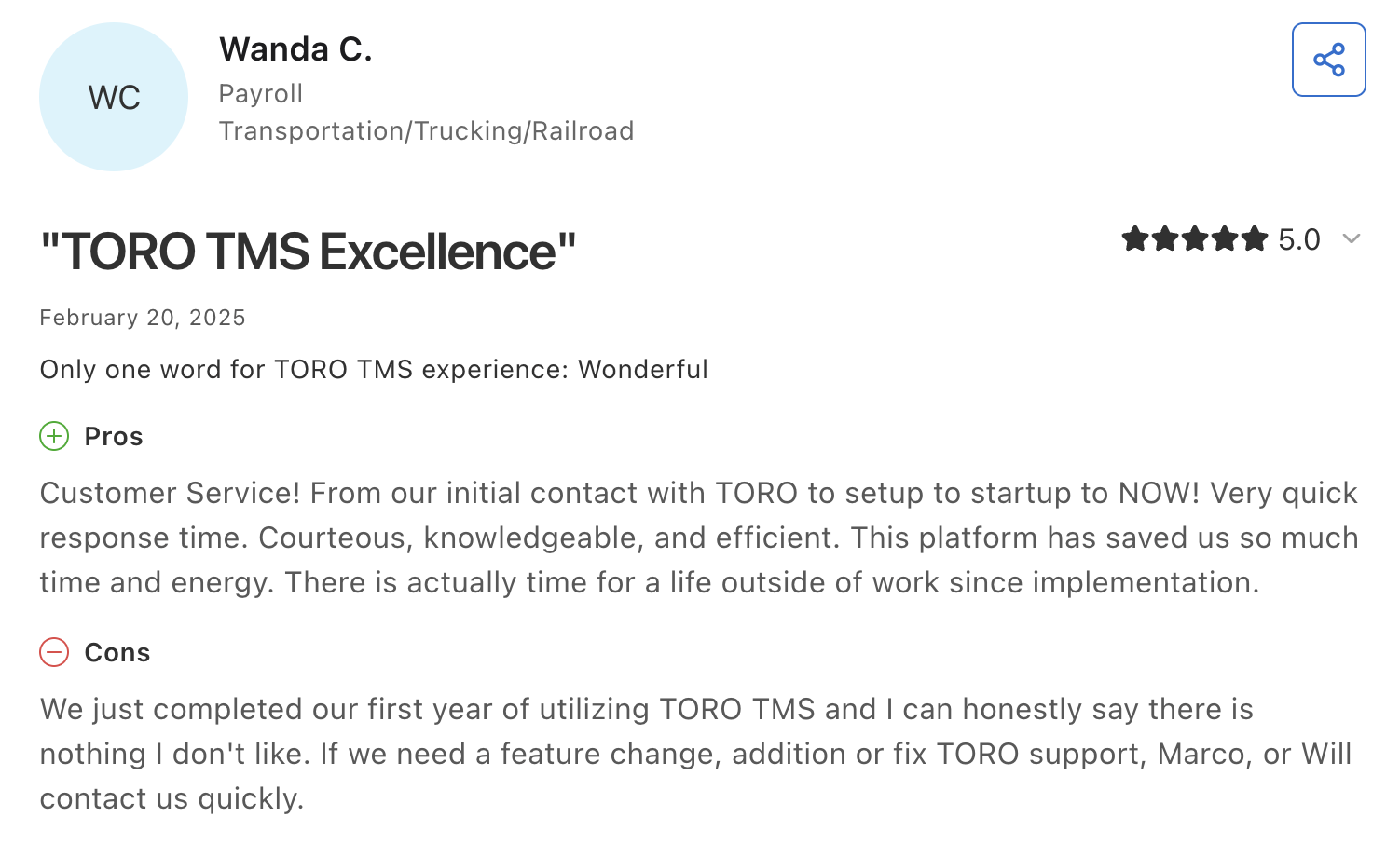
- Toro’s support responds fast and is genuinely helpful. As one reviewer wrote: "The customer service is best around, no question. They are always working on ways to improve the system and make it easier for us as the end user. I have a personal relationship with our account manager, and he is always VERY responsive."
- The time savings are large enough to change how the office runs. One office manager wrote that payroll "now takes 2 hours, at most, where it used to take most of my Monday." Another reviewer's boss calls Toro "a job eliminator."
Acme Resources, a third-generation dry bulk hauler in Ohio, considered Axon before choosing Toro TMS. Dan Zarlenga, the owner, ultimately went with Toro because he didn't want to have to fit into a software's way of running the business.
"We don't want to fit into a cookie-cutter system, we needed something that would speed up our processes—not change them."
Here’s what you can do with Toro:
Dispatch high volumes of loads every day
Generalist TMS dispatch tools often default to one load per truck at a time. That doesn't fit bulk hauling, because your trucks aren't just running one load. A single truck might move eight or twelve loads in a shift, often the same short runs it made yesterday.
On a system designed for one load a day, that gets complicated fast. We've seen companies actually give up and go back to pen and paper for dispatch because their TMS wasn't helping.
Toro's dispatch screen assumes the opposite. It's built for a fleet where every truck can run a dozen or more loads per day and the schedule changes by the hour.

Toro’s genuinely easy to use. You can manage everything on one screen:
- Build loads from saved templates in a couple of clicks, with the customer, route, commodity, rate, and equipment already filled in, and batch-apply them to dispatch a whole day of repeat work at once.
- Drag and drop loads onto driver calendars, with available drivers and unassigned work shown side by side, so you can see the whole day at a glance.
- Match the right truck and trailer to each job, whether the load calls for a hopper, end dump, or tanker.
- Reschedule on the fly when a driver calls out or a site backs up, moving loads between trucks without rebuilding anything.
- Get real-time updates on where every truck and load stands through ELD integrations (with Samsara, Geotab, Motive, and others), and give customers delivery tracking through their own portal access.
Read more: How to choose a dispatch software your teams will actually use
Capture every load ticket from the driver's phone
Twelve loads per truck per day means twelve scale tickets per truck per day. The back office can't process and invoice any of the work until the driver turns those tickets in.
Toro TMS captures these tickets the moment a load is delivered, via text message. This makes it much easier for drivers, as they never need to install an app or remember a password.
Here's how it works:
- Dispatch texts the driver the load details, including pickup and delivery sites, commodity and tonnage, and site notes covering access, check-in, and unloading.

- The same text carries a secure link for paperwork. When the load is delivered, the driver photographs the scale ticket, BOL, and delivery confirmation. Toro reads the key details off the photo and attaches everything to the right load automatically. No one at the office retypes ticket numbers or weights.
- Dispatch texts can be scheduled in advance, so a board built the night before goes out on time the next morning automatically.
- Every ticket and message is searchable later, organized by load, customer, or date, so a rate dispute or a missing ticket takes minutes to resolve instead of having to dig through old records.
Read more: Trucking ticket management software: How to better manage your paper tickets
Create invoices and process driver pay from the data dispatch already entered
In most trucking operations, the same load information has to be entered three times (at least): once at dispatch, once for the invoice, and once for payroll. With Toro TMS, you only have to enter it once. The details captured at dispatch, plus the tickets drivers send in, carry through billing and settlements without being retyped.
That last step matters a lot in bulk hauling, where driver pay runs on ticket weights and mixed rate structures rather than a flat per-mile rate. When the tonnage on the scale ticket flows straight into the pay calculation, settlements stop being a tedious task.
With Toro TMS, your back office can:
- Generate invoices in a few clicks from completed loads, with quantities, rates, and ticket documentation already attached, so billing goes out the same day the work is done instead of waiting on paper tickets.
- Calculate driver pay automatically from each driver's pay profile. You set the rules once, whether hourly, per load, per ton, per mile, or a mix, along with recurring deductions. Toro applies them to every completed load, including detention time and split loads.

- Apply stored customer rates and fuel surcharge agreements to repeat loads, so the rate on the invoice matches the agreement without anyone looking it up.
- Pull mileage from your ELD for IFTA, with miles tracked by state and truck automatically.
- Sync everything to QuickBooks Online or Desktop in one click. Invoices and settlements land in the accounting system you already use rather than a new one you have to adopt.
Toro also handles the driver management side, storing credentials like CDLs and med cards with alerts as expiration dates near, and tracking maintenance intervals by time and mileage with notifications when equipment is due.
Read more: Trucking payroll software: 5 options for effortless driver pay
See what work actually earns with live reports
Bulk work repeats, which means the profitable move is knowing which jobs pay best and steering your trucks toward them. Toro's reports answer that with real-time data instead of a spreadsheet built after settlement.
- Track profit by truck, customer, route, or commodity, so you know which work earns and which work just keeps trucks busy.

- See the true cost of a job. Driver hours, job duration, and detention are tracked per load, so you can spot the sites that routinely hold drivers past schedule, count the loads those waits cost per shift, and take real numbers into a rate conversation or a schedule change.
- Measure financial performance over time, comparing revenue by job type or fleet performance across peak seasons.
Get set up easily with in-person support
One reviewer's description of learning Axon's system was, "You must teach yourself how to use [it]." That's not how we do it.
For onboarding, Toro TMS sends a team member to your office. They train each department in person (dispatch, accounting, drivers, managers) and typically have you fully operational in two to three weeks.

Peter Trucking is a good example of how Toro's implementation works. They run more than 90 trucks of grain and feed out of Wisconsin, and they came to us from Google Sheets and manual QuickBooks entries. Their office admin, Sarah, said, "Toro helped us move everything over without shutting down operations. We were still fully functional during the transition."
And after you go live, every support person is a US-based, full-time Toro employee, so the person answering knows the product and, over time, knows your operation. Questions get answered within 30 minutes during business hours, 9 a.m. to 9 p.m. ET.
Toro TMS pricing
The quote depends on your fleet size and which capabilities you need, so you'll need to talk to a member of the Toro team to get a number. There are no annual contracts or maintenance fees. You pay month to month and can leave with notice.
If you haul bulk and Axon isn't the right fit, book a demo with Toro TMS. We'll show you how our system works for an operation like yours, and how it can cut the time you spend on back-office tasks by up to 70%.
2. TruckLogics: A TMS for owner-operators and small fleets

TruckLogics is a TMS for owner-operators, small fleets, and leased operators. The platform covers the daily basics of fleet management for a small trucking business in one place.
Key features include:
- Load scheduling and dispatch, with load details shared to drivers through a mobile app
- Invoicing and expense tracking connected to each load, so you can see profitability per load
- Fuel management and IFTA reporting that compiles fuel purchases and miles by jurisdiction
- Maintenance scheduling tied to trucks and trailers.
TruckLogics publishes its pricing in tiers by fleet size, from $39.95 per month for owner-operators (1–2 trucks) up to $249.95 per month for fleets of 15–24 trucks, with a quote required at 25 trucks and up.
3. McLeod: An enterprise TMS for large general freight carriers
McLeod Software has built trucking and brokerage software since 1985. Its LoadMaster platform covers 3PL management alongside asset-based carriers running truckload and LTL freight. It's a fit for fleets with the staff and budget for a major software implementation.
Key features include:
- Dispatch and fleet operations management for high truck counts and multiple terminals
- Full trucking accounting, driver settlements, and payroll
- EDI and document imaging for working with large shippers and brokers
- Business intelligence tools, API access, and a large network of certified integration partners
McLeod doesn't publish pricing. Quotes depend on fleet size, modules, and implementation scope. Because of the scale, plan for a long implementation compared with the other options here.
Read more: McLeod software competitors: 7 alternatives for trucking companies
Toro TMS: An Axon alternative for bulk haulers
For a general freight carrier running long distances or billing large shippers over EDI, Axon may well do the job.
But a bulk operation works differently. Your trucks make a dozen short trips a day, every one of them produces a scale ticket, and driver pay comes off tonnage rather than miles. Those are the jobs we designed Toro around.
With Toro TMS, you can:
- Dispatch a full day of repeat loads from saved templates, and reschedule in seconds when the day changes.
- Collect scale tickets, BOLs, and delivery confirmations by text, with no app for drivers to install.
- Calculate driver pay on per-ton, hourly, per-load, or mixed rates without having to rebuild the numbers.
- Onboard your whole team in person, then reach US-based support within 30 minutes when you need it.
Hauling grain, feed, aggregate, or fuel? Schedule a demo with Toro TMS to see a dispatch board designed for multiple loads per truck.