.png)



When you search for IFTA mileage tracking software, you’ll see there are actually a few different kinds of tools that fit that description:
- Transportation management system (TMS): This is software that handles IFTA tracking as part of your wider trucking operation, alongside dispatch, billing, driver pay, and compliance. The data you need for IFTA is captured through your everyday workflows—it’s logged at dispatch, then it flows automatically to drivers and through to billing, payroll, and reporting as loads are completed. The IFTA report is completed as a by-product of work you're already doing, so you don't have to track it separately or re-enter the data.
- Fleet management system: This is software primarily focused on vehicle maintenance and compliance that pairs with GPS hardware installed in your trucks. It shows where your vehicles are, handles ELD compliance and driver safety, and tracks state-by-state mileage automatically for IFTA. Some even do basic dispatch. However, they typically don’t connect to back-office tasks like invoicing and driver pay. That still has to be done manually.
- IFTA tracking app: This is a dedicated app that logs your total miles by U.S. state (or Canadian province) using your phone's GPS. There’s typically no hardware to install, making it easy to set up—although drivers have to remember to start it before each trip for it to work. And like a calculator, it counts the miles but doesn’t handle the rest: you often still log fuel by hand.
- IFTA mileage calculator: This is a free online tool that calculates the fuel tax math after you enter your own miles and fuel by hand. It doesn't track anything—instead, you supply the data and it returns what's owed. This can be useful, but it doesn’t really cut down the amount of manual data entry you’ll need to perform.
Ultimately, the right solution for your business largely depends on how much manual work you’re looking to automate. For a mid-sized operation or larger where you’re running several trucks of sometimes eight or more loads per day, an all-in-one TMS usually makes the most sense.
In this article, we walk through an option for each of the four categories. We start with Toro TMS, our software for bulk haulers, which turns hours of quarterly IFTA work into a few clicks—and cuts back-office data entry by up to 70%.
Schedule a demo to see how Toro handles IFTA mileage tracking and reporting for bulk haulers.
1. Toro TMS: Trucking management software with automated IFTA mileage tracking and reporting

Motor carriers often spend more time on international fuel tax agreement reporting than they need to because the data required to file—miles by IFTA jurisdiction, fuel use by state, and completed load records—isn't in one place. And when you're a bulk hauling operation running multiple loads per day on multiple trucks, the amount of data you need to track manually adds up fast.
Toro TMS solves this by making IFTA tracking a built-in part of your normal operations. Dispatchers log loads; ELD integrations track the miles driven in each state as trucks cross state lines; drivers submit fuel receipts digitally on the spot; and the system uses that data to compile and calculate your IFTA report automatically.
For bulk haulers, this IFTA automation helps cut back-office data entry by up to 70% and makes the whole reporting process much easier for your entire team.
In this section, we break down how Toro:
- Logs the load data you need for IFTA reporting automatically at dispatch
- Centralizes fuel receipts and load documentation digitally from drivers at the point of delivery
- Generates your IFTA report from data that's already in the system
Log the complete load data needed for IFTA reporting automatically at dispatch
Dispatchers using Toro TMS manage their entire day from one screen. They build loads in the software, and that data flows automatically to drivers—and then to the back office for IFTA reporting (plus billing and payroll)—without anyone having to reenter any data again.
From the dispatch screen, you can:
- Create reusable load templates that store customer details, commodity types, pickup and delivery locations, and billing rates, so repeat loads take seconds to input.
- View upcoming loads and driver availability side by side, including each driver's current location, schedule, and hours. That way, you know exactly who can take the next load without the need for back-and-forth communication.
- Schedule and assign loads on an easy-to-use drag-and-drop calendar. The system then sends drivers the information automatically by text, which includes pickup times, delivery details, and any site-specific notes.

- Make changes to active loads as needed. If a delivery location or job instructions change mid-shift, dispatch updates the load in Toro, and drivers get the new details by text instantly. The back office works from that same updated record.
- Check every truck's real-time location through Toro's ELD integrations with GPS hardware like Samsara, Motive, and Geotab. These devices record miles by state, and the data flows directly to the back office for seamless, accurate IFTA reporting.
Our TMS software provides a centralized dashboard with a complete picture of all active loads throughout the day. Every piece of information entered is immediately available across the system, so IFTA reporting and billing can move forward without the back office having to wait.
Read more: Dispatch management software: 3 questions to ask to choose the right tool
Collect fuel receipts and load documentation from drivers digitally at the point of delivery
Fuel receipts are required for accurate IFTA reporting, but drivers are the ones who have them, and getting them to submit paperwork consistently is difficult.
A lot of systems make the process too complicated for drivers. Drivers have to download an app and create a login—not to mention remember to submit documentation after a long shift. Sometimes, the tickets don't make it into the system, or they make it in late.
Toro TMS makes submission simple enough that drivers actually do it in two easy steps:
- Drivers receive load details by text message with no app or login required. Each message includes a link for uploading fuel receipts, bills of lading, scale tickets, and delivery confirmations directly from their phone at the point of delivery.

- Drivers submit their receipts through another link in their dispatch text, and Toro attaches them to the correct load record automatically.
The back office has access to the complete record immediately, so IFTA reporting (and invoicing) can move forward without anyone having to track down paperwork.
Read more: Truck driver management system: 6 tools for better scheduling & communication
Generate your IFTA report from data that's already in the system
All of the information needed for the IFTA reports is already in the system. Toro TMS compiles it from:
- The load data already logged at dispatch
- All documents submitted by drivers throughout the quarter
- The state-by-state mileage your ELDs record as trucks run
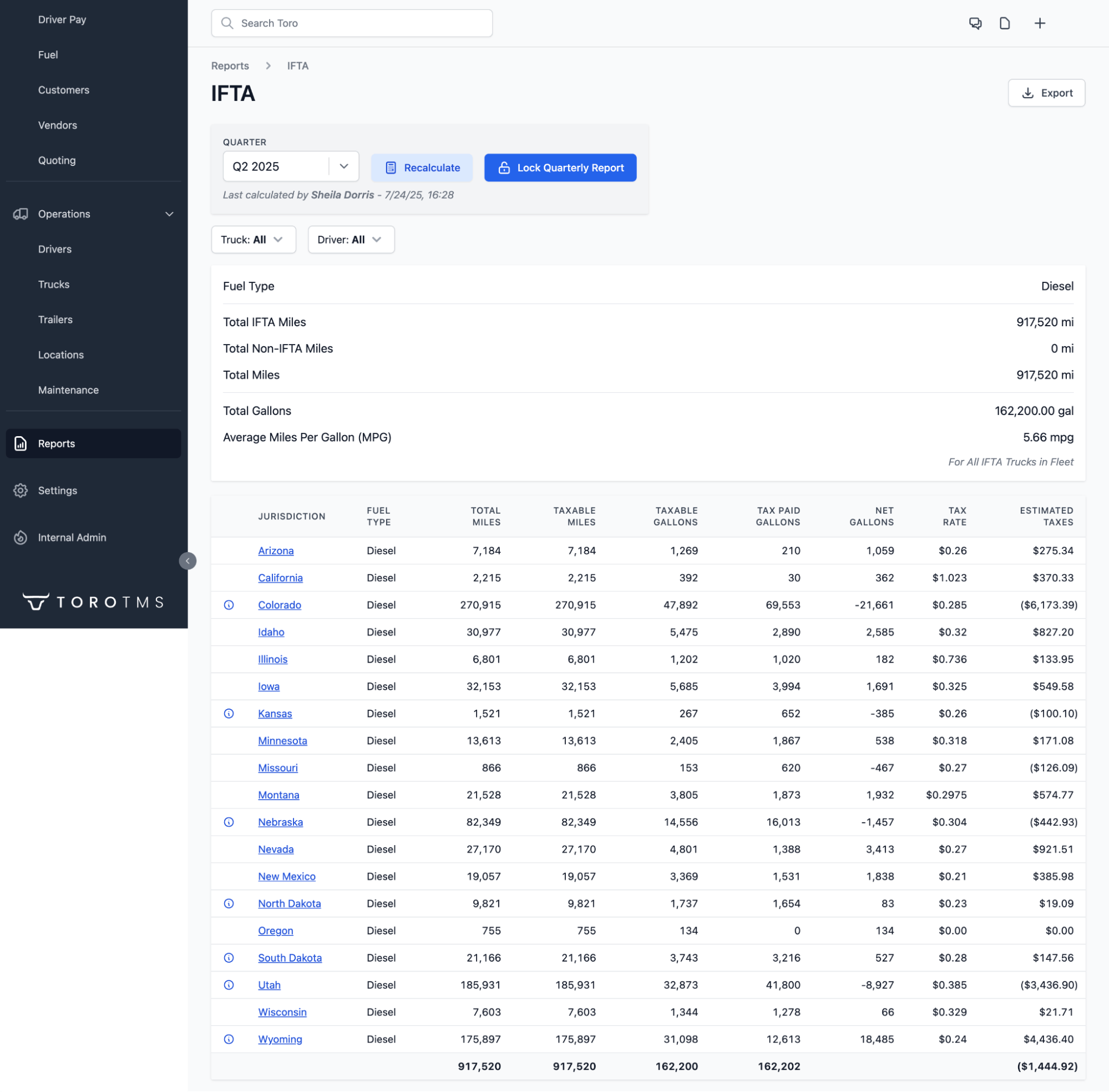
And then the report fills in automatically. All you have to do is review it and submit it to your base jurisdiction.
IFTA filing takes minutes instead of hours because you don't have to pull data from separate systems or reconcile numbers.
Toro also maintains a complete digital audit trail. Every fuel receipt and delivery document is attached to the correct load record and searchable by date, driver, or customer. If you're audited or a customer disputes a delivery, you can easily pull up the documentation.
Read more: IFTA Software: How to Spend Less Time on Fuel Tax Reporting
Cut your manual data entry and save time with Toro TMS
Toro does more than track mileage and generate IFTA reports.
Because all of your load data runs through one system, most of your back-office work happens automatically alongside it.
- Auto-generate customer invoices in bulk. Toro generates an invoice the moment a driver confirms a delivery, using verified load data that already includes gallons delivered, BOL numbers, fuel surcharges, and detention charges.

- Automatically calculate driver settlements using each driver's pay structure, whether that's per mile, per load, per hour, or per gallon.
- Sync invoices and settlements to QuickBooks when a load closes, keeping your books current without manual exports or manual data entry.
- Receive on-site training from our team before you go live, so dispatchers and back-office staff are ready from the start.
- Get support from 9 a.m. to 9 p.m. ET. Any issue that comes up gets a response within 30 minutes.
Ready to cut the time your team spends on IFTA reporting? Book a demo with our team.
2. Geotab: Fleet management software with IFTA mileage tracking
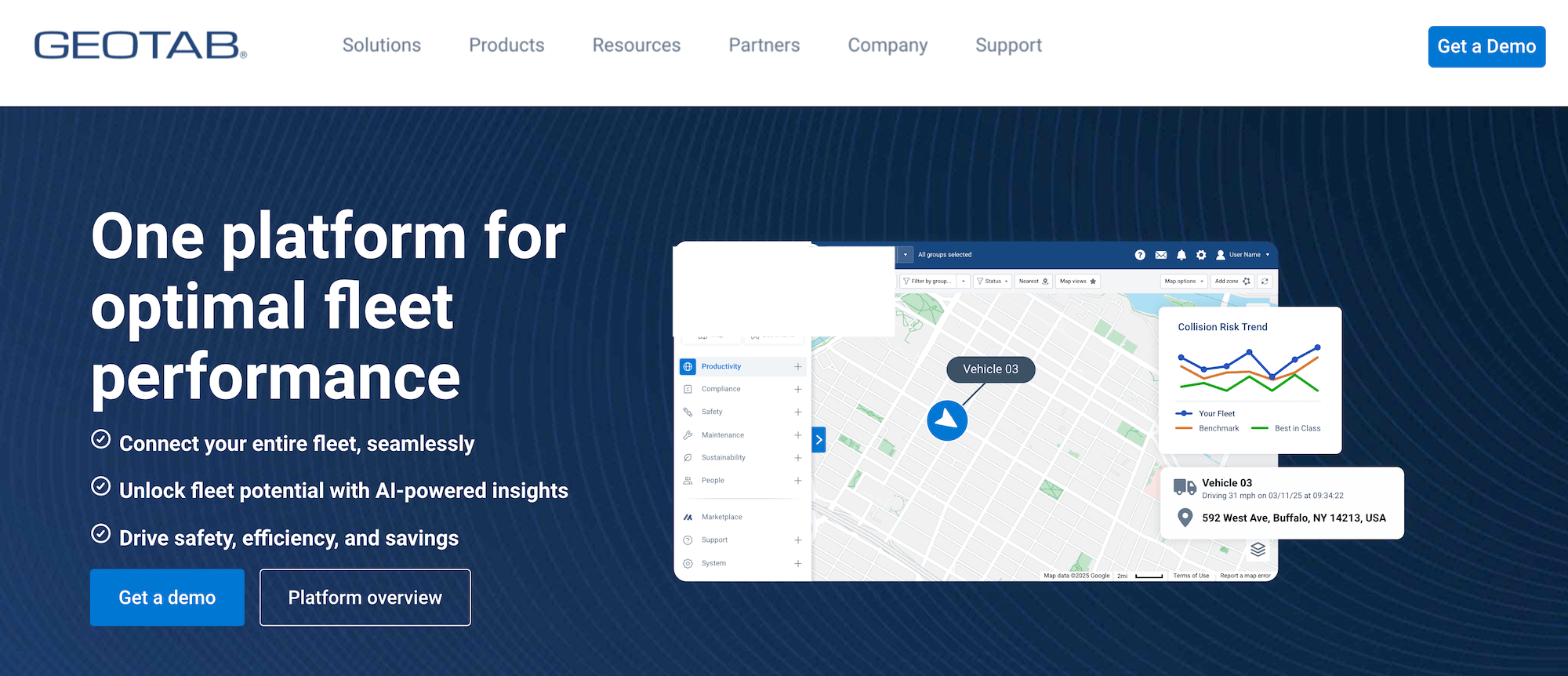
Geotab is a fleet management platform that combines fleet tracking and asset tracking. It can track mileage for IFTA, but the software is built for a fundamentally different purpose than a TMS. Geotab focuses on vehicle health (maintenance, ELD compliance, and driver safety) tracked through GPS hardware installed in your trucks.
Meanwhile, a TMS focuses on load management and handles IFTA as part of a broader system that also covers dispatch, billing, and driver pay. With Geotab or any fleet management software, those back-office tasks still have to be handled separately.
For IFTA tracking and compliance, Geotab offers:
- Automated IFTA mileage reporting through Geotab's GO telematics devices, which record a truck's miles by state
- Fuel card integrations that import transaction data into MyGeotab via Geotab's API, removing the need to collect receipts manually
- Real-time GPS tracking alongside ELD and IFTA compliance tools and driver safety monitoring
Geotab is a good fit for fleets whose main priority is vehicle monitoring and ELD compliance, and who don't mind handling billing and driver pay separately. If you want to reduce manual work across your entire operation, a full TMS is the better option.
Note: Geotab also sells GPS hardware independently (GO devices), which Toro TMS integrates with.
3. IFTA Track: Mobile app for IFTA mileage tracking
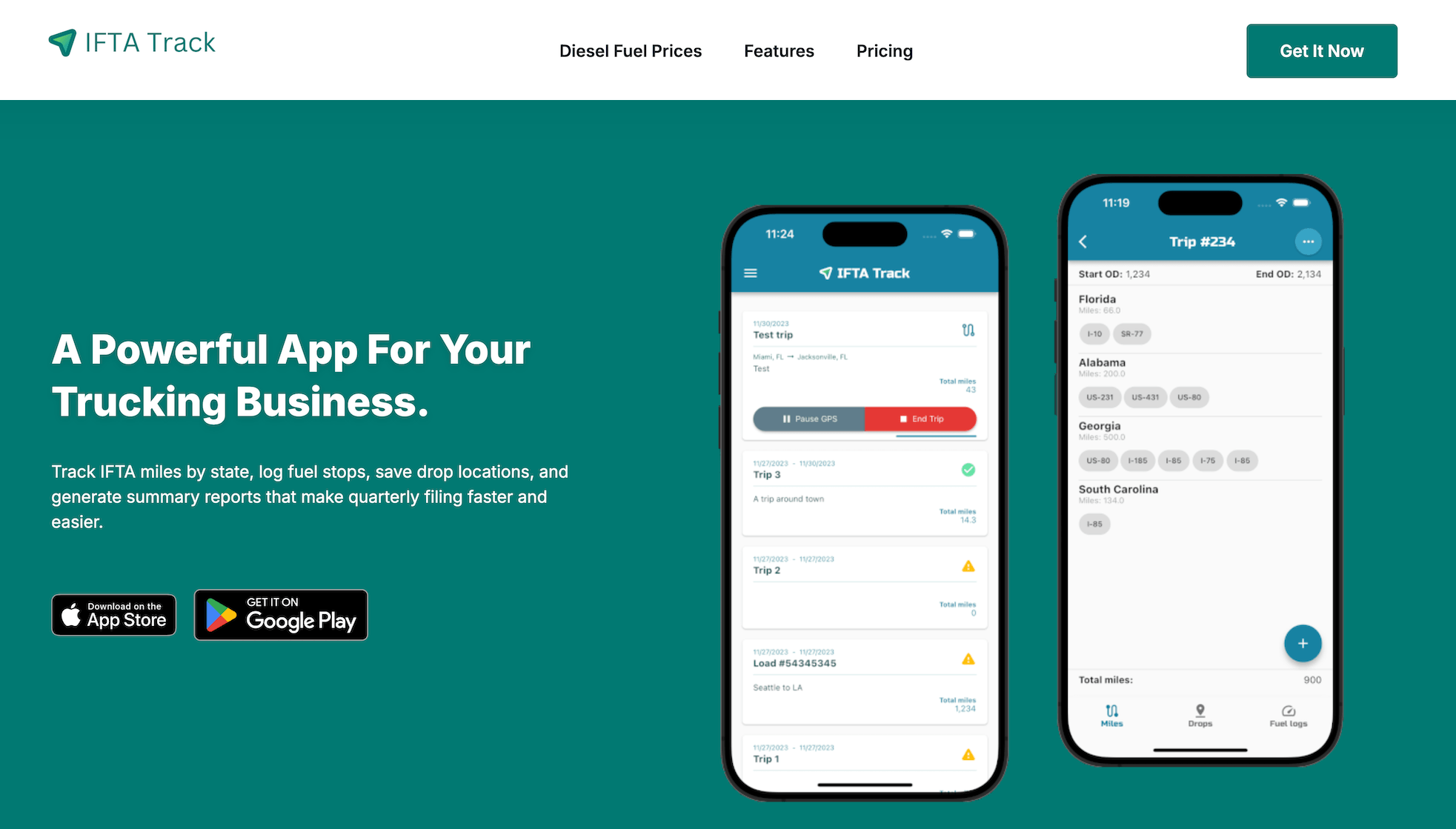
IFTA Track is a mobile app, which puts it in a different category from both a TMS and fleet management software. There's no hardware to install and no back-office functionality. It tracks miles by state using your phone's GPS, logs fuel stops, and generates the reports you need to file your quarterly IFTA tax returns.
For IFTA tracking, IFTA Track offers:
- Automatic state-by-state mileage tracking using your phone's GPS, with a manual odometer entry option for situations where GPS isn't reliable.
- Fuel log tracking where you enter gallons and store receipts at each fuel stop.
- PDF trip reports and quarterly IFTA summaries that you can export when it's time to file.
IFTA Track is a practical option for owner-operators or very small fleets who need a simple way to track IFTA miles without investing in hardware or a full software platform.
4. IFTA Calculator: Free online tool for calculating and filing IFTA fuel taxes

IFTA Calculator is a free online tool rather than a tracking solution. You enter your trip data and fuel purchases, and it handles the math. It calculates state-by-state mileage distribution, applies the correct tax rates by jurisdiction, and generates a quarterly report you can download. Nothing is tracked automatically.
IFTA Calculator offers:
- State-by-state mileage calculation based on trip start and end points you enter manually
- Fuel tax calculations by jurisdiction using current IFTA rates, applied automatically once your data is in
- Quarterly IFTA report generation, downloadable when you're ready to file
IFTA Calculator is a reasonable option for owner-operators who run a small number of trips per quarter and are comfortable tracking miles and fuel themselves. If you're running multiple trucks or a high volume of daily loads, entering that data manually every quarter adds up fast.
Toro TMS makes IFTA mileage tracking simple
For bulk haulers running multiple loads per truck per day, having a system that captures IFTA data automatically as part of your normal workflow saves you hours of manual work every quarter.
Toro TMS does exactly that. We offer a centralized system where load data is entered once at dispatch and flows downstream to fill the IFTA report automatically.
With Toro, you can:
- Track state-by-state mileage through ELD integrations with Samsara, Motive, and Geotab
- Collect fuel receipts and load documentation from drivers digitally at the point of delivery
- Automatically generate quarterly IFTA reports from data already in the system, with no manual entry required
- Run invoicing, driver pay, and QuickBooks sync from the same load data, saving your back office even more time
Book a demo to see exactly how Toro TMS streamlines IFTA mileage tracking for your fleet.