.png)



Fuel hauling tends to be far more demanding than standard trucking because there are so many variables that can change throughout the day. For instance, deliveries must align with strict station windows, and even minor delays at the rack can throw off an entire route.
Drivers also need precise compartment instructions, up-to-date product availability, and clear communication when a terminal changes a grade or a station hits a low-tank alert. Similarly, dispatchers need live updates from terminals because rack statuses, loading delays, and fuel grade availability can change frequently, often with little notice.
Most transportation management systems (TMS) can't handle the level of complexity that this type of hauling demands. For instance, generic TMS platforms don’t provide the live dispatch visibility or compliance tools that fuel haulers rely on every day. Traditional petroleum dispatch systems aren’t always the best fit either, as they often support only basic rack-to-station work and lack flexibility for mixed operations.
If you're running a fuel or petroleum transport fleet, you need a system that allows you to:
- Build recurring fuel loads with templates that include product grades, compartments, preferred racks, and station requirements.
- Track driver locations and rack delays from a centralized dispatch screen, so dispatchers know where everybody is throughout the day.
- Share load instructions with drivers and collect paperwork digitally.
- Monitor fuel-specific compliance requirements, including hazmat endorsements, tanker certifications, inspection schedules, and other critical safety records.
- Automate invoicing, driver settlements, and fuel tax reporting using real load data.
- Analyze organizational performance using real-time reporting that reveals profitability trends and efficiency gaps.
In this guide, we’ll show you how Toro TMS helps fuel haulers simplify dispatching, eliminate paperwork, and streamline back-office tasks. We’ll also review four additional software platforms commonly used by bulk fuel hauling fleets.
Want a simpler system for scheduling fuel loads, tracking drivers, and staying compliant? Book a demo with Toro TMS to see how it works.
Toro TMS: Best overall fuel hauling software for bulk haulers

Toro TMS is designed for high-volume dry and liquid bulk haulers, including fuel carriers moving gasoline, diesel, jet fuel, and other petroleum products.
The system is built for fleets that run many loads per truck per day and need software that’s flexible enough to handle both everyday fuel runs and broader operational needs.
The problem for most fleets is that they use legacy petroleum dispatch systems designed only for rack-to-station deliveries. These tools often handle compartment planning and BOL tracking, but they typically don’t support flexible dispatching, brokerage work, and other key trucking tasks.
The same issue appears with many traditional TMS platforms. They offer general fleet management tools, but they don’t provide enough flexibility or customization for specialized fuel haulers.
In fact, one aviation fuel hauler noticed measurable improvements after switching to Toro TMS. Humboldt Pacific consolidated separate fuel-hauling and brokerage divisions into one system, automated invoicing and split-load billing, and reduced overall billing time by 30%.
With Toro, dispatchers can create a fuel load in the system, and all associated data flows automatically to every team that needs it throughout the organization. Billing, payroll, compliance, and reporting all pull from the same load record without requiring anyone to re-enter information.
Below, we share how Toro TMS allows fuel haulers to:
- Create recurring fuel loads instantly using custom templates
- Manage every driver and load from one screen
- Send fuel load instructions to drivers by text with compartment details, product grades, and site notes included automatically
- Track real-time driver locations and availability
- Automate billing and driver pay using completed load data
- Sync invoices, settlements, and expenses to QuickBooks
- Monitor profitability and performance with fuel-specific reporting tools
Use pre-built templates to create recurring fuel loads instantly
Fuel carriers move a large volume of repeat orders. Many customers receive the same product grades from the same terminals every day or several times per week.
Rebuilding these loads from scratch every time slows down dispatch and increases the chance of entering the wrong rate, compartment setup, or destination.
Toro makes recurring work simple by allowing dispatchers to save any load as a template. Each template stores all the information your team needs for repeated runs, so you can generate a new fuel order in just a few clicks without re-typing details.
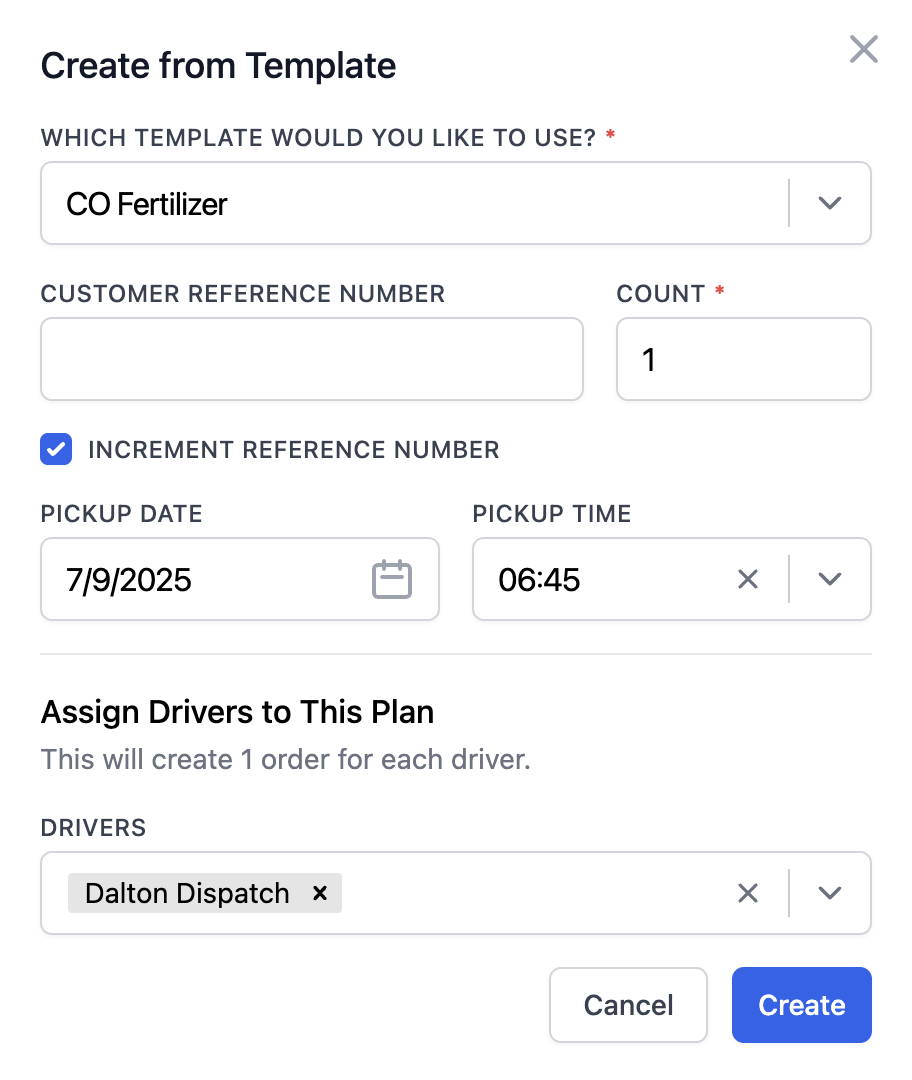
Templates are especially useful for stations that receive regular top-offs, multi-stop routes that run the same pattern daily, or consistent aviation fuel lanes with strict timing requirements.
Each fuel template can include:
- Customer details and billing preferences
- Standard pickup terminal
- Assigned station or multiple drop locations
- Product grades and compartment arrangements
- Rate structures (per mile, hourly, flat, per stop)
- Access notes, codes, fill restrictions, and delivery windows
- Recurring reference numbers or internal tags

You can also attach operational notes such as preferred racks, tank limits, or product swap instructions if the station requires alternate grades.
Once dispatch creates a load from a template, all of that information flows instantly to the driver, billing, payroll, and reporting without duplicate entry. This keeps all recurring loads consistent and frees dispatchers to focus on real-time decision-making rather than repetitive data entry.
Read more: Top 5 load management software for trucking companies
Manage all fuel deliveries and driver assignments from one live dispatch board
When you’re hauling gasoline, diesel, jet fuel, or other petroleum products, every load must arrive on time to prevent customer outages and compliance issues.
For instance, if you miss a delivery window or send a driver to the wrong terminal, it can cause stations to reach critical low levels, leading to emergency runs and costly operational fallout.
Toro centralizes everything on a single live dispatch board, so your team can manage the day with clear visibility into driver locations, rack departures, and what’s coming next on the schedule. This approach is more efficient than piecing information together from text messages and spreadsheets.

Toro's dispatching dashboard allows you to:
- Schedule fuel loads instantly: Match available drivers and tankers to upcoming fuel orders using an easy drag-and-drop board that shows who is empty, who is waiting at the rack, and who is finishing a drop.
- View all active deliveries in one place: Check the status of each load quickly, including rack departures, in-transit updates, and completed drops. This makes it easier to avoid idle time, backlogs, or delays on multi-stop routes.
- Track driver locations in real time: View where trucks are relative to terminals and station stops so you can reduce bobtail miles and line up the next assignment before the truck is empty.
- Update routes and assignments as conditions change: If a station reports a low-tank alert or a terminal stops offering a product grade, you can adjust the route immediately. Drivers receive updated instructions right away, keeping everyone aligned without back-and-forth messages.
Toro also offers a Daily Dispatch Plan Builder built for fleets that run repeat fuel lanes each day. It allows you to load multiple lanes at once, assign them to one or more drivers, and dispatch the entire plan in a few clicks by configuring it to previously created loads.
Humboldt Pacific saw the impact right away after switching to Toro and moving its fuel and brokerage operations into a single dispatch system. As their team put it, “We used to wrestle with split deliveries. Now we just add a tag and adjust the invoice number. It’s clean and easy.”
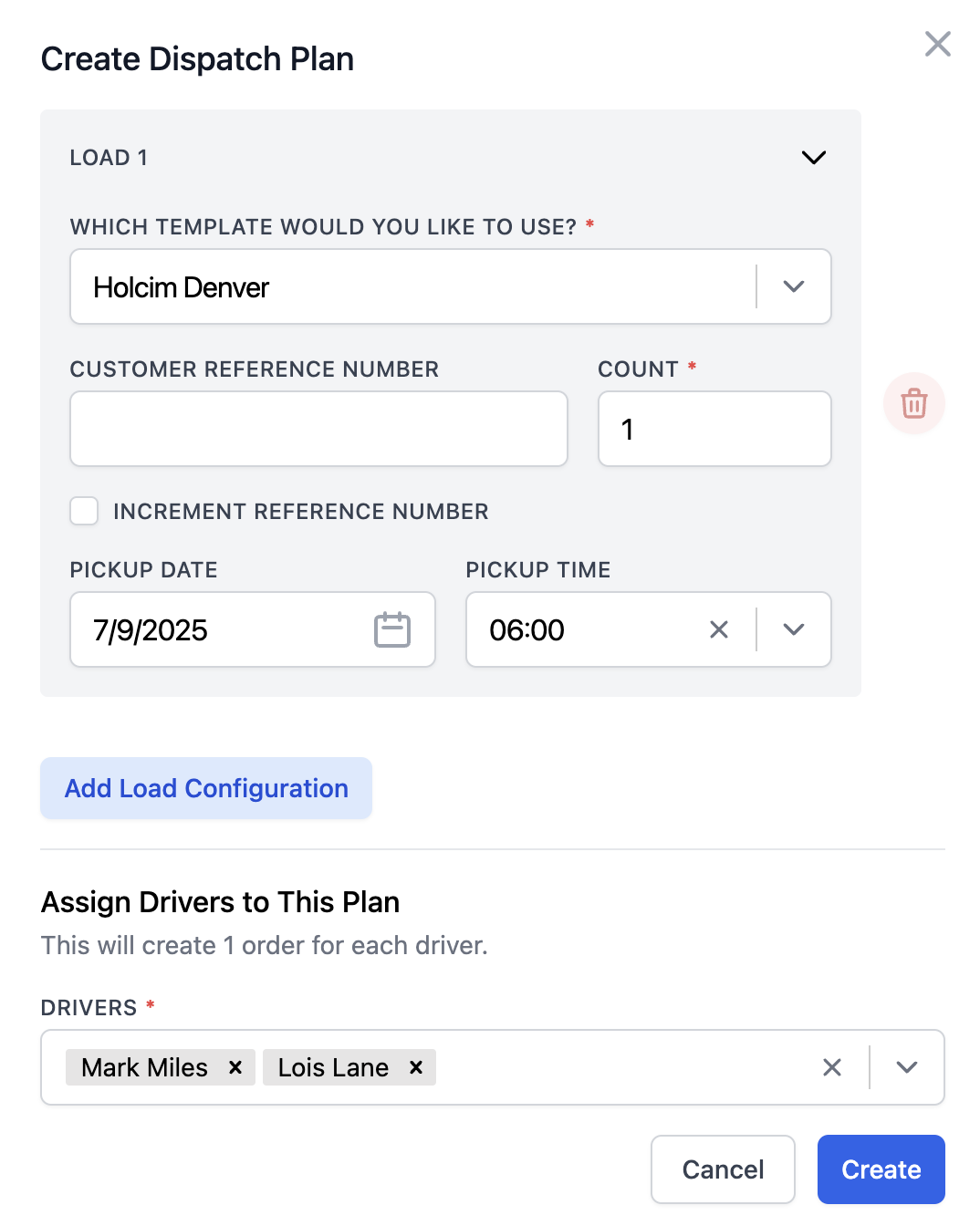
Because Toro's system is easy for dispatchers to use, your team stays organized throughout the day. It gives you control over every delivery and reduces the risk of late arrivals and compliance issues that can disrupt operations.
Read more: How to choose a dispatch software for trucking your teams will actually use
Send load details directly to drivers and allow them to upload documentation digitally
Fuel haulers rely on accurate paperwork to stay compliant. BOLs, seal photos, delivery tickets, hazmat documents, and compartment assignments all need to be captured, stored, and connected to the correct load.
When this information is passed around via phone calls or physical paperwork handed in at the end of a shift, things quickly become disorganized. Drivers may forget to return a BOL or misplace an important delivery ticket, meaning dispatchers waste time chasing down missing paperwork while back office teams sit on incomplete files and cannot invoice.
Toro solves this by giving drivers a simple way to receive instructions and upload documents from their phone—there’s no need for them to download an app or remember a login.

When a load is assigned, the driver receives a text with:
- Pickup terminal and delivery locations
- Compartment and product instructions
- Seal verification steps
- Site notes, access codes, or fill restrictions
- Any hazmat or placarding requirements
That same text includes a secure link where drivers can upload all the documentation the back office needs for billing, payroll, and compliance, including:
- BOL photos taken at the rack
- Seal images before and after loading
- Delivery tickets or tank-level confirmations after the drop
- Notes if a tank cannot accept the full load or if the customer requests a change
Once the documents are submitted, Toro automatically attaches everything to the correct load. This gives dispatch a live record of each run, speeds up invoicing, and ensures that your safety and compliance teams always have clean documentation ready for audits or customer questions.
Read more: Trucking ticket management software: How to better manage your paper tickets

Automate back-office tasks to save up to 70% of time spent on billing, payroll, and compliance
After a fuel load is delivered, your back office still needs to calculate driver pay, build invoices from delivery tickets, reconcile BOLs against what was actually dropped into each tank, and track miles for fuel tax reporting.
When this work is handled manually, it can lead to errors and force teams to wait for physical paperwork from drivers before they can process invoices or payroll.
Further, fuel carriers also deal with added administrative complexity, including variable rack prices, fuel card reconciliation, and strict recordkeeping requirements for hazmat shipments. Many fuel fleets still use spreadsheets and manual accounting processes to handle these tasks, but that’s a much slower process and makes it harder to keep paperwork accurate as load volume increases.
Toro eliminates that workload by automating key back-office processes so your team spends far less time entering data and tracking down documents. Most trucking companies cut billing and payroll time by up to 70% after switching to Toro.

Toro allows you to:
- Calculate driver pay automatically: Toro applies your fleet’s pay rules as soon as a run is finished. Unlike more generic TMS tools, it accounts for details such as rack wait, per-mile segments, drop pay, and adjustments for partial or split deliveries, so settlements go out to drivers for approval without the need for manual recalculations.
- Build invoices the moment delivery documents arrive: Whenever a driver submits photos or digital tickets, Toro automatically assembles the invoice using the actual load data, such as gallons delivered, compartment details, timestamps, and any added charges. This means that you don’t need to do it yourself, so your team can invoice immediately instead of rebuilding every bill by manually retyping details or waiting on missing paperwork.
- Generate mileage-based fuel tax reports automatically: Toro captures jurisdictional miles from GPS and ELD data and turns them into ready-to-file IFTA reports.
- Send billing and settlements to QuickBooks instantly: All invoice and settlement data moves into QuickBooks with one click, so your accounting stays current without entering the same numbers twice.
- Keep compliance documents organized and ready for audits: Every DVIR, hazmat document, POD, BOL, and fuel receipt is stored in a single, searchable record tied to the load. If an auditor or customer requests proof, you can pull it up in seconds.
Read more: Trucking accounting software: 5 best options to streamline back-office tasks
Gain real-time visibility into profitability, costs, and operational efficiency with advanced reporting tools

When hauling fuel, you typically need to monitor dozens of moving parts at once, like rack prices, driver pay, and idle time at terminals. All of these factors change daily and can quietly cut into profit margins and increase operating costs if they aren’t tracked closely.
Without a clear view of how those variables affect each load, it's easy for high-cost routes or inefficient drivers to go unnoticed.
Toro’s reporting tools give fuel carriers a live view into performance as it happens. All data feeds directly into real-time dashboards, giving you an instant understanding of how your fleet is performing day to day.

With Toro, you can:
- Track profitability by customer or lane. Identify which stations or terminals generate strong returns based on rack wait times, average drop volumes, and the number of deadhead miles required to complete each route.
- Monitor cost-per-load in real time. Break down expenses by terminal, product type, driver, or equipment. For example, you can compare routes to find trucks with higher rack idle time or lower compartment utilization.
- Evaluate driver and equipment performance. With Toro’s reporting, you can identify performance gaps early. For instance, if one driver consistently finishes routes later than others despite running the same lane, you can check for patterns like longer rack dwell times or missed dispatch updates. Similarly, if a specific truck shows fewer completed drops or lower average gallons delivered, it might point to maintenance issues or tank capacity constraints that need attention.
- Plan ahead for demand and rack price swings. Analyze historical load data to predict when seasonal spikes or supply shortages will hit, so you can pre-position assets and adjust staffing before peak demand.
Read more: Trucking payroll software: 5 options for effortless driver pay
Get in-person onboarding customized specifically for fuel hauling fleets
Implementing a new system can be stressful, especially when your fleet is already managing tight delivery schedules and strict safety requirements. Many existing TMSs or fuel management software providers lack extensive training and leave you to figure things out on your own.
Toro takes a more personal approach. Our team provides hands-on onboarding and customized training built around your specific fuel hauling workflows. We work directly with dispatchers, accounting teams, drivers, and managers to ensure every department receives the proper training.
Toro’s platform is simple enough for non-technical users, and our onboarding ensures everyone can get up to speed quickly. If questions come up, our support team responds within 30 minutes during business hours (9 a.m. to 9 p.m. ET), so you’re never left waiting.
Ready to simplify fuel dispatching and back-office work? Book a demo with Toro TMS to see how it can support your business.
4 Additional Fuel Hauling Software Options
1. AMCS Group

AMCS Group offers fuel distribution software for haulers and fleets that need advanced planning tools. It can function as an all-in-one software solution for handling fuel deliveries, maintenance schedules, compliance workflows, and multi-division operations.
It’s built for enterprise fleets that need a centralized way to manage dispatching, asset utilization, maintenance, and compliance across multiple business units.
Key features include:
- Central dispatch board for scheduling drivers and tankers across fuel and non-fuel divisions
- Real-time GPS tracking with load status updates
- Digital document collection
- Asset and maintenance management
- Route and schedule optimization for multi-stop bulk deliveries
- Integrated safety, compliance, and inspection tools
Read more: Aggregate dispatch software: 5 top options for bulk haulers
2. FuelForce
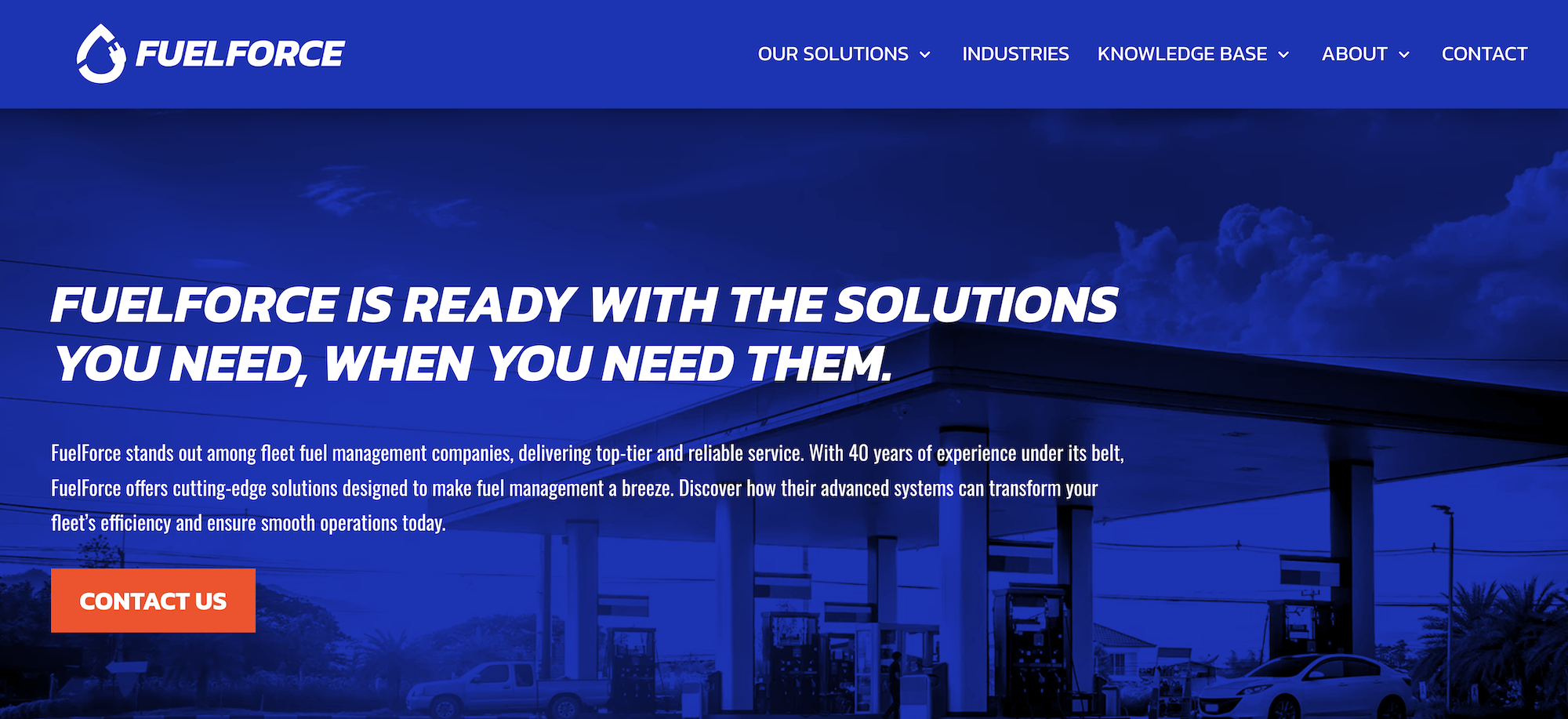
FuelForce is not a TMS, but a fuel inventory and fuel card management system widely used by fleets that manage their own above-ground or on-site fuel tanks. It helps carriers control fuel usage, track fuel costs, and manage cardlock access across a private fueling network.
Fuel carriers that run private yards or offer on-site fueling services often layer FuelForce on top of their TMS to support internal fuel tracking. Plus, the platform includes basic fuel-volume forecasting when monitoring on-site storage.
Key features include:
- Detailed fuel inventory management and usage reports
- Fuel card authorization and access control
- Integration with on-site tanks, dispensers, and pumps
- Driver and vehicle-level fuel consumption reporting
- Real-time monitoring of fleet fueling activity
- Alerts for unusual transactions or fuel loss
Read more: Chemical transport software: 5 tools for hazmat & bulk liquid carriers
3. BeyondTrucks

BeyondTrucks is a TMS platform that offers various tools for dispatch automation, document collection, invoicing, and customer visibility.
The software's automation and digital documentation tools help fuel haulers reduce manual work, speed up billing cycles, and improve overall routing efficiency.
Key features include:
- Automated dispatch and order assignment
- Mobile document uploads for BOLs and delivery tickets
- Customer portals with real-time load tracking
- Automated invoicing and driver pay
- Mileage and fuel tax reporting
- Integrations with accounting and telematics systems
Read more: Dump truck software: 5 top choices for specialist software
4. PakEnergy TMS
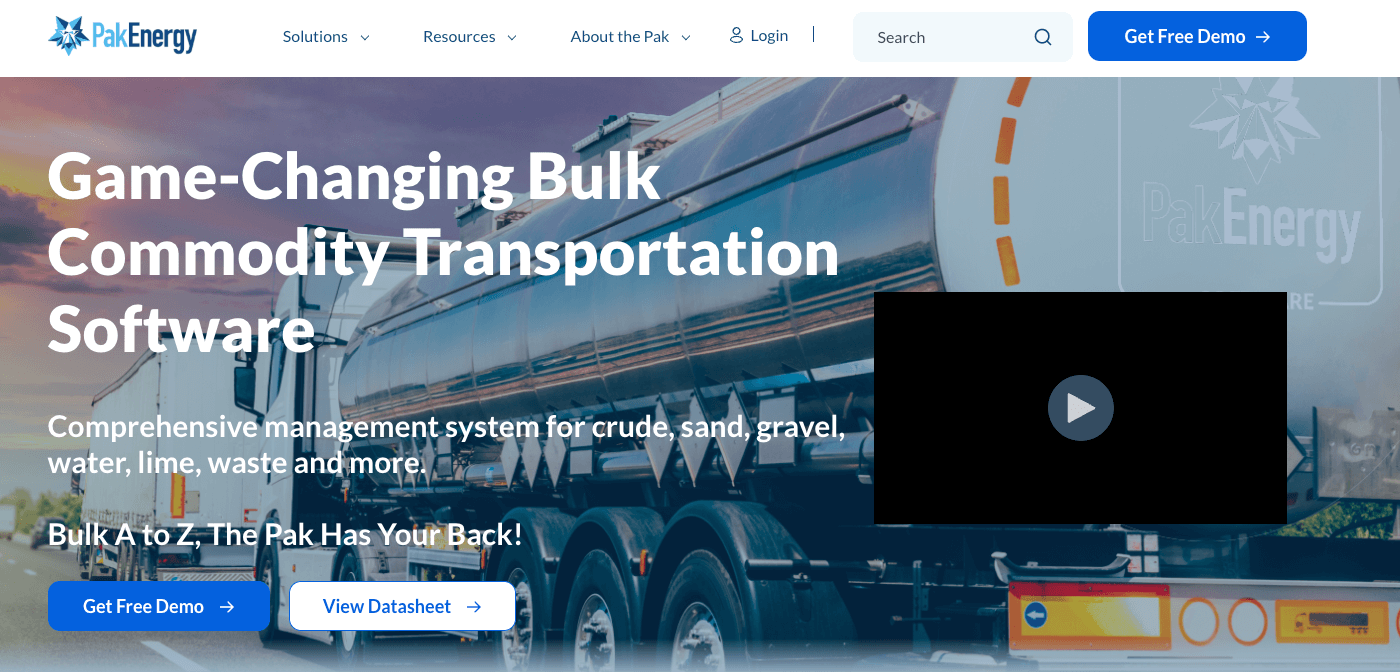
PakEnergy TMS is designed for companies operating across the broader energy sector, including fuel distributors, crude carriers, and NGL haulers.
The platform particularly benefits fleets that want dispatching, billing, route optimization, and other energy-specific accounting tools in a single system.
Key features include:
- Dispatch and scheduling for fuel, crude, NGL, etc.
- Electronic ticketing with driver mobile capture
- Automated billing and revenue settlement
- Integrated fuel tax and regulatory reporting
- Accounting modules designed for oil and gas workflows
- Customer portals for delivery visibility
Read more: Hauling software: 5 specialist tools for your trucking operations
Toro TMS: The Best Software for Your Fuel Hauling Operation
Most dispatch tools can assign loads, but very few are designed for the pace and regulatory pressure that fuel haulers face every day.
Toro TMS brings dispatching, driver communication, digital documentation, billing, settlements, and reporting into one system tailored to short-haul liquid bulk and petroleum operations.
With Toro, you can:
- Keep deliveries on schedule using fast, flexible dispatch tools that account for rack delays, driver availability, and compartment setups.
- Eliminate paper BOLs and delivery tickets by allowing drivers to upload documents from their phones without downloading an app.
- Reduce manual back-office work with automated invoicing and driver settlements generated from completed load data.
- Improve operational oversight with real-time visibility into profitability, route efficiency, and driver productivity.
Book a demo to see how Toro TMS makes fuel hauling easier and more efficient.