.png)


Most trucking software is built for long-haul carriers and enterprise fleets, with features designed around fixed routes, limited numbers of trips per day, and longer-haul runs that require complex planning workflows.
But if you're a local trucking business, these systems typically won't suit you. They're either too complicated, too slow to use day to day, too expensive, or poorly suited for managing a high volume of short-haul loads.
Instead, the best software for local trucking businesses should:
- Match how your trucking operations actually work. Many local carriers rely on one or two people to handle dispatch, billing, and payroll, with some processes still partly manual. Software should reduce that workload without requiring enterprise-level setup or specialized roles to keep it running.
- Keep up with fast-moving dispatch and schedule changes. When trucks run multiple loads per day and jobs change at the last minute, dispatchers need a simple way to assign, update, and reassign work without slowing everything down. The right software also makes it possible to manage more drivers and trucks as the fleet grows without needing to add more dispatchers.
- Capture proof of work and wait time without chasing drivers. Waiting for physical paper ticket submissions or manual driver updates creates delays and slows down your back-office teams, especially in local operations where a small number of people are often responsible for managing multiple tasks and jobs. The right system should centralize this information in a single digital platform so the entire company can access it when needed.
- Eliminate duplicate data entry between dispatch and billing. Load details shouldn’t have to be re-entered or reconciled at the end of the day just to invoice accurately or calculate driver pay. The best software automates this for you with templates and workflows, saving your team time and helping keep operating costs lower as job volume and fleet size grow.
- Provide real-time visibility into operations and performance. Dispatchers and managers need a clear view of active loads, trucks, and drivers, as well as how the business is performing daily. The best tools provide this visibility with up-to-date info and advanced reports that reveal key operational insights.
In this guide, we’ll share the best software for local trucking companies by breaking down the top 8 tools and what each one does best.
We’ll start with Toro TMS, our own software built specifically for local bulk haulers. We'll show you how it helps local trucking companies:
- Automatically turn daily dispatch activity into billable work
- Handle more trucks and daily jobs without increasing headcount
- Better understand what’s happening across your business
Schedule a free demo to learn how Toro TMS improves local trucking operations.
1. Toro TMS: Best all-in-one software for local trucking businesses

Toro TMS is built specifically for local bulk and short-haul trucking companies that move dozens of loads per truck each day.
Our trucking management software helps fleets operate on tight schedules and manage frequent job-site changes, while keeping dispatch, driver communications, and accounting aligned in a single system.
Many local trucking businesses struggle with software because most tools are designed for long-haul carriers and large fleets, where routes are predictable and responsibilities are split across dedicated teams.
For local bulk haulers, these systems are often too expensive, overly complex, and difficult to use daily. But in our experience, when your trucking software is too hard to adopt, dispatchers avoid using it—meaning load data isn't captured right away, and route and load assignments happen outside the system.
Once that happens, the entire process breaks down. Jobs are delivered with no proof of work, wait time at each stop isn't tracked, and billing teams need to chase down information at the end of the day to process invoices or payroll.
With Toro, on the other hand, dispatchers actually adopt the software, so load data is captured once and becomes instantly available downstream for billing, payroll, and reporting teams.
Below, we break down how Toro TMS helps local bulk and short-haul trucking companies:
- Keep dispatch and job updates in one place, even as schedules change during the day
- Capture tickets, timestamps, and wait time at the job level so completed work isn’t lost or disputed
- Track driver miles and wait time automatically so detention is calculated accurately without manual follow-up
- Generate invoices and calculate driver pay from completed work without manual data reentry
- View operational and financial performance in real time to see how specific routes and drivers impact profitability
Read more: What’s the best TMS software for your trucking company? Top 5 picks
Improve short-haul dispatch operations with reusable load templates and live scheduling
Managing a local trucking fleet usually means dispatchers have to schedule trucks in tight delivery windows and keep drivers on schedule throughout the day.
This becomes especially challenging for local trucking companies that run a high volume of daily loads. That's because dispatchers often have to create new loads from scratch for every order, even recurring jobs. This results in the same customer locations, job details, rates, and notes being entered over and over again—even multiple times a day.
Toro eliminates this repetitive setup work with reusable load templates. Dispatchers can create a load once, save it as a template, and reuse it whenever that same job is on the schedule again.

Each load template can include:
- Customer location information and job-site details
- Material or service details, including quantities and equipment requirements
- Billing rate structures (such as per load, hourly, or flat job rates)
- Site access notes, check-in procedures, and delivery time windows
- Job or reference numbers and internal notes
Dispatchers can also include any additional details they believe are important for drivers to know, including site-specific access rules, equipment limitations, unloading procedures, or special handling requirements that apply to certain jobs or locations.
Once a load is created from a template, all of that information flows automatically to billing, payroll, and reporting without needing reentry.

Toro also centralizes dispatching into a single dashboard, so dispatchers don’t have to switch between systems to keep schedules on track.
From the dispatch dashboard, teams can:
- See which drivers and trucks are available in real-time. Driver availability updates automatically based on active jobs and schedules, so dispatchers can assign the next load without guessing using a drag-and-drop board.
- Update job details instantly when conditions change. If a delivery location changes or job instructions are updated mid-day, dispatch can adjust the load immediately. Drivers receive the update by text immediately, and the back-office team uses the correct details later.
- Track all active jobs in one place. Toro's dashboard allows dispatchers to quickly see which loads are unassigned, assigned, in progress, delayed, or completed, so they can match each new load assignment with the correct equipment type to meet customer or site requirements.
- Monitor driver detention as it happens. When a driver is held longer than expected at a site, that detention becomes visible in Toro in real time. This allows dispatchers to track on-site wait time more accurately and make real-time adjustments rather than discovering it later through submitted tickets.

Our TMS software offers a simplified interface that's genuinely easy to use for both dispatchers and drivers throughout the day. All data from a new load is captured once the dispatch team enters it into the system, and it flows downstream for additional tasks without manual reentry.
Read more: Dispatch management software: 3 questions to ask to choose the right tool
Share load details with drivers via text message and collect documents digitally
Local haulers need to collect accurate documentation and simplify communication between drivers and dispatchers to keep operations running smoothly. But most trucking software providers complicate this by requiring drivers to download mobile apps to receive job details from dispatch and submit paperwork after deliveries are completed.
Toro TMS keeps communication simple by letting dispatchers send job details directly to truck drivers by text message, without requiring any downloads or logins.

When a load is assigned or updated with Toro, drivers receive a message that includes:
- Pickup and delivery addresses
- Order details, including material type, quantities, tonnage, or additional requirements
- Notes about access rules, check-in procedures, or unloading expectations
That same message includes a secure link for uploading job documentation (such as BOLs, dump truck scale tickets, and delivery confirmations), so drivers can submit paperwork as the job is completed.
Once submitted, Toro automatically attaches everything to the correct job. This allows dispatchers to see updates as they happen, and back-office teams have a complete record of all important information for accounting tasks.
Read more: Trucking ticket management software: How to better manage your paper tickets

Save up to 70% of time spent on back-office tasks by automating invoicing and payroll
If you’re handling high load volume every day, that also means you’re handling tons of paperwork daily. This can create problems for internal teams if there's no centralized system to store important information.
This is especially true for accounting teams who need BOLs and delivery tickets to calculate driver hours and invoice amounts accurately. Toro connects these workflows so billing and driver pay are generated from the same job data used in dispatch.

Toro TMS can handle the following:
- Generate invoices in just a few clicks. As soon as a job is closed, the load details, quantities, rates, and tickets are already attached, so billing teams can send an invoice instantly. There's no need to chase down paper tickets or rebuild invoices manually with scattered job details.
- Automatically calculate driver pay. Driver compensation is tied directly to how each driver is paid (by the load, by hour, etc.), and Toro automatically calculates it without manual data entry. Our system tracks these details in individual driver profiles, and also accounts for wait time at job sites and mileage between local stops, so pay reflects what actually happened during the shift.

- Track mileage and driver hours automatically as trucks run local jobs. Toro captures driver time and miles using GPS and ELD data, providing teams with accurate PDF-ready IFTA reports.
- Sync all trucking data with QuickBooks. All financial records (including invoices and payroll) can be pushed to QuickBooks, so there's no need to reenter information to reconcile accounts.
Read more: Trucking accounting software: 5 best options to streamline back-office tasks
Uncover real-time insights into routes, drivers, and job profitability with built-in reporting
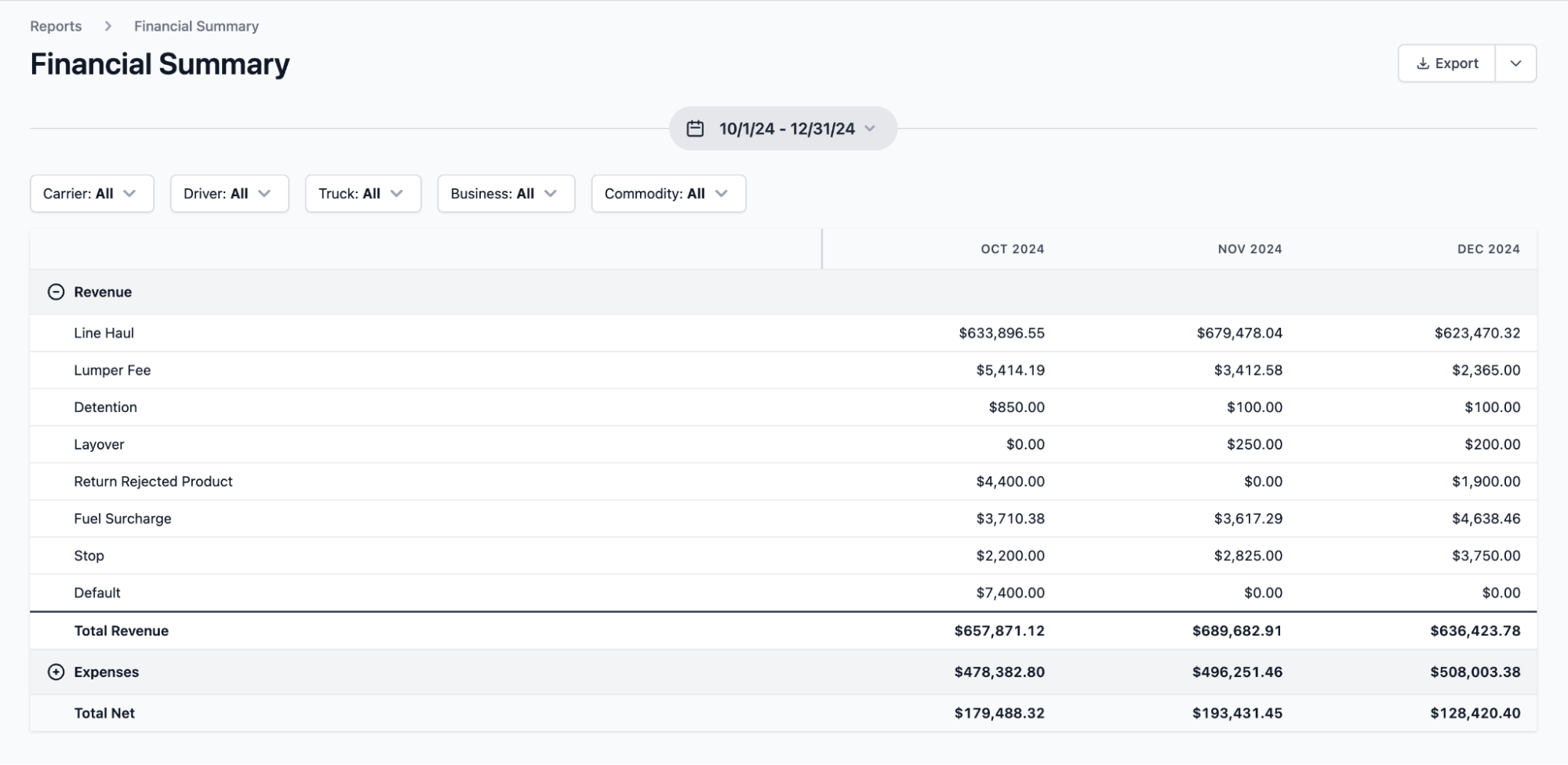
Another issue with high volumes of paperwork is that when this information isn’t captured and connected in one place, it becomes difficult to understand which jobs are actually profitable.
Toro’s reporting is built around live operational data. As jobs are dispatched and completed, performance data updates in real time so teams can see what’s actually happening while work is still in progress.
With Toro, local trucking companies can:
- See which customers, jobs, and local routes are actually profitable. Toro lets you break down performance by customer, job, or route to identify which work supports multiple short-haul runs per day and which consistently keeps trucks longer than expected.
- Calculate true job costs while work is still in progress. Use real-time data tied to driver hours, equipment use, and job duration to identify where short-haul jobs lose margin due to delays or fewer daily runs. For instance, a local hauler might expect a truck to complete five loads in a shift, but if one job runs long at a site, reporting can immediately show where the slowdown is happening. This also lets teams identify the root cause quickly and adjust schedules or dispatch plans.
- Track wait time and detention automatically. Toro helps local haulers see where drivers regularly wait longer than planned, how those delays reduce the number of jobs completed per shift, and which sites or customers create repeat slowdowns.
- Review financial performance based on how local hauling actually runs. Analyze revenue by service type, compare performance across busy and slow periods, and isolate cost trends tied to specific kinds of short-haul work that impact overall operational efficiency.
- Eliminate deadhead between short-haul jobs. Automatically track mileage to see where trucks are moving without revenue between stops, then make informed decisions to adjust routing or job sequencing to cut deadhead miles and fuel costs.
Read more: 11 best software for small trucking companies
Get up and running quickly with in-person onboarding and timely customer support
Most trucking software providers take a hands-off approach to onboarding by providing login credentials, help documentation, or video tutorials, and expect dispatchers and back-office teams to figure the rest out while keeping daily operations running.
For local trucking businesses, that approach doesn’t work and only decreases the chances your team will actually use the software.
With Toro, onboarding is done in person with experts who work directly with your team to configure the system based on how your local operation actually runs. The Toro team works hands-on with dispatchers, drivers, accounting staff, and managers to walk through real daily scenarios.
Each role is trained on the workflows they use, so they see the value in the software and know how to use it for their daily tasks. This makes it easier for teams to start using Toro in live operations without disrupting dispatch or back-office work.
Toro's customer support team is also available from 9 a.m. to 9 p.m. ET, with new requests answered within 30 minutes, so issues can be resolved quickly without slowing down the operation.
Curious how Toro TMS helps local fleets manage high-volume daily loads more efficiently? Schedule a demo to see it in action.
2. TruckLogics: Dispatch and invoicing for small local fleets

TruckLogics is a cloud-based trucking management system that supports small local fleets with dispatching, accounting, and compliance features, including basic trucking dispatch tools and a built-in load board integration for managing daily work.
Local trucking companies can use TruckLogics to create loads, dispatch drivers, generate invoices, and manage settlements from one system, although more complex job-site tracking or real-time operational visibility can be limited.
Key TruckLogics features include:
- Load creation and dispatch for small fleets
- Customer invoicing and driver settlements
- Mileage tracking and basic IFTA reporting
- Document storage for load-related paperwork
- Standard operational and financial reports
3. Samsara: Best for fleet visibility and vehicle tracking
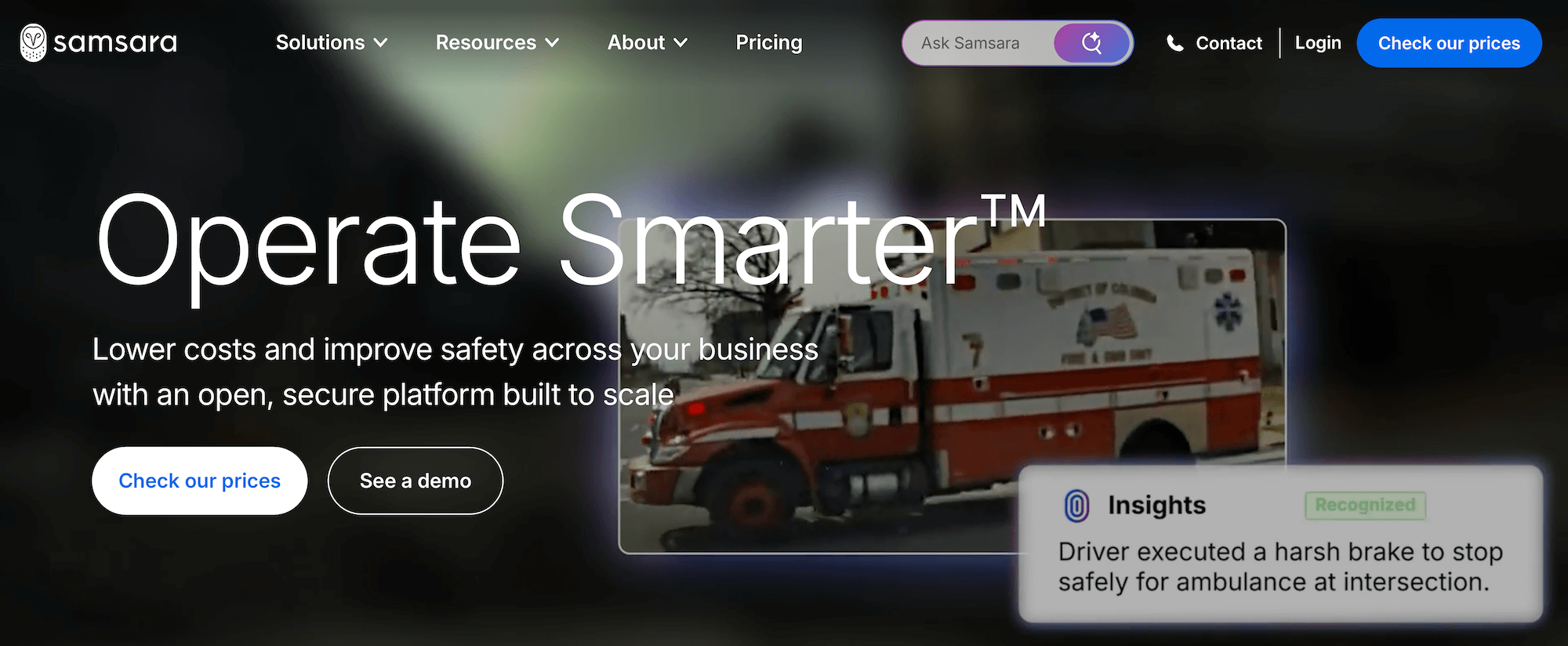
Samsara is a fleet management platform focused on real-time vehicle tracking, telematics, and driver management. It's a useful tool for understanding where trucks are, how long they’ve been stopped, and how vehicles are being utilized throughout the day.
While Samsara provides strong visibility into fleet movement and driver behavior, it does not function as a full TMS with built-in dispatch or billing systems.
Key Samsara features include:
- Real-time GPS tracking and vehicle location history
- Driver activity and idle time monitoring
- Telematics and vehicle diagnostics
- AI dash cams and safety reporting
- Embed AI insights via Samsara Intelligence
4. LogRock: Simplified trucking insurance marketplace and coverage management

LogRock is a trucking-focused insurance platform that helps carriers, owner-operators, and fleets quickly compare and secure coverage from multiple providers through a single application.
Built specifically for the logistics industry, it streamlines the traditionally complex insurance process and connects trucking businesses with policies tailored to their operational needs.
While it is not a transportation management system and cannot be used for dispatching, load planning, or fleet tracking, it plays a critical role in helping trucking companies manage risk, maintain compliance, and control insurance-related costs.
Key LogRock features include:
- Single application to receive multiple insurance quotes from top carriers
- Coverage options for primary liability, cargo, physical damage, and more
- Streamlined onboarding and faster policy binding process
- Support for compliance requirements and certificate of insurance (COI) management
- Ongoing policy support and renewal assistance for growing fleets
5. Onfleet: Supports high-volume local same-day or on-demand dispatch
Onfleet is a delivery management platform that helps local trucking businesses with dispatching a high volume of same-day or on-demand jobs.
The platform makes it easy to assign jobs quickly, optimize routes, and track deliveries in real time, but it does not include invoicing, driver pay, or accounting tools.
Key Onfleet features include:
- Fast job creation and same-day dispatch
- Route optimization and delivery sequencing
- Real-time driver tracking and status updates
- Customer notifications and delivery confirmations
- Delivery analytics and performance metrics
6. Connecteam: Driver scheduling, time tracking, and team communication
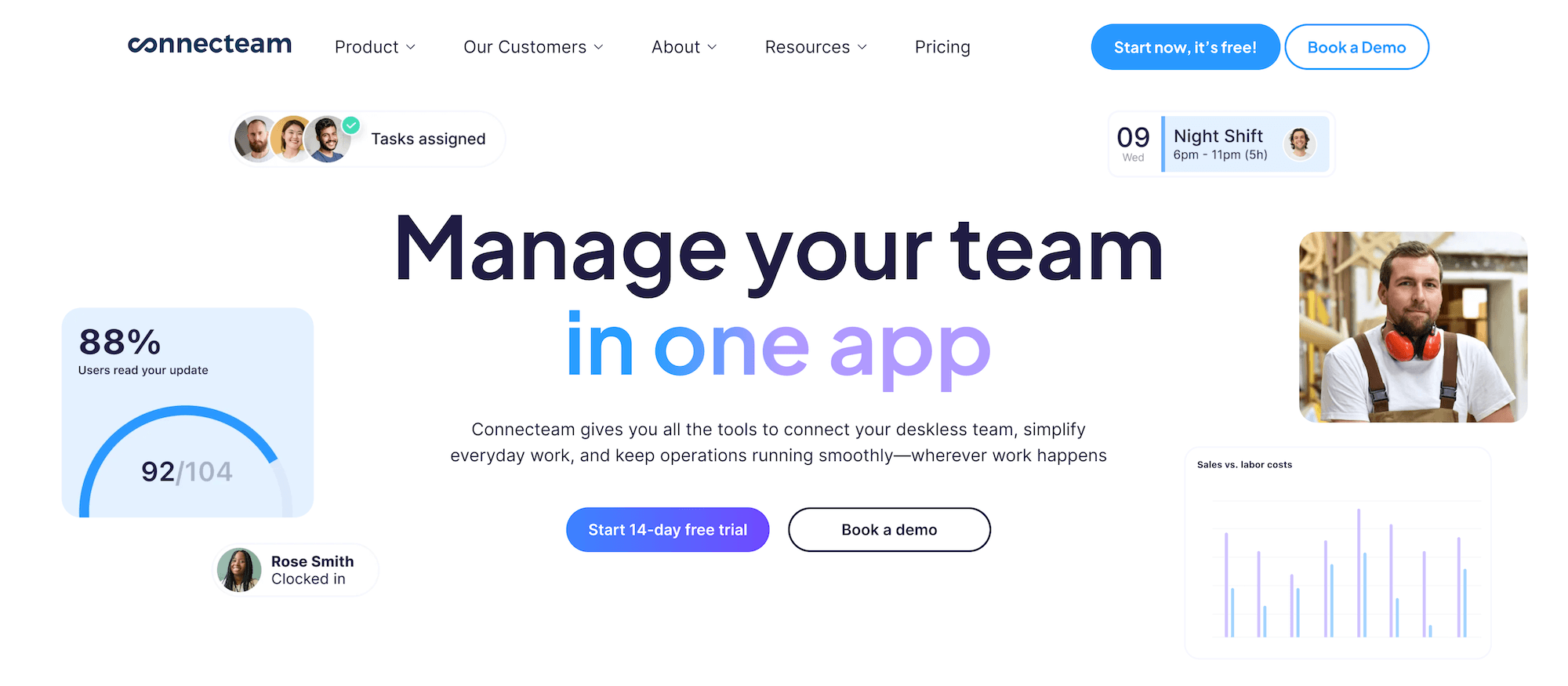
Connecteam is a workforce management platform that local trucking companies often use to manage driver schedules, time tracking, and day-to-day communication.
While Connecteam is not a system built specifically for the trucking industry, it can be useful for fleets that need a simple way to coordinate drivers.
Key Connecteam features include:
- Driver scheduling and shift management
- Document management
- Time tracking with mobile clock-in and clock-out
- Team messaging and announcements
- Workforce activity and attendance reporting
7. Axon Software: Best for specialized local fleets

Axon Software is designed for specialized local fleets in various industries, including construction, heavy haul, livestock, and more.
The platform offers detailed job tracking, project-level reporting, and built-in accounting capabilities. However, because of its focus on specialized hauling, it can feel overly complex for many local trucking companies with mixed job types or smaller teams. Plus, pricing tends to be higher.
Key Axon Software features include:
- Job-based dispatch software with built-in ticket tracking
- Integration with scale systems and job-site data
- Material, quantity, and project-level reporting
- Driver pay and job costing tools
- Integrated fleet maintenance tracking
- Advanced accounting with IFTA fuel tax tracking
8. TruckingOffice: Basic dispatching and accounting for local carriers

TruckingOffice is a beginner-friendly TMS used by small local carriers and owner-operators who want basic dispatch, invoicing, and accounting functionality in one place.
It supports load management, driver settlements, invoicing, and simple reporting, but it offers limited real-time visibility and fewer tools for managing frequent job changes or high daily load volume.
Key TruckingOffice features include:
- Load and dispatch management
- Customer invoicing and driver settlements
- Mileage and fuel management
- IFTA and basic accounting reports
- Document storage for load records
Simplify local trucking operations with Toro TMS
Running a local trucking business means balancing tight schedules, frequent job changes, and a high volume of daily loads while keeping dispatchers and drivers in sync with back-office teams.
Toro TMS brings local trucking operations into one connected system, from dispatch through billing and reporting. With Toro TMS, you can:
- Manage high-volume daily dispatch in one live dashboard for short-haul local work.
- Keep drivers aligned with real-time job updates and collect paperwork digitally without apps.
- Automatically generate invoices and calculate driver pay so teams can bill faster, reduce manual workloads, and shorten billing cycles.
- View real-time trucking performance in one place with advanced operational and financial reports.
Book a demo to see how Toro TMS supports local fleet operations end to end.