.png)



EDI software allows trucking companies to exchange load tenders, shipment updates, invoices, and other standardized documents electronically with shippers and brokers.
For many trucking companies, EDI becomes necessary when a large shipper or broker requires this information to move electronically between systems.
Without the right setup, though, EDI can still leave your team with plenty of manual work. The biggest problems happen when customer data reaches one system but doesn't flow into the tools your dispatchers and back-office teams actually use.
For example:
- Dispatchers may still rebuild customer orders by hand when EDI data doesn't flow directly into the TMS.
- Shipment updates require manual intervention when tracking and load status data aren't connected to the customer's system.
- The same load information gets entered in multiple places, increasing the chance that rates, locations, quantities, or other details don't match.
- Billing teams may still recreate invoices after delivery when completed load data doesn't feed directly into the customer's required EDI process.
EDI software solves these problems by automating the exchange of order, status, and billing data between the carrier and its trading partners.
However, it’s less common for trucking companies these days to use standalone EDI software. Rather, most modern EDI functionality is either built directly into a trucking management software (TMS) or connected to one through an integration. This lets EDI orders flow directly into the same system used for dispatch, tracking, driver communication, and billing.
Standalone EDI providers are still available and can make sense for carriers with existing trading partner relationships or more complex EDI requirements. However, they add another system that must stay connected to the TMS. This can create more setup and maintenance work because order, status, and billing data still have to move cleanly between both systems.
That’s why for most carriers, especially small and midsize fleets, a TMS with EDI functionality is usually the simpler option. An order can enter the system once and continue through dispatch, delivery, and invoicing without being reconciled between separate platforms.
In this article, we explain how EDI works in trucking, including the transaction sets carriers use most often and why customer requirements can vary.
Then, we'll introduce Toro TMS and show how bulk haulers can bring EDI orders into the same system they use for dispatch, driver communication, billing, and reporting. We’ll also review four additional EDI software options, including both EDI-enabled TMS platforms and a dedicated EDI provider.
Want to see how Toro handles EDI from order import through dispatch and billing? Book a demo to see how it works.
How EDI works in trucking
EDI, or Electronic Data Interchange, allows trucking companies and their customers to exchange load information automatically between their systems. The traditional way of receiving an order by email and manually entering it into a TMS creates extra work and leaves more room for errors.
EDI removes that handoff by sending order data directly from the customer's system to the carrier. That gives dispatchers accurate load details faster and reduces the amount of information they have to re-enter by hand.
For most trucking companies, a handful of transaction sets matter most because they cover the core steps from load tender through delivery and invoicing:
- EDI 204 (Motor Carrier Load Tender): A shipper or broker sends the carrier a load with details like pickup and delivery locations, appointment windows, equipment requirements, rates, and special instructions.
- EDI 990 (Response to a Load Tender): The carrier electronically accepts or rejects the load tender, giving the customer an immediate response without relying on emails or phone calls.
- EDI 214 (Shipment Status Message): The carrier sends updates as the load progresses, such as arrival, pickup, departure, delays, and delivery. These updates often pull automatically from TMS and ELD data.
- EDI 210 (Motor Carrier Freight Details and Invoice): Once the load is complete, the carrier electronically sends its freight invoice and charge details to the customer's system.
Carriers may also use other transaction sets. For example, an EDI 997 confirms that an EDI document was received and passed basic syntax checks, while other codes can handle bills of lading and pickup notifications.
While these EDI standards create a common structure, every customer can still have different required fields, mappings, connection methods, and business rules. Larger shippers typically establish these requirements, and the carrier needs to configure its systems accordingly.
As you can see, EDI isn't exactly the same for every customer. That's why choosing the right EDI software is so important. It needs to meet your customers' requirements while fitting into the way your team already manages loads.
Below, we'll get into the best EDI software for trucking to help you get started today. But first, here’s why it pays to have a TMS software that can handle the EDI transaction sets you use.
Toro TMS: Trucking software for bulk haulers with built-in EDI order import

Toro TMS is a trucking management software built specifically for dry and liquid bulk haulers. It centralizes the entire process from order entry and dispatch through driver communication, invoicing, driver pay, and reporting.
For order entry, dispatchers can build recurring work from saved templates or import customer orders directly from EDI. All of the order details then end up in Toro's centralized dashboard, where the team can assign drivers, add notes and reference numbers, and manage the load through completion without rebuilding the information in another system.
From there, you can use Toro to:
- Import customer orders from EDI with load details already populated for dispatch
- Assign the load to a driver from the centralized drag-and-drop dispatch schedule
- Send load instructions by text and keep dispatchers and drivers in sync throughout the job
- Collect BOLs, scale tickets, and other documents digitally as soon as the load is completed
- Generate customer invoices and calculate driver pay instantly using information already tied to the load
- Analyze revenue, costs, and operational performance with advanced reporting
This means EDI isn't another disconnected system your team has to manage. The order enters Toro once, then the information follows the load from initial dispatch through final payment.
Below, we'll break down how each part of that process works in more detail.
Import EDI orders directly into Toro TMS or build recurring loads without re-entering order details
Receiving an order through EDI only saves time if those details make it into the software that dispatchers actually use. Otherwise, someone still has to open the tender, copy the information into the TMS, and double-check that nothing changed in the process.
Toro supports EDI order import and also works with EDI platforms like Orderful. This helps translate and route customer EDI data into connected transportation systems. It also lets carriers bring load tender information into Toro without asking dispatchers to recreate every order manually.
For example, an EDI 204 load tender can contain information such as:
- Pickup and delivery locations
- Appointment dates and time windows
- Commodity, weight, and quantity details
- Equipment requirements
- Rates and charges
- Customer reference numbers
- Special instructions or handling requirements
Rather than entering these details into Toro one field at a time, dispatchers can import the order and work from the information the customer already provided. The load then ends up in the same system as the rest of the day's work, where dispatch can review the details, add custom notes or reference numbers, assign a driver, and move it through the schedule.
Once imported, the EDI order also becomes part of Toro's normal load process. The same record can carry driver communication, document collection, invoicing, driver pay, and reporting without the back office rebuilding the job later.
With Toro, you can also streamline manual data entry with our software by using reusable load templates. These are useful for recurring work that doesn't arrive through EDI, such as a bulk customer that runs the same lane or job, or hauls the same commodity several times each week.

Dispatchers can save the details of a recurring load once, including:
- Customer account and billing preferences
- Default pickup and delivery sites
- Standard commodity and load quantities
- Saved rate structures and accessorial charges
- Driver instructions, gate codes, and site notes
- Recurring job numbers, PO numbers, and internal tags
When that work comes in again, the dispatcher selects the template, updates anything that changed, and creates the new load in a few clicks.
Together, EDI order import and reusable templates give dispatch two faster ways to build loads depending on how the customer sends in the work. They also keep all of those orders in the same system for the rest of the operation.
Manage EDI orders alongside your entire trucking schedule from one centralized dispatch dashboard
Getting an EDI order into your TMS is only the first step. Dispatch still needs to fit that load into a day that may also include recurring customer work, manually created orders, last-minute changes, and trucks already several loads into their shifts.
Toro brings all of that work into the same dispatch view. Once an EDI order is imported, dispatchers can schedule and manage it alongside every other load in the operation rather than working from a separate EDI portal or customer system.

From Toro’s dashboard, you can:
- Add incoming EDI orders to the day's existing schedule. See the work that's already assigned, which drivers still have availability, and where a new customer order makes sense before assigning it.
- Assign loads with a drag-and-drop dispatch board. Move an imported order onto the right driver's schedule without rebuilding the load or managing the assignment in another system.
- Keep customer details attached to the load. Notes, reference numbers, locations, and other order information stay with the load as dispatch manages it through the day, giving the team one record to work from.
- Get real-time visibility into driver locations and availability. Toro integrates with ELD providers like Samsara, Motive, Omnitracs, and Geotab, bringing live fleet data into the same dispatch screen used to manage EDI orders.
- Monitor driver detention and on-site time in real time. Toro uses arrival and departure data from connected ELDs to track how long drivers spend at each stop and flag loads that exceed your detention threshold, giving dispatch the information needed to document and bill wait time accurately.

- Adjust the schedule as the day changes. Dispatchers can move loads between drivers, update instructions, or change the plan from one view rather than trying to keep separate spreadsheets, portals, and driver conversations aligned.
Toro gives dispatchers one place to manage incoming EDI orders, active loads, driver availability, and schedule changes in real time. Our software is also easy to use, so dispatchers can manage the entire day without navigating complicated systems or switching between multiple tools.
Read more: How to choose a dispatch software for trucking your teams will actually use
Keep drivers updated on EDI loads by sending instructions and capturing delivery documents via text message
EDI can get the order into your TMS automatically, but dispatch still needs a reliable way to move that information to the driver and get proof back when the job is done.
Some trucking companies handle this through a separate driver app, but drivers often find those systems too complicated or frustrating to use consistently because they require downloads or logins.
Toro keeps things simpler by sending load instructions and collecting documents through text message, so drivers can use a communication method they’re already familiar with.

With Toro, dispatchers create a new load assignment, and the system sends a new text message that includes:
- Pickup and delivery locations
- Appointment times and delivery windows
- Commodity and quantity details
- Order reference numbers and customer information
- Site notes, gate codes, and special instructions
- Any handling or timing requirements tied to the load
Each text message also includes a secure link where drivers can upload the paperwork required to close the load, such as:
- Scale tickets showing final weight or quantity
- Signed bills of lading
- Proof of delivery and delivery receipts
- Customer-specific documents required for billing
- Photos or notes documenting exceptions at pickup or delivery
After a driver uploads a document, Toro's OCR (optical character recognition) can read the image and pull important details like ticket numbers, verified quantities, and timestamps into the corresponding load record. This also creates cleaner audit trails because delivery documents and extracted details stay attached to the correct load record.

This gives dispatch and the back office the documentation tied to the original EDI order without waiting for paper to make it back to the office.
Read more: What’s the best document management system for trucking? 5 options for carriers
Automate invoicing, driver pay, and back-office calculations from completed load data
If EDI order data isn't connected to the rest of your TMS, the back office still has to rebuild the job before it can invoice the customer or calculate driver pay.
Toro solves this issue by keeping order details, rates, documents, mileage, and completed load data tied to the same record. Once the job closes, billing and payroll can work directly from that information without piecing it together from separate systems.

With Toro, you can:
- Generate customer invoices as soon as loads are completed. Customer details, rates, quantities, reference numbers, detention charges, and uploaded documentation are already tied to the load, so billing teams can review and send invoices without rebuilding the job.
- Calculate driver pay automatically from completed loads. Toro stores each driver's compensation structure, whether they're paid per load, per ton, per mile, hourly, or using a mix, then applies those rules to the work they completed.

- Apply stored rates and additional charges automatically. Customer pricing, fuel surcharges, detention, and other billable items stay connected to the load so they don't have to be looked up again during billing.
- Sync invoices and driver settlements to QuickBooks. Billing and payroll data can move directly into QuickBooks Online or Desktop without entering the same numbers twice.
- Support IFTA reporting with connected mileage and fuel data. Toro can use information already captured from ELD and fuel integrations to simplify quarterly fuel tax calculations.
This keeps the same data connected from the original EDI order through final invoicing and driver pay, reducing the amount of back-office work required after every load.
Read more: Trucking payroll software: 5 options for effortless driver pay
Track fleet utilization, driver productivity, and customer profitability with built-in reporting
EDI makes it easier to get orders into your TMS, but the same data becomes even more useful for fleet management once you start analyzing performance.
Because customer, load, rate, location, and delivery information stays connected to the same record throughout the job, Toro can use it alongside ELD, fuel, billing, and driver data to show how that work actually performs.
This gives managers a clearer picture of whether the customers and loads coming into the system generate enough revenue to cover the trucks, miles, and driver time they consume.

With Toro, you can:
- Compare profitability by customer and lane. See revenue, costs, and margins for the work you're accepting so you can identify high-volume customers that are profitable and those that may need new rates.
- Measure truck utilization throughout your fleet. Review completed loads, loaded miles, empty miles, and truck activity to find equipment that's being underused or spending too much time moving without revenue.
- Find customers and locations slowing down drivers. Compare loads completed per shift with time spent at pickup and delivery sites to identify recurring detention or turnaround problems that reduce capacity.
- Monitor driver productivity using actual load activity. See how many loads drivers complete, how long jobs take, and how efficiently they're using available hours instead of comparing performance from separate dispatch and ELD reports.
- Track financial performance as EDI loads move through the operation. Revenue and cost data stays tied to completed load records, giving managers an up-to-date view of performance without rebuilding monthly reports from customer portals and spreadsheets.
Read more: Trucking accounting software: 5 best options to streamline back-office tasks
Get EDI and your other TMS integrations set up with hands-on onboarding
Software setup and EDI compliance can be especially challenging because every trading partner may have different requirements for fields, mappings, transaction sets, and data exchange. Once you add integrations like ELDs, accounting software, and other systems, implementation can become difficult for a non-technical team to manage on its own.
Toro doesn't leave your team to figure out the technical setup on its own. During onboarding, we visit you on-site and work directly with all team members and departments to ensure everything is set up correctly.
We train dispatchers, drivers, accounting teams, and managers on the day-to-day tasks they handle. That can include importing EDI orders, assigning loads, monitoring drivers, collecting delivery documents, generating invoices and settlements, and using connected data for reporting.
Once you're live, Toro continues to provide dedicated support. Our team is available from 9 a.m. to 9 p.m. ET and responds to new inquiries within 30 minutes.
Ready to find out how Toro can simplify EDI across your trucking operation? Book a demo to learn more.
4 additional EDI software options for trucking companies
Most trucking companies now use a TMS with built-in EDI or an EDI integration, since they’re generally simpler than managing a separate EDI system alongside the TMS.
With that in mind, we’ve listed four additional tools worth considering if Toro isn’t the right fit for your operation.
1. Truckbase: EDI-enabled TMS for smaller carriers

Truckbase is a carrier-focused TMS built primarily for small and midsize asset-based fleets.
Its EDI integrations let carriers accept or reject tendered loads inside Truckbase, automatically share tracking and status information with customers, and send invoices without entering the same information into multiple systems.
Key features:
- Accept or reject EDI load tenders directly from the Truckbase inbox
- Send real-time tracking and shipment statuses into customer systems automatically
- Automatically send invoices through EDI once loads are completed
- Connect ELD data with individual loads for more accurate customer tracking
- Integrate with 30+ ELD providers for real-time fleet visibility
Truckbase has a $290 per month minimum, billed annually, with pricing available per truck, driver, load, or as a flat annual rate.
2. Alvys: TMS with native EDI functionality

Alvys is an all-in-one TMS for carriers, brokers, and hybrid transportation companies. It also integrates AI heavily into the platform to help with trucking management tasks.
For teams who prefer to manage everything in one system, EDI is built directly into the Alvys platform. There’s no need for a separate third-party provider, so EDI data flows into the same system you already use for dispatch, tracking, accounting, and other day-to-day operations.
Key features:
- Native EDI engine built directly into the Alvys TMS
- Automatically exchange load, shipment status, and billing data with trading partners
- Simplify trading partner onboarding without managing a separate EDI platform
- Real-time load tracking using ELD, telematics, driver app, and dispatch data
- 120+ integrations plus an open API for connecting other business systems
Alvys pricing is custom only and requires a personalized quote to get started.
3. McLeod Software: Native EDI for larger, enterprise trucking operations

McLeod Software is an enterprise TMS built for larger carriers, brokers, private fleets, and LTL operations. It simplifies freight operations by allowing teams to manage dispatch, billing, accounting, driver settlements, compliance, and integrations from one platform.
The DataFusion EDI engine works natively, allowing carriers to automate load tenders, shipment updates, invoices, and partner-specific EDI workflows without managing those transactions separately.
Key features:
- Configure partner-specific rules for automatically accepting and creating tendered loads
- Automatically send shipment status updates in each trading partner's required format
- Send freight invoices with built-in validation and partner-specific code mapping
- Share internally brokered loads between asset and brokerage operations in real time
- Support X12, XML, JSON, API, AS2, FTP, and SFTP connections
McLeod Software does not publish standard pricing. Contact the company for a custom quote.
Read more: McLeod Software competitors: 7 alternatives for trucking companies
4. Orderful: EDI software for automating carrier-to-shipper transactions
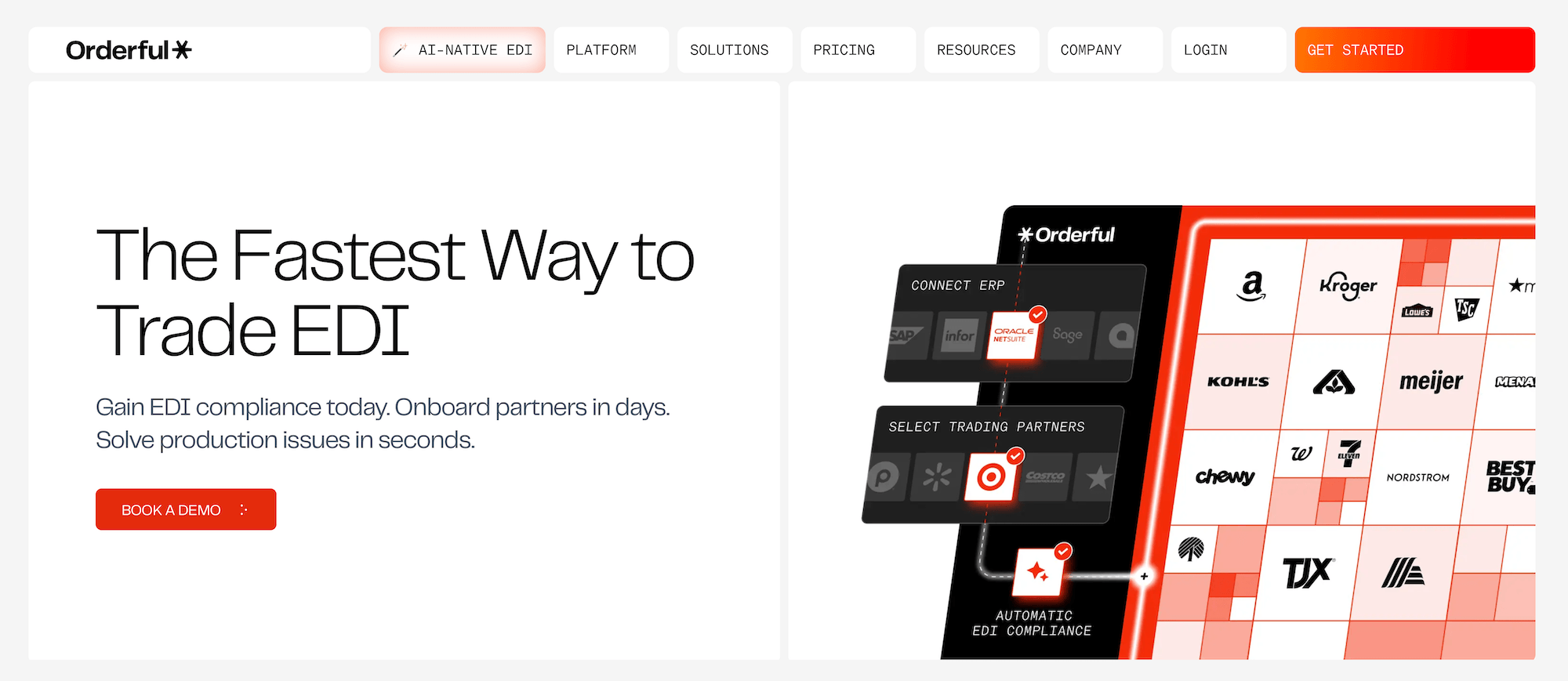
Orderful is a cloud-based EDI platform for carriers, shippers, and logistics providers that automates document exchange between trading partners.
For trucking companies, it can receive EDI 204 load tenders, send 990 accept/reject responses, transmit 214 shipment status updates, and submit 210 freight invoices, while also handling the mapping and communication requirements each customer uses.
Key features:
- Route EDI 204 load tenders directly into your TMS
- Send EDI 990 tender responses back to shippers automatically
- Pull shipment data from your TMS for real-time EDI 214 updates
- Automatically submit EDI 210 invoices when completed loads close
- Connect with trading partners through X12, EDIFACT, AS2, SFTP, FTP, and VAN
- Use a REST API to connect EDI with existing transportation software
Orderful's Web EDI pricing starts at $189 per month per trading partner, while integrated EDI starts at $399 per month.
Bring EDI orders directly into your trucking operation
The right EDI trucking software does more than help you meet a customer's technical requirements. It should reduce the manual work between receiving a load, dispatching it, updating the customer, and getting paid.
Toro TMS brings EDI order data into the same system your team already uses to run daily operations. Instead of recreating tendered loads by hand, dispatchers can work from imported order data and manage the rest of the load from one platform.
With Toro, you can:
- Import EDI orders directly into Toro instead of manually rebuilding loads from customer tenders
- Dispatch and track loads from the same centralized scheduling dashboard
- Monitor truck locations and driver hours through integrated ELD data
- Collect scale tickets, BOLs, and delivery documents from drivers by text
- Create invoices and generate driver settlements automatically using completed load data
- Analyze fleet performance with reports on profitability, driver productivity, fuel costs, and load activity
Book a demo to see how Toro can connect EDI orders with dispatch, tracking, documentation, and billing.