.png)



If you're looking for cloud-based TMS software, chances are you're moving away from an on-premise system, or you're choosing your first trucking management software and want to avoid on-premise problems altogether.
An on-premise TMS is installed on a server your company owns, which creates a few recurring problems for trucking companies:
- High upfront costs for hardware, software licenses, and implementation (often $50K or more for legacy enterprise platforms) before you dispatch a single load.
- Ongoing IT and maintenance work. When a server crashes, dispatch stops, and when the software needs an update, you end up paying an outside consultant to handle it.
- Limited access to your own system, since dispatch and billing can only be managed where the software is installed, and drivers have no way to interact with it from the road.
A cloud-based TMS removes these problems entirely. The vendor hosts the software and handles all maintenance, security, and updates, while your team simply logs in from a browser. You can also avoid larger upfront license costs by paying a subscription fee and adding trucks or users to get started.
That said, some cloud-based TMSs can still present problems like clunky interfaces and slow, complex setups. Others might run smoothly in the cloud but leave your team disconnected outside the system because drivers are required to download an app they won't use or dispatchers find the system too difficult to operate.
The best cloud-based TMS software should be able to:
- Run your entire trucking operation from a browser. Dispatchers can manage the schedule from the office or home, so they can check on the business from anywhere without having to hire a dedicated IT team to maintain an internal server.
- Connect drivers to the system from the field. Drivers should be able to receive load assignments on their phones and submit BOLs, scale tickets, and delivery confirmations from the job site without manually turning in paperwork at the end of a shift.
- Capture load details once at dispatch. Information entered when a load is created should flow automatically into driver assignments, invoicing, settlements, and IFTA reporting without anyone re-entering it downstream.
- Generate invoices and driver pay automatically from completed loads. Billing teams should be able to invoice customers and process driver settlements using the data already in the system. Nobody should have to rebuild anything from submitted paperwork.
- Update in real time for everyone in the organization. When new jobs get added, rescheduled, or reassigned mid-day, drivers and back-office teams should see the change instantly instead of working from an outdated schedule.
In this guide, we'll break down the six best cloud-based TMS tools for trucking companies and what each one does best. We'll start with Toro TMS, our own cloud-based trucking management software built specifically for bulk haulers.
Schedule a demo today to learn how Toro's cloud-based TMS software works.
Toro TMS: Cloud-based TMS software built for bulk haulers

Toro TMS is a cloud-based TMS built specifically for dry and liquid bulk haulers that run high volumes of short, repeat loads every day.
Because Toro runs entirely in the cloud, there's no server to install and no software to maintain. Your team also doesn't need workarounds to get in from outside the office, like a VPN or remote desktop connections. Dispatchers, back-office teams, and owners all log in from a browser and work from the same live information, whether they're in the office, at home, or checking in from the road.
This is important for most bulk haulers because of how much data a high-volume operation generates. When a single truck moves six, eight, or ten loads a day, every load produces dispatch details, documents, billing information, and pay calculations. If your system stores everything locally, it's difficult to centralize information for your entire organization.
Toro simplifies your manual data entry. Load details are entered once at dispatch and become instantly available to everyone downstream—from the driver receiving the assignment to the billing team generating the invoice.
Below, we'll walk through how Toro TMS helps bulk haulers run their entire operation in the cloud by allowing you to:
- Cut repeat data entry with automatic load creation via load templates
- Manage dispatch from a live board that's accessible anywhere
- Connect drivers to the system by text, with no app or login required
- Generate invoices and driver pay automatically from completed load data
- Monitor profitability and fleet performance in real time
Manage your dispatch operations with reusable load templates and a centralized dashboard
An on-premise TMS can give you a live dispatch board, but only inside the office. The moment work happens anywhere else, like on the road, the system can't follow.
That means a dispatcher checking the schedule from home needs a VPN or remote desktop session, drivers in the field have no connection to the board at all, and an owner traveling for the week is calling the office for updates. This creates all sorts of issues for fast-moving operations with growing teams.

Toro runs the entire dispatch operation from a browser-based dashboard that works the same from anywhere. The schedule updates in real time for everyone who's logged in, whether they're at the office, at home, or on the road.
From Toro's dispatch screen, you can:
- Build recurring loads in a few clicks with reusable templates. Bulk haulers run the same loads for the same customers constantly. Toro lets dispatchers save a load once, with customer details, locations, commodity, equipment, and rate structure attached, then generate a fully populated order whenever that work comes up again.

- Assign loads using a drag-and-drop schedule. Toro's dispatching screen shows available drivers and unassigned work side by side, so dispatchers can match trucks, trailers, and drivers to each job in seconds.
- Make mid-day changes that reach everyone instantly. If a load gets rescheduled or a delivery site changes, dispatch updates the order once. The driver receives the new details by text, and the back office bills from the corrected information later without having to reconcile versions.
- Get real-time tracking on every truck and load. Toro offers built-in ELD integrations, so dispatchers can provide accurate status updates and identify delays ahead of time.
- Track driver detention as it happens. Toro logs arrival and departure times at every site through live ELD data, so long waits are visible immediately, and detention gets billed from timestamped records instead of driver-reported numbers.
Since dispatch data is entered directly into the cloud, order management stays connected to everything downstream, so every detail becomes instantly available for billing, payroll, and reporting without manual reentry.
Read more: Dispatch management software: 3 questions to ask to choose the right tool
Send load assignments and collect driver documents digitally via text message
Communicating with drivers is usually where an on-premise TMS struggles the most. There's no way to connect a phone in a truck to software running on an office server, so load details go out by phone call, and paperwork is kept in the cab until the end of a shift.
Most cloud-based TMS platforms only partially solve this because they rely on a mobile app. However, drivers typically forget to download it, get logged out, or never open it, and dispatchers end up calling and texting outside the system anyway.
Toro connects drivers to the cloud through text message. Dispatchers can send assignments straight from the dispatch screen, and the driver receives a text with a secure link. There's nothing to download and no login to remember.

When a load is assigned or updated, the driver's text includes:
- Pickup and delivery locations
- Load details like commodity, quantities, and tonnage
- Site notes covering access, check-in, and unloading instructions
The secure link also allows drivers to take a photo of BOLs, scale tickets, and delivery confirmations from their phone. Once uploaded, Toro reads the key details off the documents and attaches everything to the correct load automatically.
This ensures that paperwork enters the system the moment the work is done. Dispatch sees progress in real time, and the back office has what it needs to bill before the truck returns at the end of the day.
Read more: What's the best document management system for trucking? 5 options for carriers
Automatically generate invoices and calculate driver pay
Billing and payroll can lead to a lot of disconnect between the field and the back office, especially for bulk haulers. That's because invoices can't be sent out until the paperwork comes in, so back-office teams spend their days collecting tickets, matching them to loads, and re-keying details that were already entered elsewhere.

With Toro, this repeat data entry work is eliminated. The load details entered at dispatch and the documents drivers submit from the field all land in the same cloud system, tied to the same load record. By the time a job closes, the back office already has everything it needs.
With Toro, you can:
- Generate invoices instantly from completed loads. Customer details, quantities, rates, and documentation are already attached to each load record, so billing sends an accurate invoice in a few clicks instead of rebuilding it from paperwork.
- Calculate driver pay automatically. Each driver's pay rules are stored once in their driver profile, whether per load, per ton, hourly, per mile, or a mix, along with recurring deductions. When loads are completed, Toro applies the right rules and accounts for wait time and mileage, so settlements are ready without manual math.

- Capture accurate mileage through ELD integrations. Toro pulls miles directly from your ELD and ties them to each job, so IFTA reporting comes from data already in the system instead of separate logs or driver-reported figures.
- Sync invoices, driver settlements, and IFTA data to QuickBooks in one click. All billing and pay records move into QuickBooks at once, so your accounting stays current without you having to enter the same numbers twice.
Read more: Trucking accounting software: 5 best options to streamline back-office tasks
Track profitability and fleet performance in real time with built-in reporting

Reporting is typically the last thing you manage in your trucking operation. When your data is stored across an office system, an ELD portal, and a spreadsheet, the only way to see how the business is performing is to pull everything together by hand at month-end.
This is an unreliable method because by the time you collect all the data you need, you're looking at problems that are weeks old.
Because Toro captures every load, mile, and document in one cloud system, reporting is live. You get real-time insights as jobs are completed, and owners can check the numbers from any device at any time without waiting for a new report to be built.
With Toro, you can:
- Track profitability by customer, route, and commodity. Break performance down to identify which work drives the most profit and which quietly drags margins down.

- Identify problems while loads are still in progress. With driver hours, equipment use, and job duration tracked in real time, you can spot a truck falling behind its daily load count and adjust future schedules instead of discovering the pattern weeks later.
- Monitor detention across your operation. Toro highlights where drivers routinely wait past schedule and which sites and customers create the same slowdowns repeatedly, so you can bill the wait time you're entitled to.
- Generate financial summaries on demand. Revenue, expenses, and margin numbers refresh as loads finish, rather than waiting for a month-end close.
Read more: IFTA mileage tracking software: 4 options and how they compare
Get up and running quickly with in-person onboarding and timely customer support
One of the biggest advantages of a cloud-based TMS is how easy it is to get started.
There are no server costs or hardware configurations you need to worry about, and scalability is built in, so adding trucks or users doesn't require new licenses or equipment. It's also much faster to implement the system and onboard all of your team members than with legacy on-premises systems.
Toro takes a hands-on approach with in-person onboarding and training built around each department, including dispatch, accounting, drivers, and managers. We focus on training your employees on the features each team uses most.
For drivers, that means showing them how to receive dispatch instructions and upload documents from the field. This is the most common place where TMS workflows tend to break because drivers aren't technical users and are the quickest to abandon software that asks too much of them.
Toro is designed to be genuinely easy to use for non-technical teams, and our support team responds to questions within 30 minutes during business hours (9 a.m. to 9 p.m. ET).
Ready to see how a cloud-based TMS can simplify your bulk hauling operation? Book a demo with our team.
5 additional cloud-based TMS software options
If Toro isn't the right fit for your operation, here are five other cloud-based TMS platforms worth considering. Each one offers something different or appeals to a different type of fleet.
1. Truckbase

Truckbase is a cloud-based TMS built for small to mid-sized asset-based carriers, typically fleets running 5 to 50 trucks. The platform's automation focuses on the back office, with an AI-powered load importer that pulls load details directly from rate confirmations, eliminating manual entry from PDFs and other documents.
It's best suited for general freight and specialized carriers (heavy haul, open deck) looking to improve operational efficiency, but it's not designed for the multi-load-per-day volume requirements of bulk hauling.
Key features
- AI load importer that builds loads automatically
- Dispatch board with text-based driver dispatching and mobile document scanning
- Invoicing, driver settlements, and QuickBooks integration
- Real-time ELD integrations
- EDI integrations for carriers working with larger brokers and shippers
Truckbase pricing starts at $290/month per truck (billed annually), with custom quotes based on fleet size.
2. McLeod Software
McLeod Software offers modules for dispatch, carrier management, brokerage, EDI, imaging, and business intelligence, plus deep customization for high-volume freight. It now offers cloud-hosted deployment, but still feels like an on-premises legacy system to teams who prefer that interface.
The tool is really only useful for large fleets with dedicated IT and operations resources. Small and mid-sized carriers tend to find the cost, complexity, and implementation timeline more substantial than they need.
Key features
- LoadMaster dispatch and operations management for asset-based carriers
- Extensive module library covering brokerage, imaging, EDI, and business intelligence
- Auto-rating tools that apply pre-set customer rates automatically at order entry
- Driver mobile app for ticket data and load image capture
- Extensive customization, reporting, and integration options
Pricing for McLeod Software is custom only. Enterprise teams typically require various implementations for features that vary based on fleet size and modules.
Read more: McLeod Software competitors: 7 alternatives for trucking companies
3. Alvys
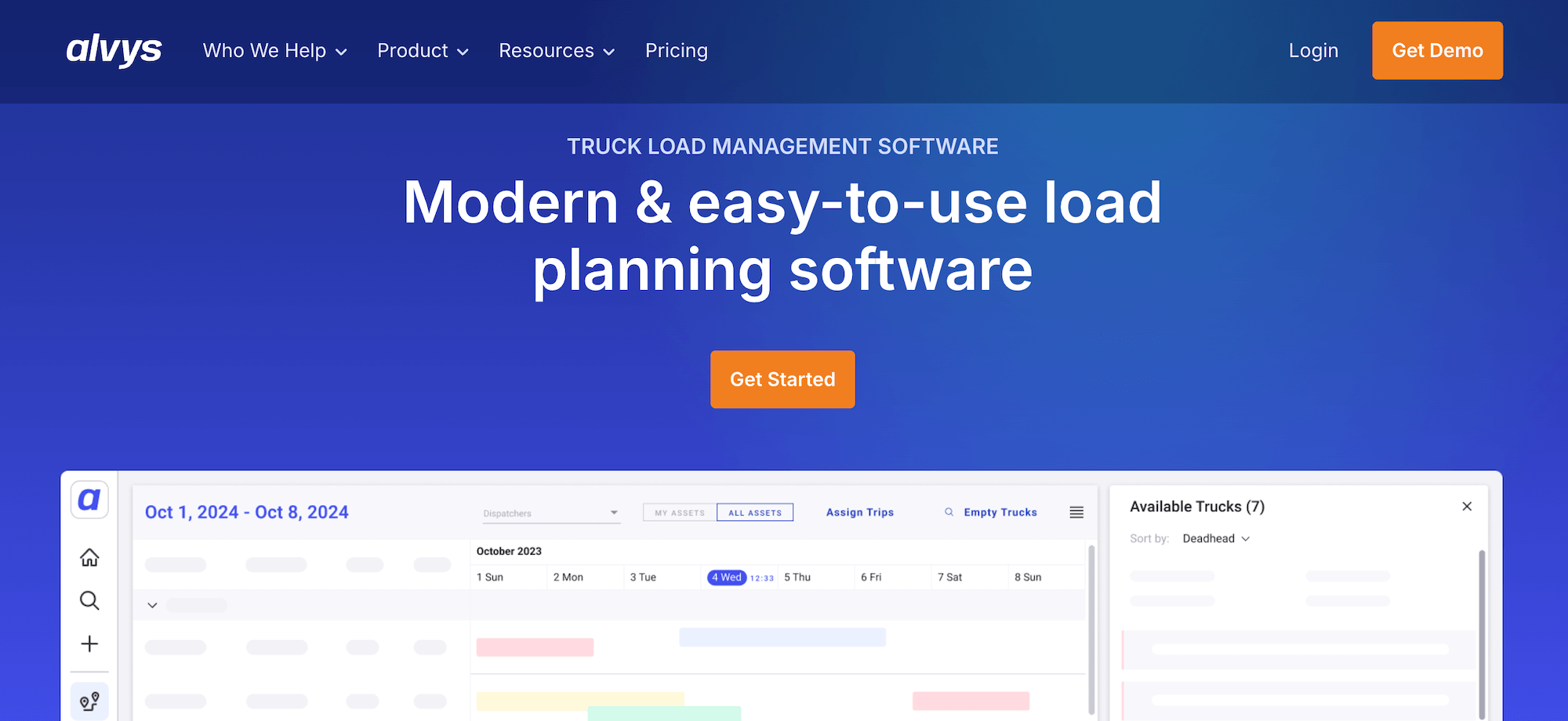
Alvys is a cloud-based transportation management system built for carriers, brokers, 3PLs, and hybrid operations running both asset and brokered freight. It includes tools for the full load lifecycle, including dispatch, driver management, shipment tracking, billing, and compliance.
If you're a general freight carrier or brokerage, you'll get the most from Alvys. Bulk haulers will find it less useful, since the platform is designed around long-haul truckload freight rather than the high volume of short, repeat loads.
Key features
- Automatic load creation that reduces manual data entry at dispatch
- Native EDI plus 120+ integrations with ELDs, load boards, and accounting tools
- Driver mobile app for real-time status updates and document uploads
- Built-in accounting covering invoicing, settlements, and compliance
- Multi-division support for companies running carrier and brokerage arms together
Pricing for Alvys is custom, with a free demo available and no set-up costs.
4. AscendTMS

AscendTMS is a cloud-based logistics management option for smaller fleets that want to get started on a free plan. It's commonly used by owner-operators, new brokerages, and very small fleets moving off spreadsheets for the first time.
The free plan includes load management, dispatch, and basic accounting, but it's capped at a couple of users, so most fleets outgrow it quickly and end up on the per-user paid plans.
Key features
- Free plan with load management, dispatch, and carrier selection
- Built-in accounting with TriumphPay integration for digital payments
- One-click IFTA reporting with automatic state-by-state mileage tracking
- GPS tracking from any device with no added hardware
- Load board integrations for posting and searching freight
Free plans are available for small teams. Paid plans start at $69 per user per month, with additional premium tiers depending on your company's needs.
5. PCS TMS

PCS Software is a cloud-based, all-in-one TMS aimed at mid-size and larger asset-based carriers. It suits fleets of 25 trucks or more running truckload, LTL, or intermodal freight operations best.
The platform offers dispatch, route planning, fleet management, accounting, and maintenance in one platform, and its Cortex AI layer automates routine tasks like load assignments. It can also provide recommendations inside existing workflows your team already uses daily to improve efficiency.
Key features
- Unified dispatch, accounting, and fleet maintenance
- Cortex AI for automated load and driver assignment recommendations
- Real-time GPS and driver tracking with mobile access
- Integrations with Samsara, Motive, DAT, QuickBooks, and 20+ other tools
- Customizable reporting connecting dispatch, fleet, and finance data
PCS pricing is custom-only based on fleet size and feature requirements.
Read more: 13 PCS TMS alternatives for trucking companies
Choosing the best cloud-based TMS software for your fleet
Moving to a cloud transportation management system can save trucking companies a lot of money because they don't need to maintain a server, keep IT consultants on payroll or retainer, or pay upfront licenses to use the software.
But not every cloud-based system can offer the same capabilities. Toro TMS is built to be an easy-to-use cloud-based solution for bulk hauling companies that manage a high volume of daily loads.
With Toro TMS, you can:
- Run dispatch, billing, and reporting from any browser, in the office or on the road
- Build repeat loads in seconds with reusable templates and a live drag-and-drop schedule
- Send load details by text and collect scale tickets and BOLs through a secure upload link
- Automate invoicing, driver settlements, and IFTA reporting from completed load data
- Track trucks in real time and generate live reports on profitability, detention, and fleet performance
Book a demo to see how Toro TMS runs your entire bulk hauling operation in the cloud.