.png)



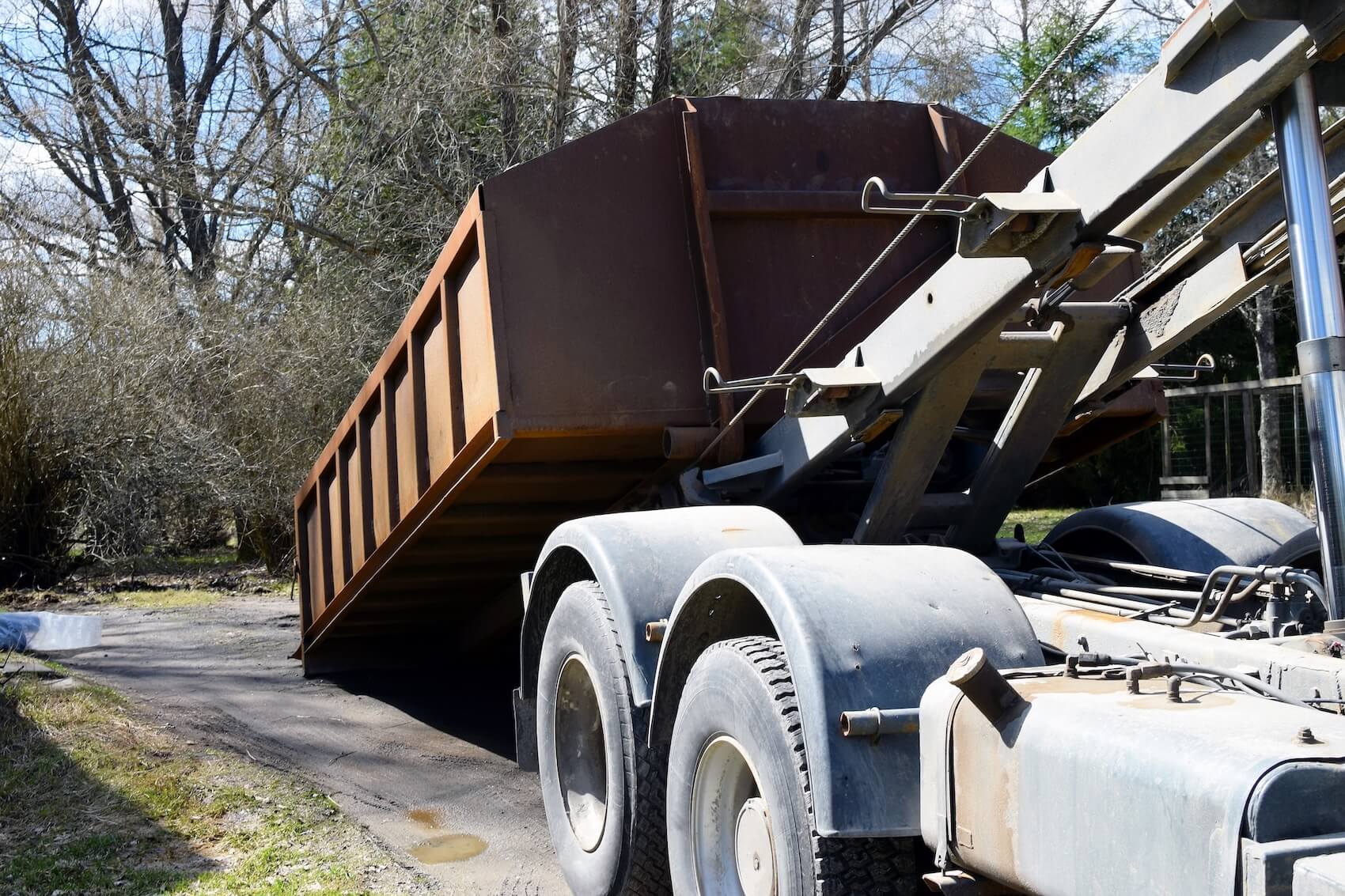
If you're running a roll-off operation, the right dispatch software can cut the time your team spends building and rearranging the day's stops. It can also give dispatchers real-time visibility into where every truck is and help you capture wait times and extra trips that billing teams usually miss.
But most dispatch software isn’t built for this kind of work. A platform that suits a roll-off operation should be able to:
- Capture every detail tied to a load in one place, including the scale ticket, tonnage, disposal fees, wait time, and return trip. That information should flow within your system from dispatch through invoicing without you having to re-enter data manually.
- Create and dispatch recurring loads instantly with job templates, so you never have to rebuild orders for the same accounts from scratch.
- Monitor driver locations in real time, so dispatchers can send the next urgent final to the closest driver, spot delays at the scale, and reroute drivers when a swap gets moved up.
- Generate invoices and driver settlements automatically using completed pull data to bill every haul fee, disposal charge, overage, return trip, and wait time without retyping anything.
- Analyze performance with advanced reporting that shows revenue, costs, and profitability by route, customer, or disposal site.
In this article, we'll explore how Toro TMS (our own trucking management software) helps roll-off fleets move more containers with less time lost to dispatch and paperwork. We’ll also take a look at five additional roll-off dispatch software providers.
Book a demo to learn how Toro TMS automates roll-off dispatch operations.
Toro TMS: Best overall roll-off dispatch software for bulk waste and container haulers

Toro TMS is built for high-volume bulk haulers who run high volumes of short, stop-heavy routes, including roll-off and C&D fleets that move containers and materials between customers, job sites, and the landfill.
A single truck can run a dozen or more pulls a day, and each one means building the order, capturing a scale ticket at the landfill, and re-entering that data for billing and pay.
Schedules change often, as customers call in urgent finals, job sites move up swaps, and drivers arrive to find a container inaccessible. Freight TMS platforms aren't built for that kind of stop-heavy, fast-changing work, while dumpster-rental tools focus on container inventory and online booking rather than the hauling itself.
Toro fills those gaps by connecting dispatch, driver management, and back-office workflows so an order entered once flows through the rest of your operation automatically.
Below, we share how roll-off dispatchers can use Toro TMS to:
- Build repeat orders in seconds using reusable templates
- Manage every order, driver, and truck on one real-time dispatch screen
- Send stops by text and capture scale tickets digitally, with no app or login
- Automate invoicing and driver pay from completed pull data
- Report on profitability across routes, customers, and disposal sites
Create reusable templates for recurring roll-off orders without re-entering customer details
Roll-off operators repeatedly service the same accounts and sites. Whether it's a commercial container on a weekly swap or a construction site that needs repeated pulls for months, dispatch ends up entering the same customer details again and again.
Rebuilding those orders by hand every morning slows dispatch and can lead to manual errors, such as entering the wrong rate, container size, or disposal site.
Toro TMS makes handling repeat work easy by allowing dispatchers to save any order as a template. Each one stores everything the team needs for a repeat stop, so you can drop a new order onto the board in a few clicks without retyping a thing.
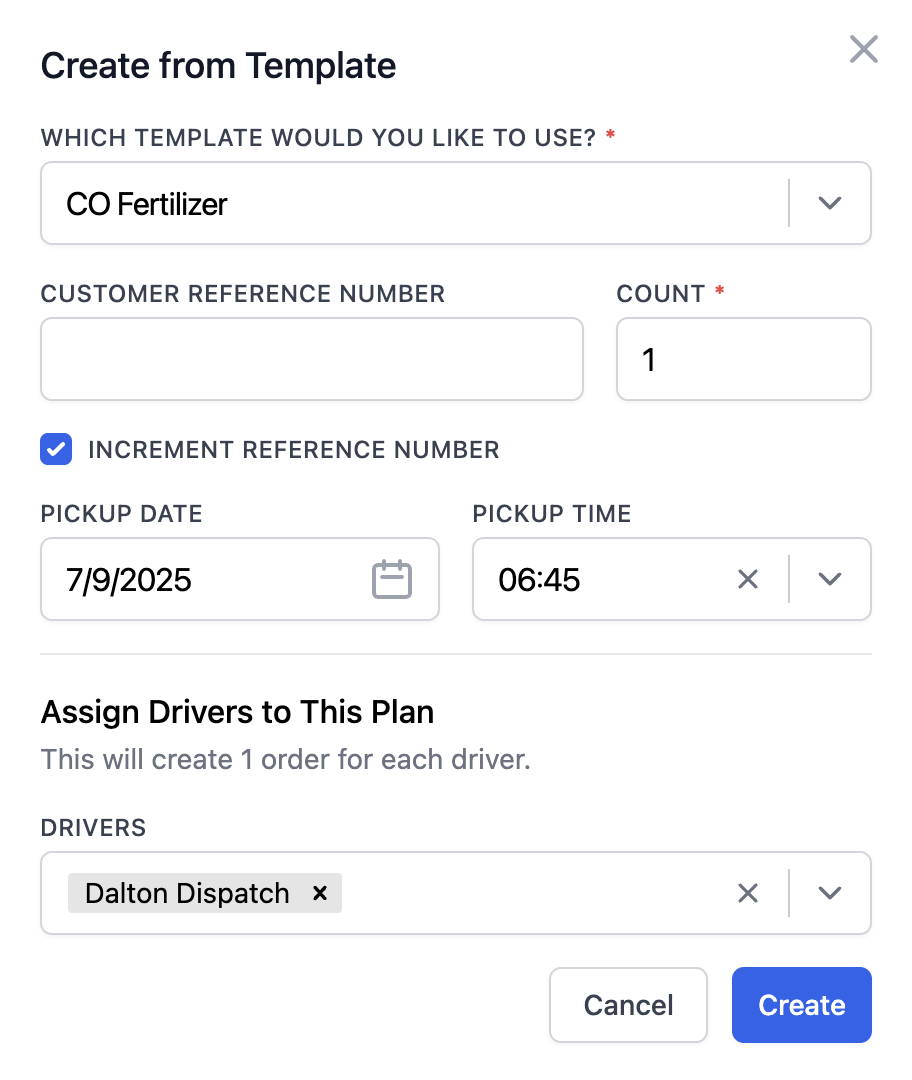
Templates are especially useful for commercial accounts on weekly or biweekly swaps, long-running job sites that get serviced the same way for months, and routes that follow the same pattern every day.
Each roll-off template can include:
- Customer details and billing preferences
- Service type and container size
- Default disposal site or transfer station
- Rate structure (per pull, per ton, flat, or hourly)
- Site access notes, gate codes, and restricted hours
- Recurring reference numbers or internal account tags

You can also attach operational notes, such as a customer who wants the same placement every time, or an account that needs the can to be swapped rather than emptied on site.
Once dispatch builds an order from a template, all of that information flows straight to the driver, billing, payroll, and reporting, with no duplicate entry.
View and manage your entire roll-off dispatch operation from a centralized dashboard
The hardest part of running roll-off dispatch is that the day rarely goes as planned. You build the morning schedule, and by 10 a.m., a customer needs an urgent final before the weekend, a job site calls in an early swap, and a driver radios that a container is blocked and can't be serviced.
A roll-off dispatcher is constantly reshuffling a full day of deliveries, pickups, and swaps across multiple trucks, each running stop after stop with a disposal trip in between.
Without a TMS built for this kind of operation, you're managing all of it on a whiteboard or spreadsheet with updates passed along by phone and text. But this breaks down fast, because every change has to be relayed by hand, and you have no real-time view of where your trucks actually are.
Toro solves this by consolidating every load and driver into a single real-time view. Dispatchers assign stops, watch active routes, and track driver locations from a single screen.

With Toro TMS, roll-off dispatchers can:
- Build and rearrange schedules on a drag-and-drop board. View which drivers are out, which are on a stop, which are running to the landfill, and which are about to free up. When an urgent final or same-day swap comes in, you can drop it straight onto the right driver's route instead of calling drivers to figure out who can take it.
- Match each stop to the right truck and driver. Toro lets you assign based on container size, service type, and the truck's current location, so a pickup goes to a driver running an empty rail nearby.
- Make real-time edits to loads. Roll-off stops change frequently after they're already on a driver's route. Toro lets you push any of these edits to the driver's phone the instant you make them, and the new details carry through to billing automatically.
- Capture driver detention, wait time, and failed-service stops as they happen. Toro logs landfill dwell, live-load waits, and the trips where a driver showed up to an inaccessible or overfilled container. Your team gets the on-site record it needs to bill the extra charges and prove the trip, instead of reconstructing it from the driver's memory at the end of the day.

With all operations available on one screen, dispatchers stop chasing drivers for updates and start staying ahead of the day. Urgent pulls go to the right driver, changes reach the field instantly, and the back office always has an accurate record of every stop.
Read more: Dispatch management software: 3 questions to ask to choose the right tool
Communicate with drivers via text message and capture paper tickets and BOLs digitally
Every full pull a roll-off driver hauls to the landfill or transfer station comes back with a scale ticket that proves disposal and makes the haul billable. Across a day of stops, that's a stack of paper riding around in the cab.
When drivers hand those tickets in manually, sometimes hours or a full day later, you're stuck with billing delays, lost slips, and disputes over whether a pickup actually happened.
Toro TMS solves this by letting drivers get their stops and send in tickets straight from their phones, with no mobile app or login required.

Once a new load is assigned, Toro sends an automated text message to the driver with all key details they need, including:
- Delivery, pickup, or swap address and the assigned disposal site
- Service type and container size
- Order reference number and customer details
- Site notes, gate codes, or access instructions
- Any live-load or restricted-hours requirements
Each text message also includes a secure link where drivers can upload load documents, such as:
- Scale ticket photos taken at the landfill or transfer station
- Photos of the container in place after a delivery or swap
- Signed slips or completion confirmation after the pickup
- Notes if a container is overfilled, inaccessible, or if the customer requests a change

Once a document is uploaded, Toro's OCR (optical character recognition) reads it and extracts the ticket number, tonnage, and disposal time from the photo, then attaches them to the correct pull without anyone having to type any information manually.
That keeps dispatch updated in real time, lets the back office bill for work immediately, and ensures customers always have proof of disposal when they ask for it.
Read more: What’s the best document management system for trucking? 5 options for carriers
Generate roll-off invoices and driver pay automatically straight from completed load data
Roll-off trucking fleets deal with heavy paperwork, variable driver pay structures, disposal fees, billable wait time, and return trips when a container is overfilled or inaccessible. All of it makes invoicing and payroll harder to handle than it is for the average trucking operation.
This gets even more difficult for back-office teams working from a system that doesn't capture the key details right away at dispatch. Tickets and charges come in late or incomplete, and the back office ends up piecing the information together manually.
Toro TMS simplifies these tasks, so your team spends far less time entering data and chasing down paperwork. Trucking companies that switch to Toro report saving up to 70% of the time they'd usually spend on billing and payroll.

With Toro, roll-off trucking companies can:
- Generate invoices instantly after loads are completed: A roll-off bill isn't complete until you know the load's weight. The second a driver uploads the ticket, Toro reads the tonnage and disposal fee off it, attaches them to the right stop, and drops in the haul fee and any overage. Back-office teams can send invoices off to customers immediately without waiting for missing paperwork.
- Calculate payroll automatically using driver profiles: Toro TMS stores all key information in driver profiles, including each driver's compensation structure (whether by the pull, the ton, the hour, or a mix). Those rules are paired with their completed loads for the week to determine what they're owed, including live-load wait time and return trips, which are usually missed when pay is calculated by hand.

- Account for wait time and return trips automatically: Toro records live-load wait, landfill dwell, and return trips against the right pull as they happen. The extras that normally disappear on a paper slip stay attached to the job, so you bill for the work you actually did.
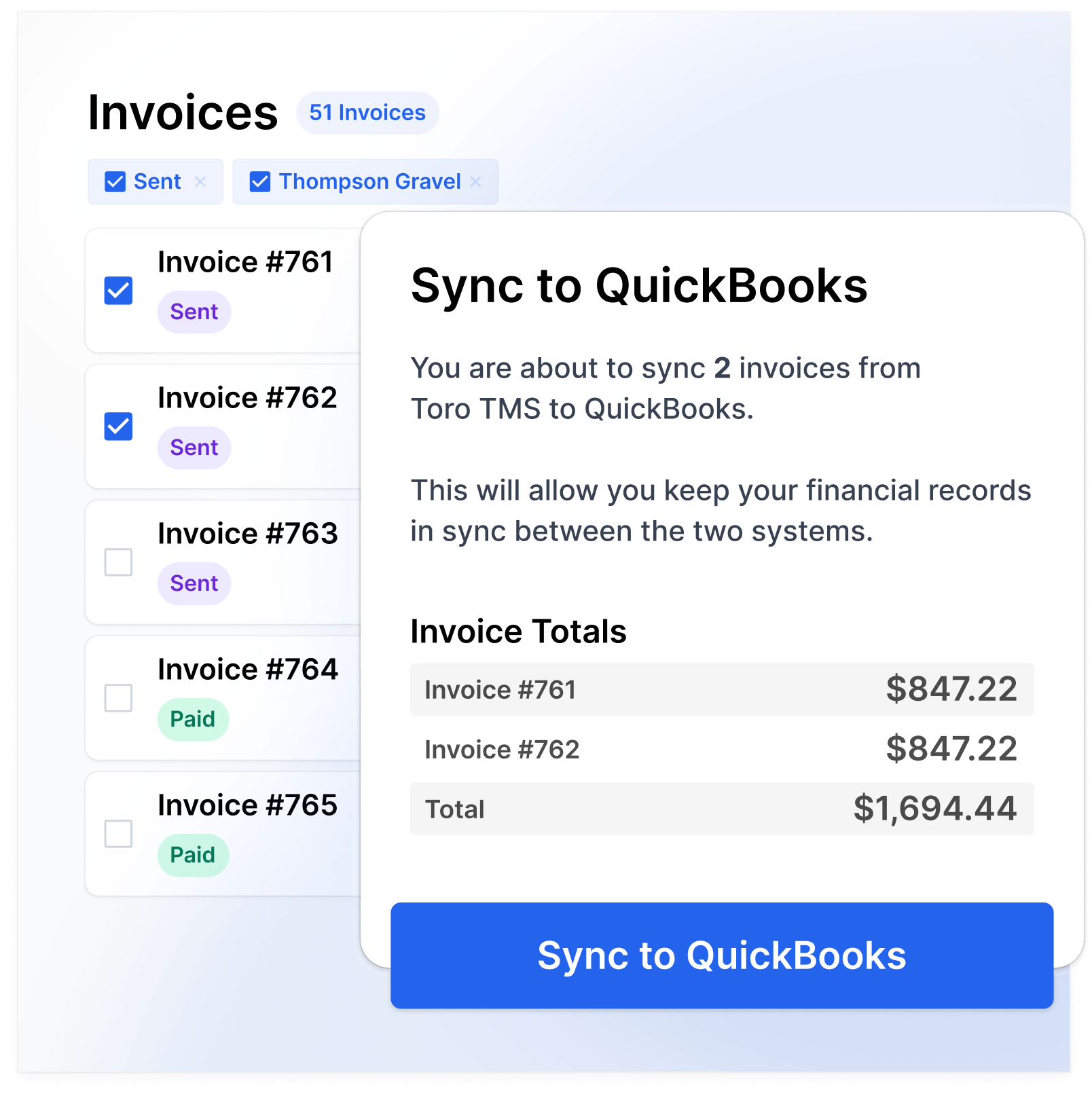
- Export invoices and driver settlements to QuickBooks in a few clicks: All billing and pay data moves into QuickBooks at once, so your accounting stays current without entering the same numbers twice.
Read more: Trucking accounting software: 5 best options to streamline back-office tasks
Uncover key operational insights with advanced fleet reporting tools
In roll-off trucking, the busiest accounts aren't always the most profitable. A customer with frequent pulls can quietly lose money once you factor in tipping fees, long hauls to a distant landfill, and trips that come back light or get turned away at a blocked can.
Without clear reporting, it's extremely difficult for companies to tell which routes drive business and which quietly drain it.
That's why Toro is a preferred TMS option for roll-off trucking operations. Our reporting tools give you a live view into performance as it happens, tying every pull, disposal charge, and fee back to a customer and a route.

With Toro, you can:
- View profitability broken down by route, customer, driver, or material. See which accounts clear a healthy margin and which ones are most impacted by tipping fees and drive time.
- Compare your disposal sites before you route to them. The landfill you choose sets the cost of the haul. Toro breaks down average tipping fees, dwell time, and round-trip miles by facility, so you can send a pull to the cheaper or faster scale instead of the closest one out of habit.
- Identify the most efficient drivers and routes. Toro tracks pulls per day and time per stop across the fleet. When one driver clears fewer pulls than the rest on the same route, you can look for the cause, like a slow start or long landfill queues, before it becomes the standard for that route.
- Track driver detention and wasted miles. Time spent waiting at the scale or sitting on a live load is time off the route, and it rarely appears on an invoice. Toro logs dwell time at each stop, and flags deadhead and light-pull miles, so you can bill the waits you're entitled to and re-sequence the trips that keep coming back empty.
- Create advanced financial summaries. Generate revenue, cost, and margin numbers across the operation in one view. Reporting refreshes as pulls finish and data syncs, so managers can see how the business is performing instantly at a glance rather than waiting for a month-end close.
Read more: Top 5 construction & demolition waste collection software
Get set up with personalized in-person onboarding and real-time support
Switching to new trucking software can be difficult, especially for roll-off fleets that manage different types of specialized equipment and a high number of daily loads per driver.
Many existing TMSs and waste software providers fail to provide adequate training, leaving teams to figure things out on their own. This typically results in a half-adopted platform that some people use, and others don't.
Toro is much more hands-on with on-site onboarding and customized training built around your specific roll-off workflows. We work directly with dispatchers, drivers, back-office staff, and managers, so every department learns the part of the system they actually use, including daily scheduling, invoices, driver pay, and reporting.
We also make it easy to get in touch with a dedicated support person if you run into any issues. Our support team responds within 30 minutes during business hours (9 a.m. to 9 p.m. ET), so you're never left waiting while trucks are out.
Book a demo to learn how Toro TMS automates roll-off dispatch operations.
5 additional roll-off dispatch software solutions
If you need a tool that addresses a specific need, the tools below cover a range of use cases, from container labeling and online booking to multi-service operations.
1. CurbWaste: Best for tracking container inventory
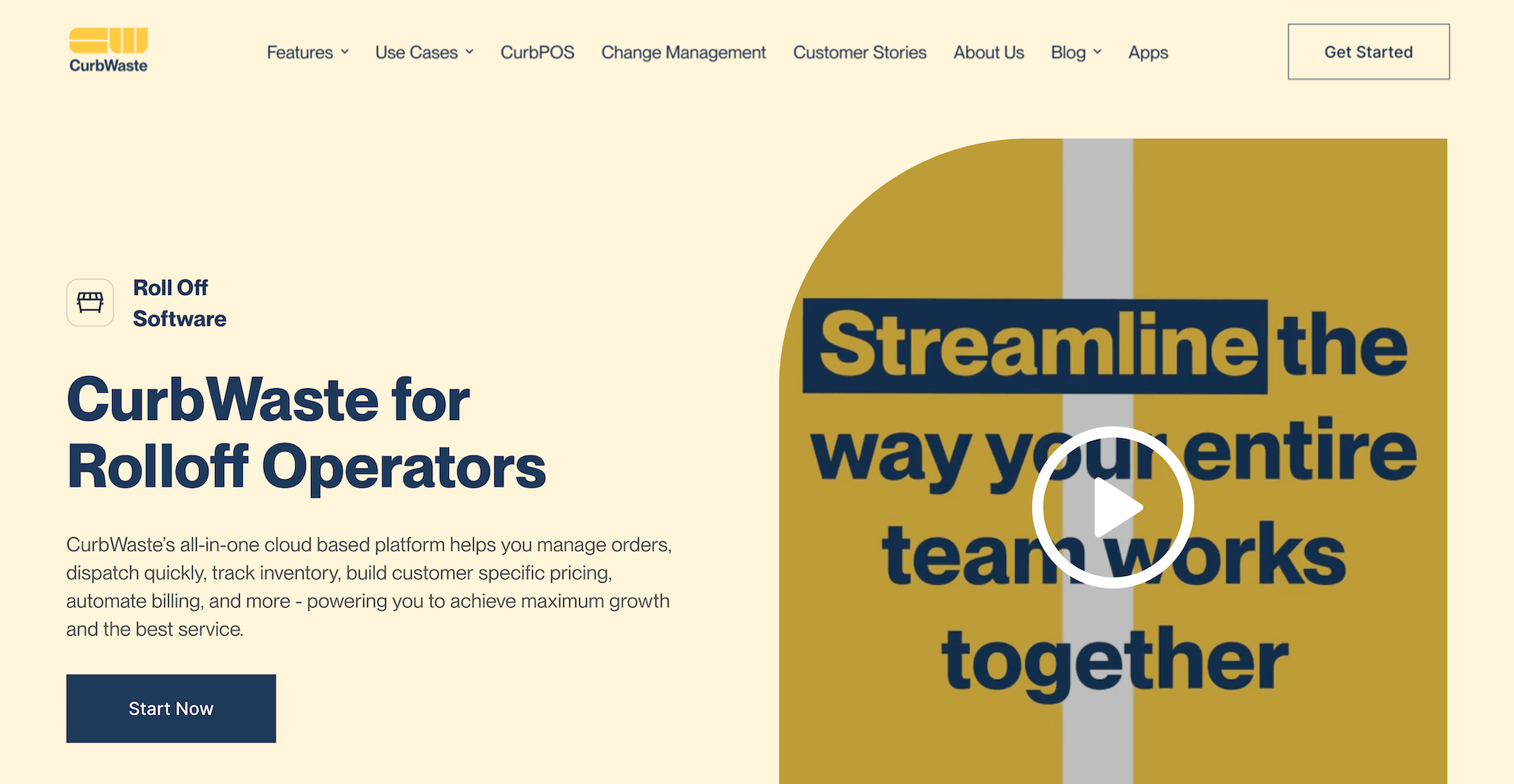
CurbWaste is a strong fit for roll-off haulers who want tighter container visibility across the entire hauling operation. It offers a full suite of tools, including order management, dispatch, inventory tracking, billing, customer-specific pricing, and QuickBooks integration.
With CurbWaste, dispatchers can track assets in real time and monitor days on site, helping control the whole container lifecycle from order to invoice.
Key features
- Order management for roll-off jobs, customer details, and service history
- Dispatch tools for deliveries, pickups, swaps, and removals
- Real-time inventory management for container location, status, and days on site
- Customer-specific pricing lists, daily rental fees, fuel charges, and additional fees
- Automated invoicing with QuickBooks integration to reduce double entry
- E-commerce, e-signature, and customer-facing workflow options
Read more: Dump Truck Software: 5 Top Choices for Specialist Software
2. DSQ Hauler: Best budget software for small roll-off fleets

DSQ Hauler makes the most sense for smaller roll-off or dumpster rental businesses because pricing is straightforward, and there's a free trial to get started.
Dispatchers can use the tool to take an order, assign the job, manage the contract, track incidents with customers or vendors, and get paid.
Key features
- Work order management for roll-off dumpster jobs
- Dispatch and fulfillment tools for faster order completion
- Contract management for recurring customers or longer rental terms
- Customer and vendor incident tracking
- Hauler Pay for payment processing
- Dedicated customer portal for viewing invoices, payments, and managing services
3. Hauler Hero: Best for container labeling and classification

Hauler Hero works well for roll-off operations that need granular visibility into container types for mixed fleets. The platform covers dispatching, billing, a driver app, asset tracking, and a customer-facing mobile experience.
The container classification allows dispatchers to label compactors, open-top containers, recurring orders, and temporary jobs separately, which makes asset tracking and scheduling easier.
Key features
- Drag-and-drop dispatch with real-time driver and container visibility
- Container labeling for compactors, open-top, recurring, and temporary jobs
- Driver tablet app for route updates and in-field documentation
- Recurring order management with duplicate scheduling for regular customers
- Billing templates for rental fees, disposal fees, and delivery charges
Read more: Hauling Software: 5 Specialist Tools for Your Trucking Operations
4. Docket: Best for online booking and dumpster rentals
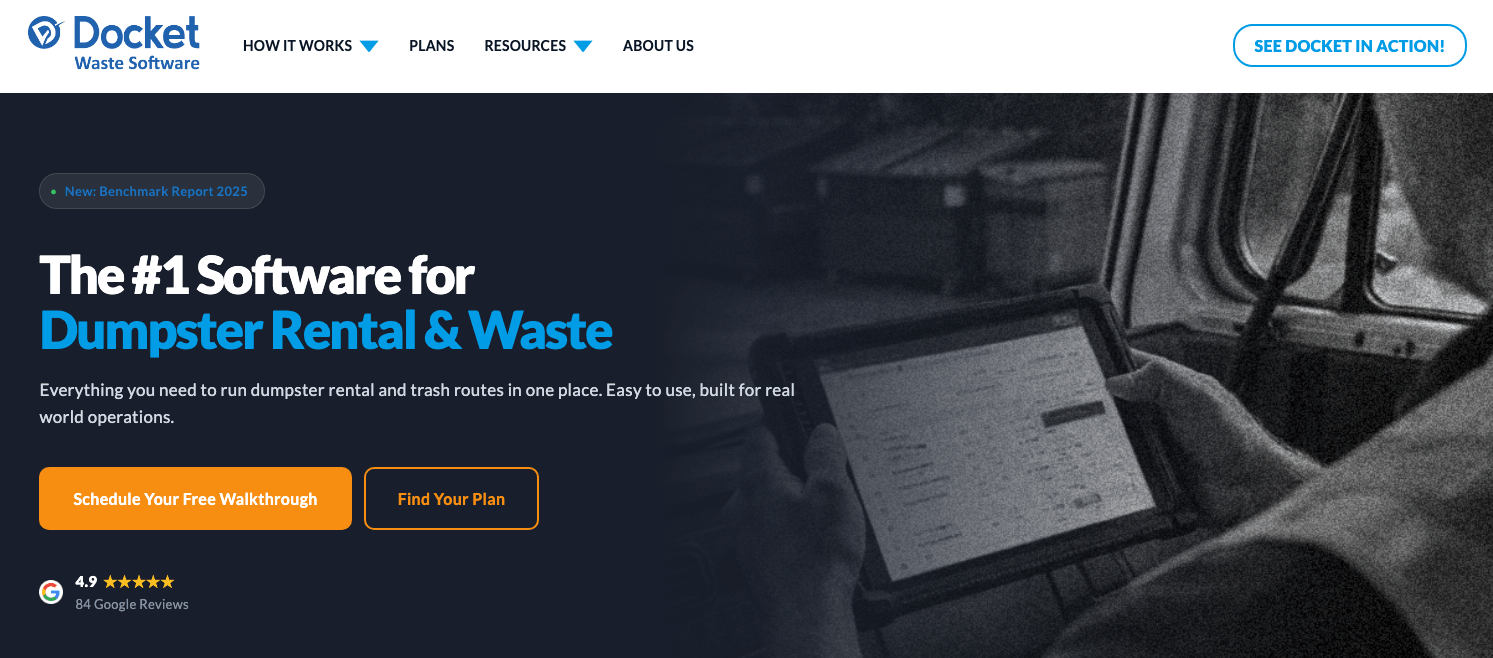
Docket is dumpster rental software that works well for companies who generate a meaningful share of orders through their website and want those bookings to flow directly into dispatch.
It offers order entry, scheduling, dispatch, asset tracking, billing, and driver operations. With Docket, customers can book a dumpster, select a size, choose a date, and pay upfront through an integrated shopping cart, with the job created automatically.
Key features
- Order and job management for deliveries, pickups, swaps, and live loads
- Real-time driver tracking and mobile app with offline functionality
- Asset tracking for containers, including days on site
- Automated billing tied to service completion, with customizable fees and tax rates
- Over 30 customizable email and text notifications for customer communication
5. Basestation: Best for multi-service waste haulers
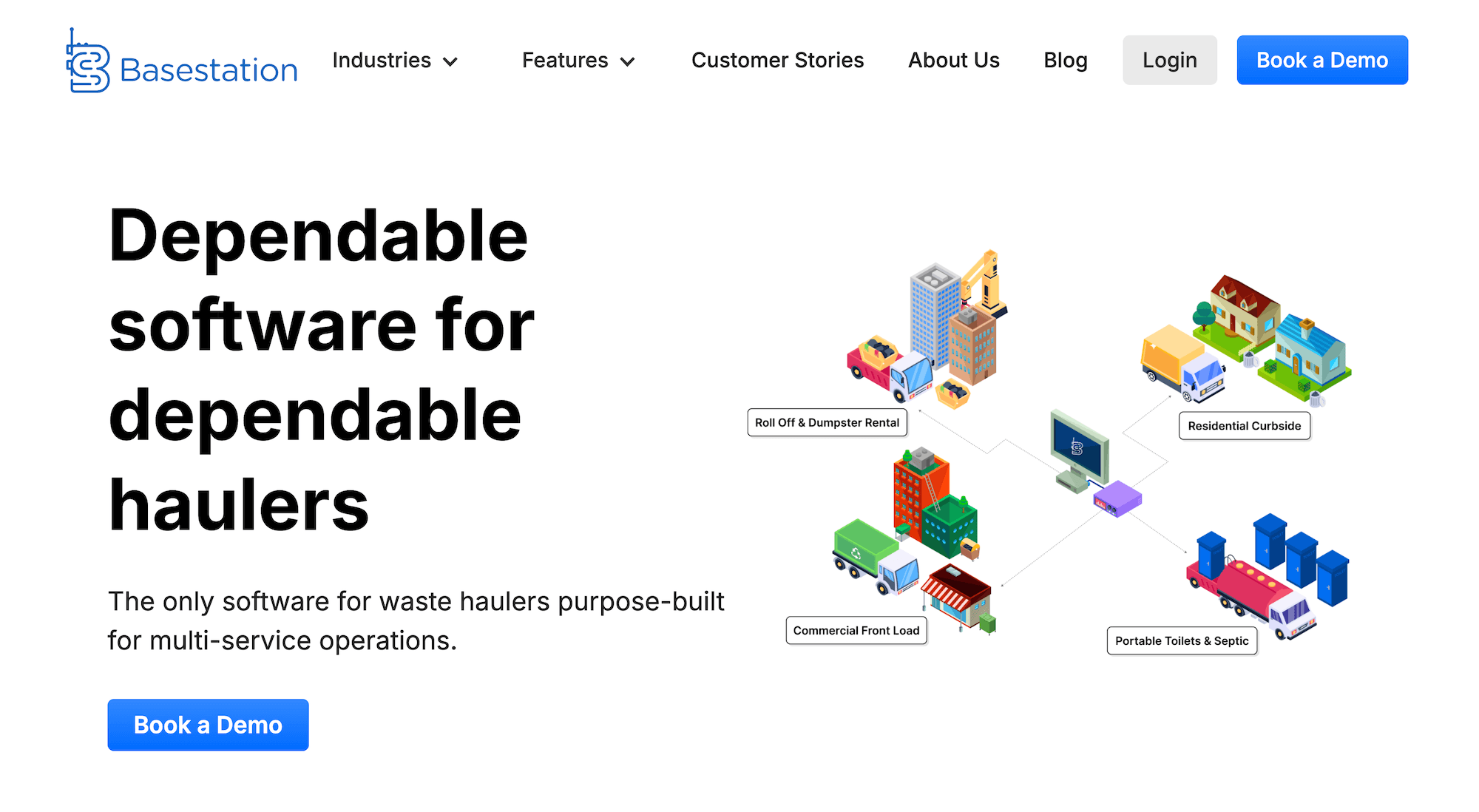
Basestation works best for hauling businesses running more than one service line who need everything centralized.
It covers roll-off, commercial front-load, residential curbside, portable toilets, and septic operations under one waste management system. All key tools like dispatch, routing, asset tracking, and billing are included.
Key features
- Centralized order and customer management
- Roll-off dispatch and routing with live driver communication
- Asset and container tracking with visibility into idle inventory
- Billing and invoicing tools for roll-off, liquid waste, and solid waste jobs
- Driver mobile app for route navigation and job updates
Choose Toro TMS for automated roll-off dispatch
For roll-off dispatchers, managing a full day of pulls can be difficult because of how often things can change. If you don't have the right software, you'll lack proper visibility into daily operations and be forced to relay every update manually.
Toro TMS solves this by connecting dispatch, driver communication, scale ticket capture, and back-office tasks into one system. This ensures that an order entered once flows through the rest of your operation automatically.
With Toro TMS, you can:
- Build reusable templates for recurring accounts and assign new loads instantly
- Manage every truck and active job from one real-time dispatch screen
- Send load details to drivers by text and capture scale tickets digitally
- Generate invoices and calculate driver pay automatically from completed pull data
- Report on profitability by route, customer, driver, and disposal site using live operational data
Schedule a demo today to learn how Toro TMS improves roll-off dispatch efficiency.